my4cut 2.0: Select from Album and Your Own Camera
The short answer
From my4cut 2.0 you can make a four-cut from album photos without shooting. Tap Select from album on the home screen, pick 4 to 8 photos, and finish with four of them. When shooting, take 4 to 8 and keep the four you like, and save timer, mirror mode, and base retouch in your own camera.
Build from your album
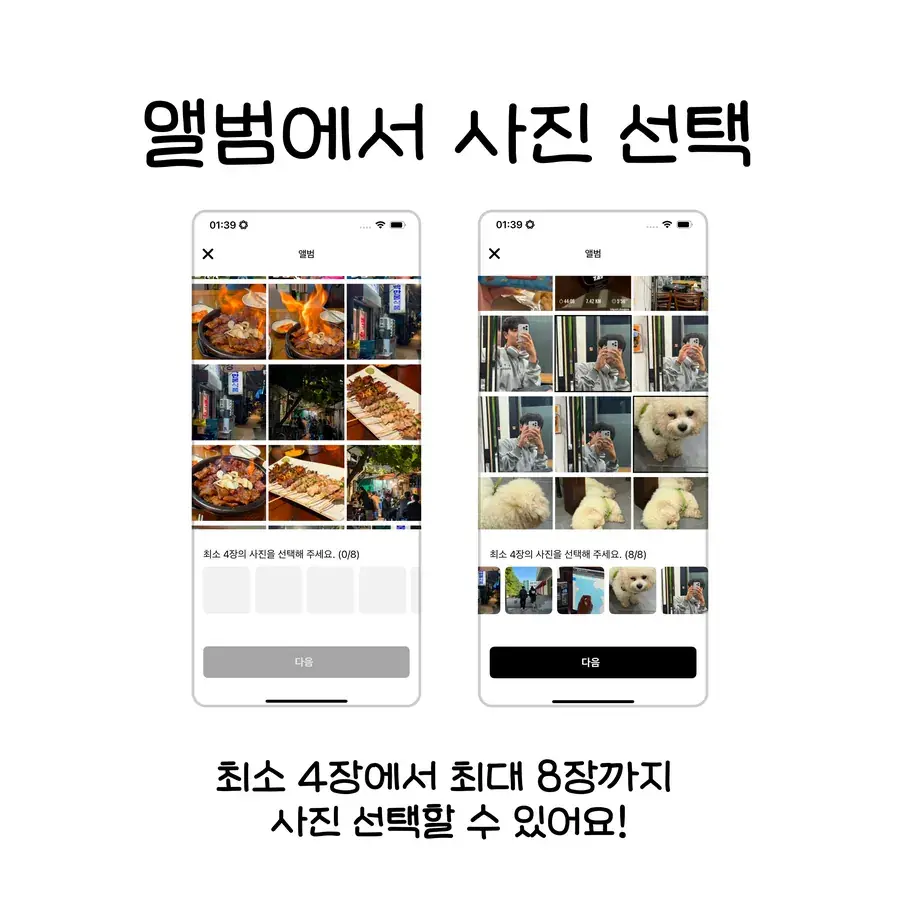
You can now make a four-cut from photos already in your album, no shooting needed. Tap Select from album on the home screen.
Choose 4 to 8 photos, then pick the four that go into the frame.
Frames and filters by category
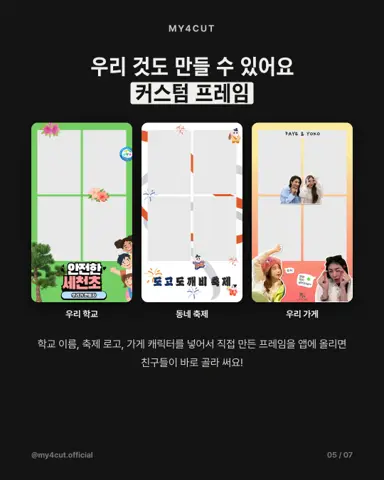
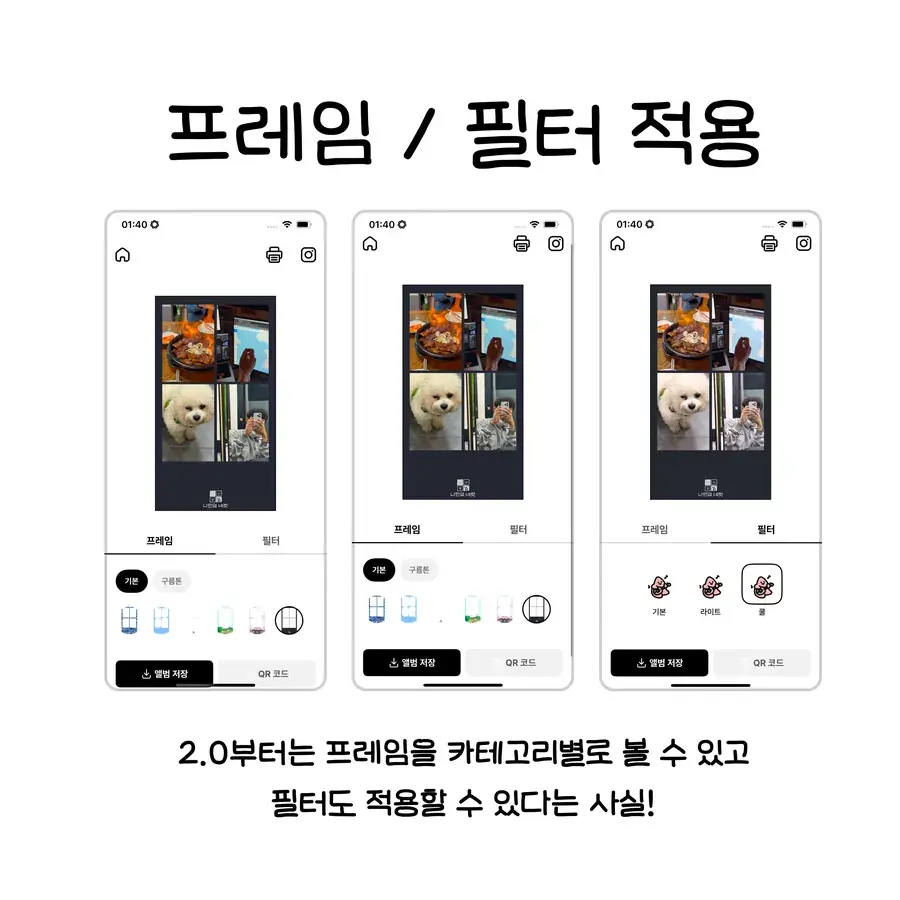
From 2.0, frames are grouped by category and filters can be applied alongside them.
Swap frames and filters on your four photos and check the result right away.
Shoot 4 to 8 photos
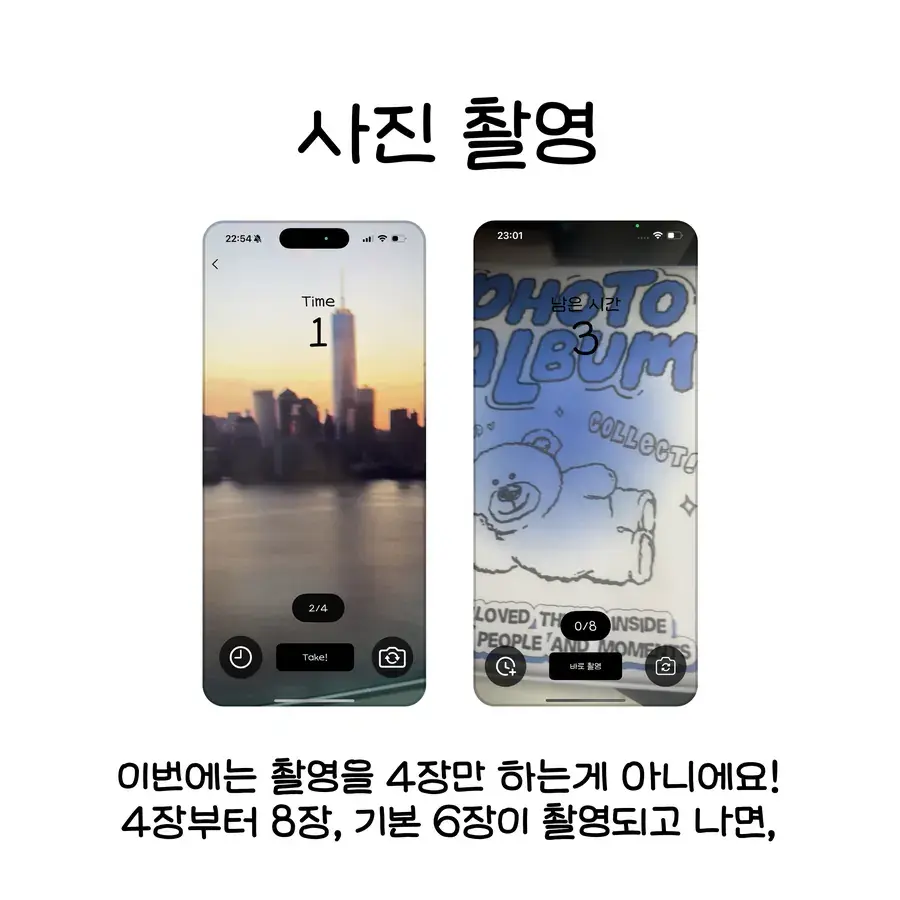
Tap Shoot, read the short onboarding, take six photos by default, and pick your favourite four. The shot count can be set anywhere from 4 to 8.
Each session is also saved as a short video so you can relive the moment.
Your own camera
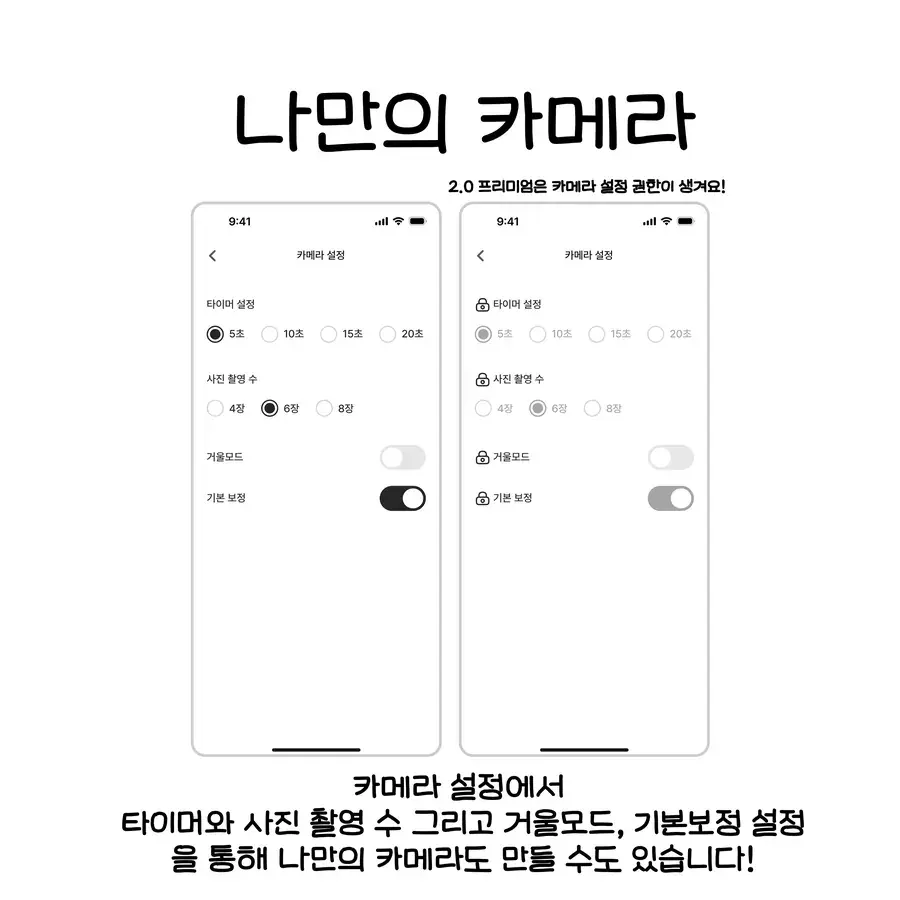
Save the timer, shot count, mirror mode, and base retouch in camera settings and every session uses them.
Organization mode and personal mode split here too: organization settings for events, personal settings for everyday.
What is the order for making a four-cut from album photos?
This is the order when you use photos you already have instead of shooting.
- Tap Select from album on the home screen.
- Choose at least 4 and at most 8 photos.
- Decide which four go into the four-cut.
- Swap frames and filters and check the result right away.
How should I set the shot count and camera settings?
Tap Shoot and a short onboarding appears first. You take six photos by default and pick the four you like. The count can be set from 4 to 8, and more shots give you more to choose from.
Save timer, shot count, mirror mode, and base retouch in your own camera under camera settings and every session after uses them. You do not have to set them again each time.
Organization mode and personal mode split here too: organization settings for events, personal settings for everyday. See the feature guide for event use.
Frequently Asked Questions
Can I make a four-cut from gallery photos without shooting?
Can I change how many photos are taken?
Do I have to set mirror mode or the timer every time?
Can I use frames and filters on photos picked from my album?
Can I watch the session back as a video?
Try it in the app
Album select and camera settings are available in the latest version.
Download the appYour phone becomes the photo booth
MY4CUT is a 4-cut photo booth app with a countdown timer, frames, filters and QR sharing. Free on iOS and Android.
Related guides
Download the appOrganization & Premium features
Change the logo, hide default frames and more, screen by screen
Web frame maker
Pick a template and edit the text; the size is set for you
FAQ
Downloads, sharing, printing and other common questions
Illustrator & Photoshop templates
SVG and PSD templates, photo slot positions, print safe line, export rules