Guide
Organization & Premium Guide
Features for events, schools, and organizations
Organization mode
Useful features for running a photo booth at schools, clubs, or events.
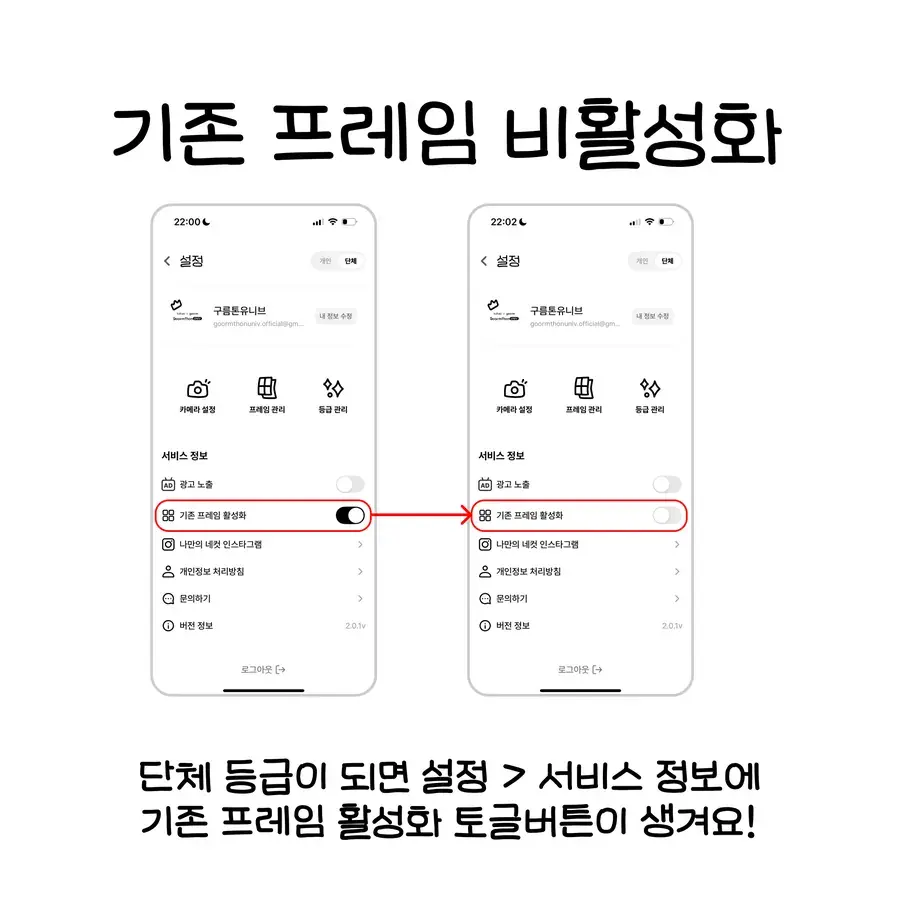
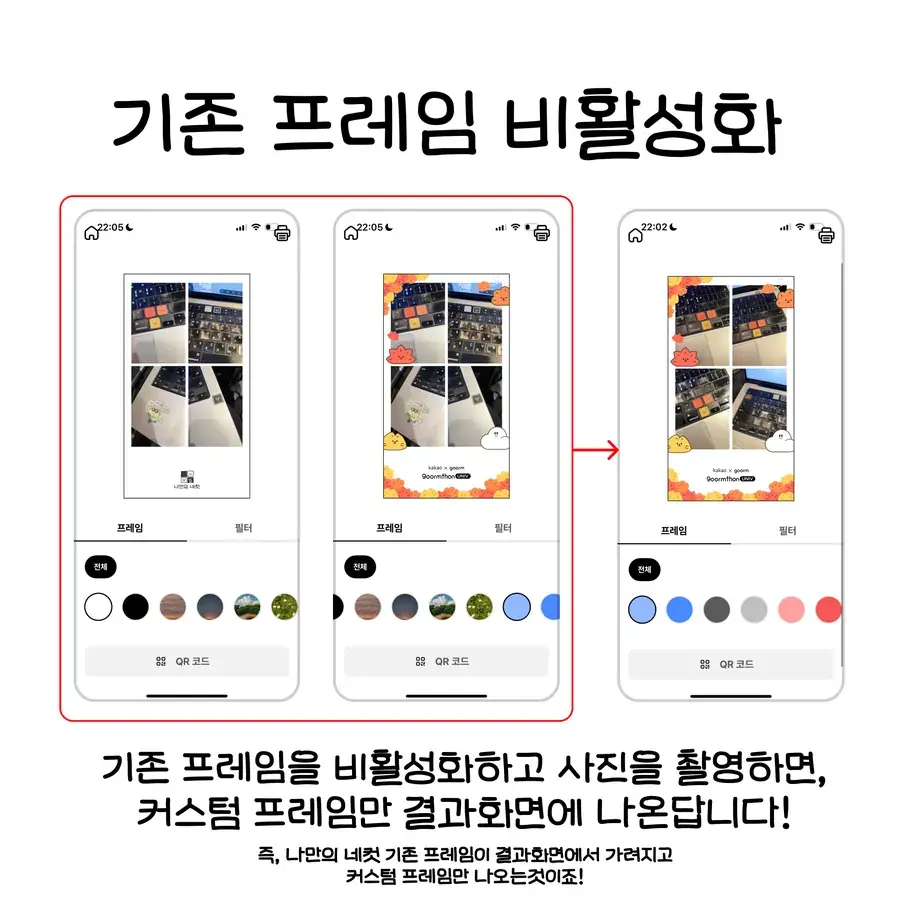
Hide default frames
Hide the default frames so only your organization frames are visible.
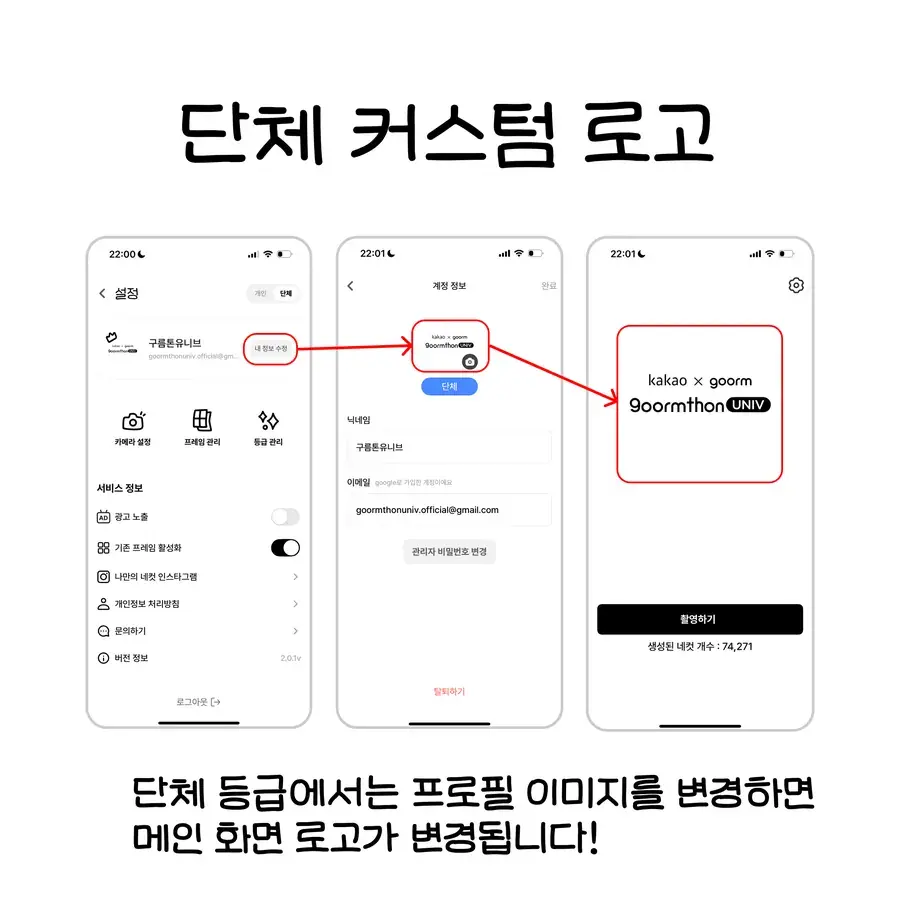
Change logo
Replace the in-app logo with your organization logo.
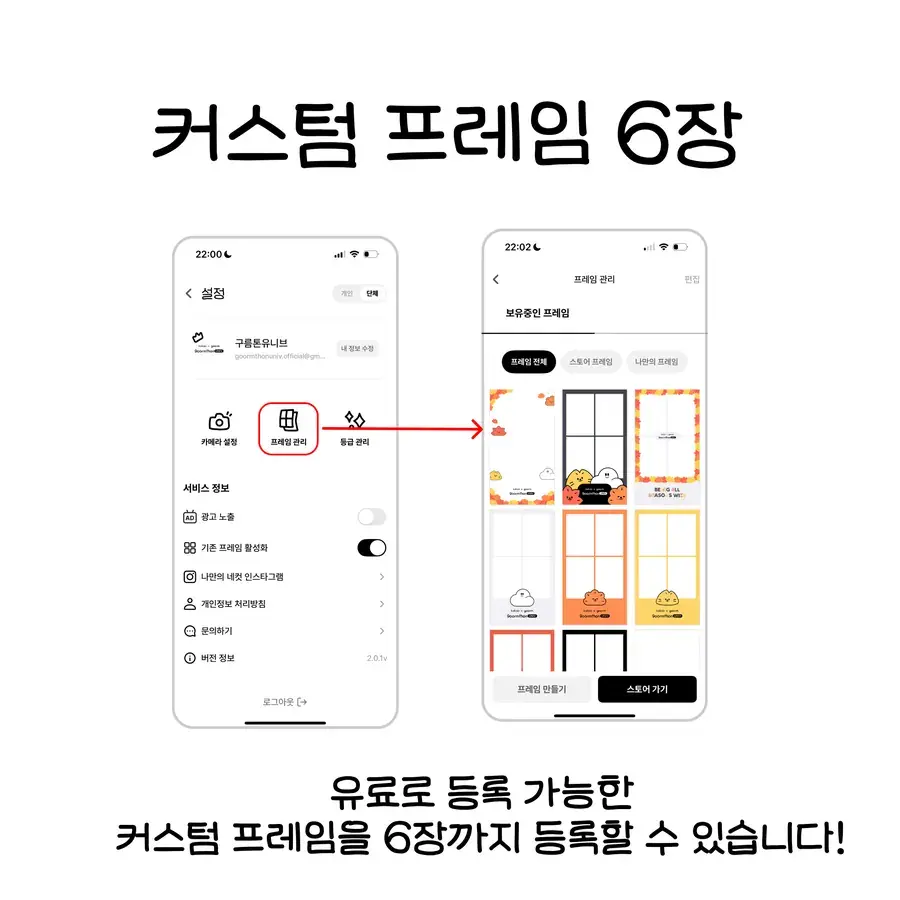
80 Bread every month
Receive 80 Bread a month for making custom frames (the 1-week pass gives 20 per payment).
Premium benefits included
Includes Premium features like ad removal and camera presets.
Organization tier, screen by screen
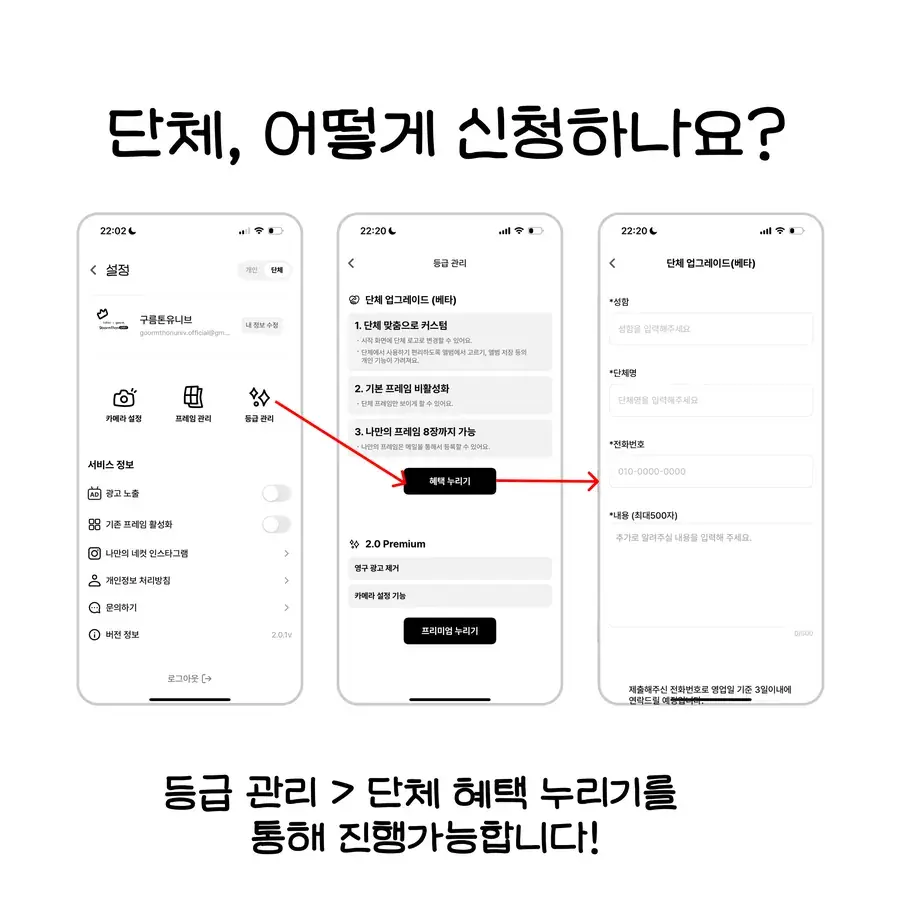
Apply for Organization mode
Apply via Settings → Organization request.
Setup
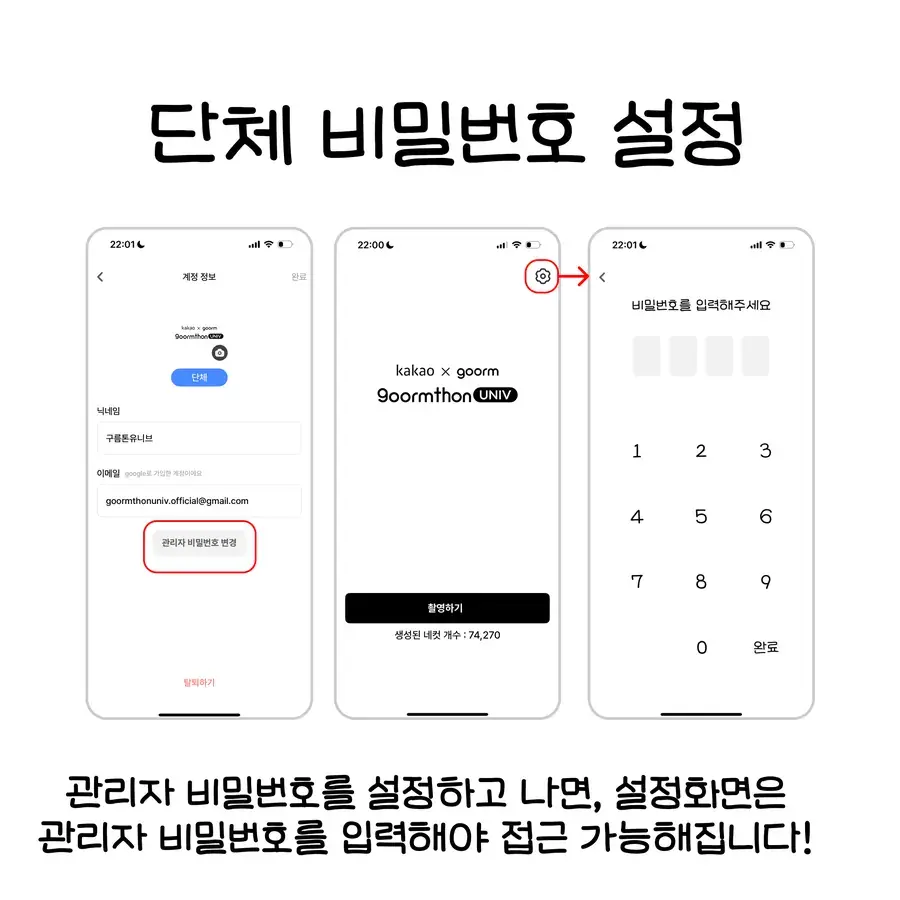
Hide default frames
Settings → Frame management → toggle off default frames
Change organization logo
Settings → Organization settings → Change logo
Save camera presets
Shooting screen → Settings icon → Save (Premium required)