Wedding photo booth
A 4-cut booth made for weddings
Prepare custom wedding frames, QR sharing, and prints in one flow.
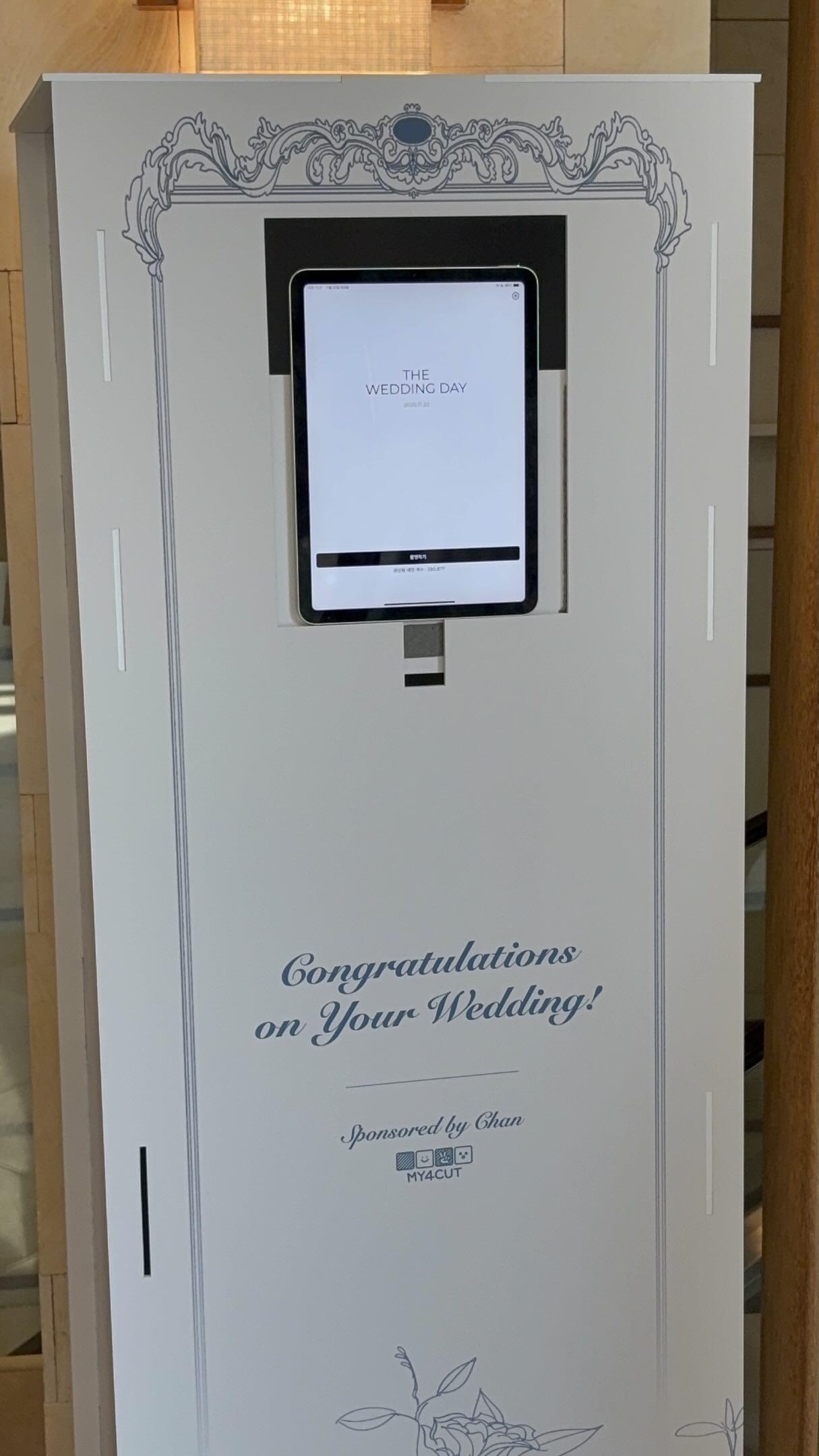
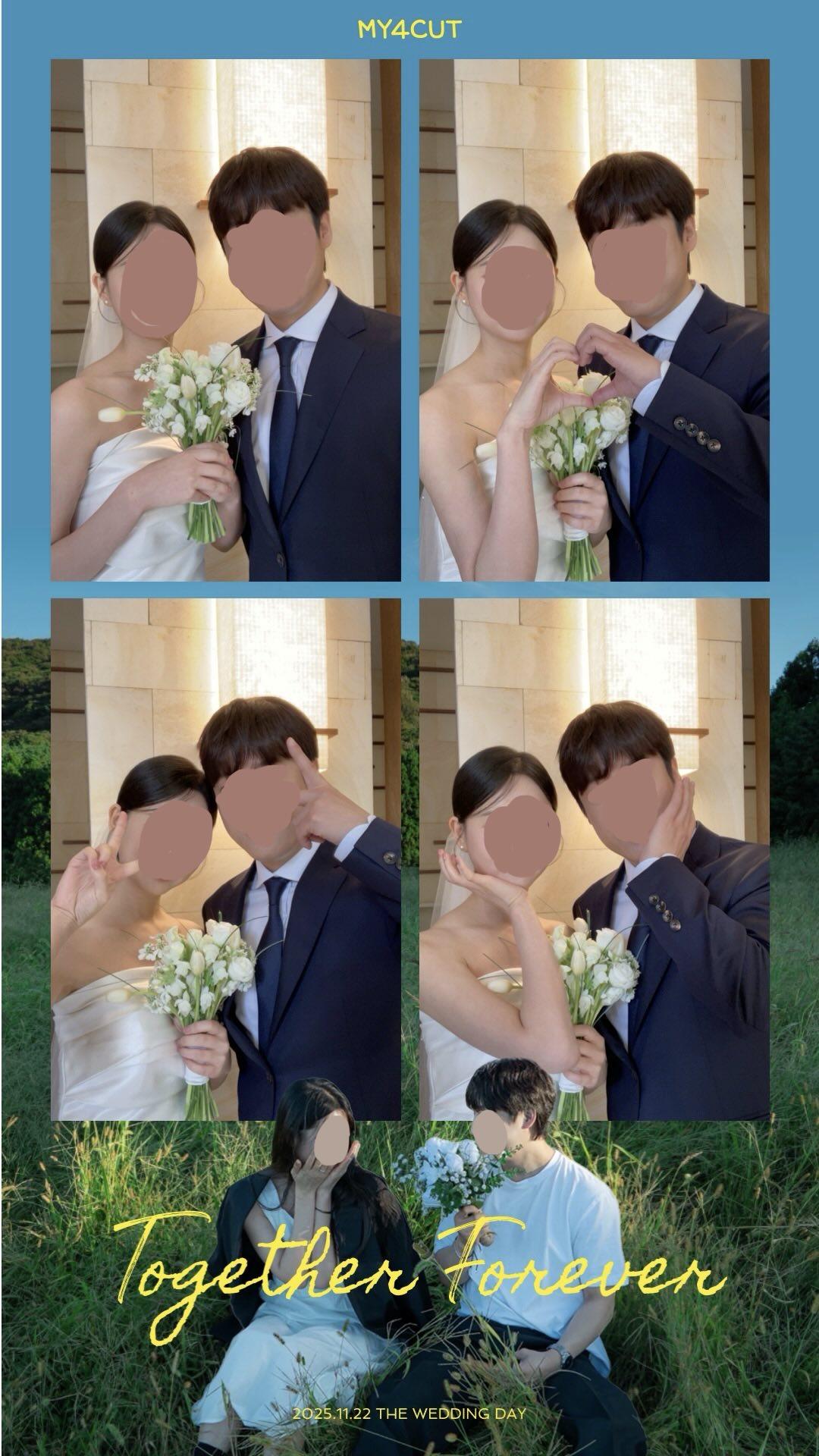
Custom wedding frames
Add names and dates for a perfect wedding frame.
Instant QR sharing
Guests can save and share instantly.
Print-ready
Connect a printer for on-site prints.
Wedding booth checklist
- Pick a wedding frame and add your text
- Set up an iPad with a stand
- Arrange lighting and a photo wall
- Enable QR sharing or printing
What we learned at a real wedding
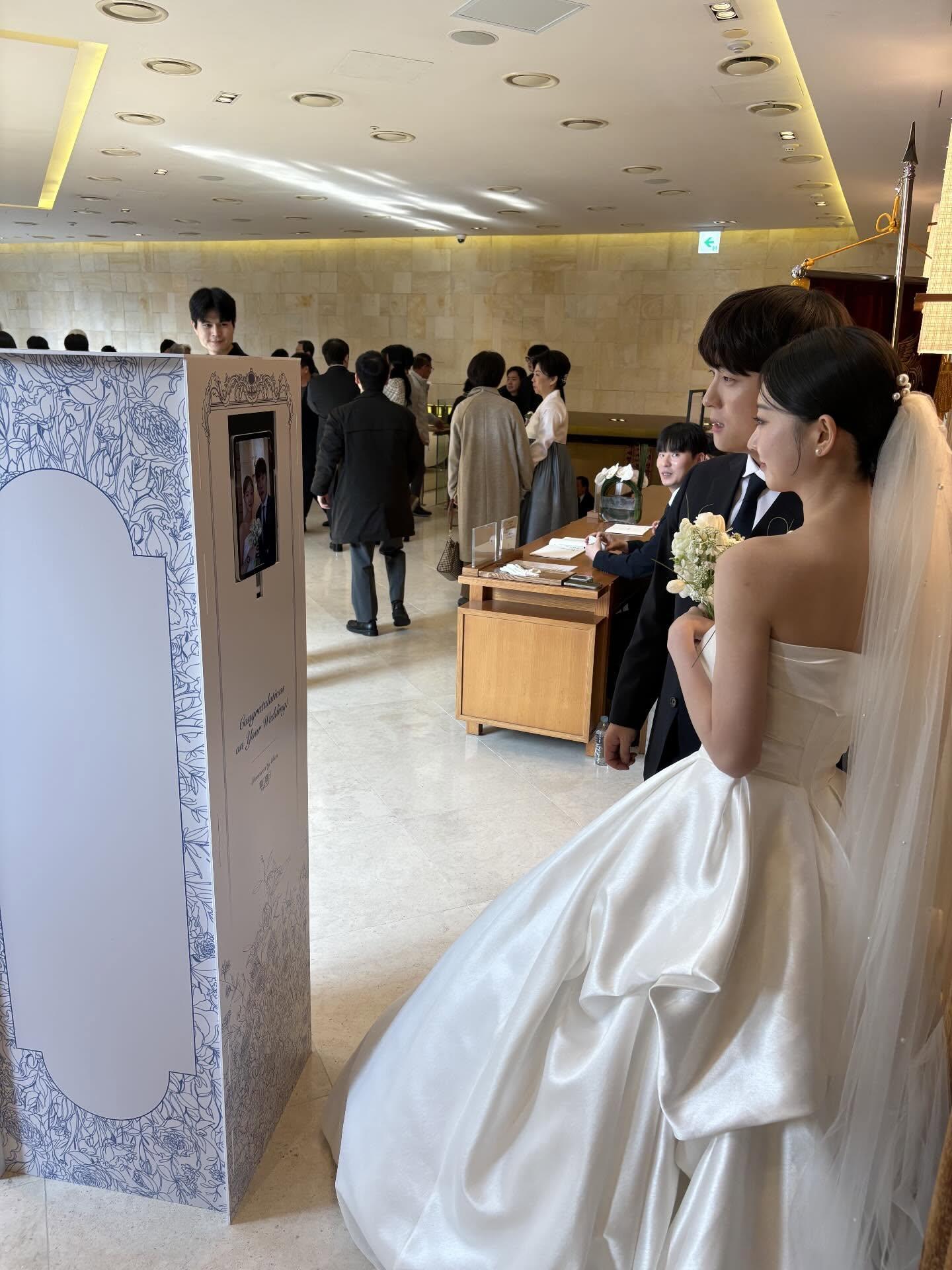
We once gave a friend’s wedding a photo booth we built ourselves. The frame matched the wedding colors, with only a little logo and text.
Setup on site was simple enough that we started without a rehearsal. Guests gathered on their own, and prints came out as soon as they finished shooting.
Read the wedding photo booth story →Make the wedding frame
The brighter the venue, the better a simple frame looks. Starting from a template and changing the names, date, and colors is usually enough.
What you need
An iPad and a stand
Put an iPad on a mini booth or stand and it becomes a photo booth. Guests watch the screen and shoot themselves.
The MY4CUT app
Pick the wedding frame in the app and start shooting. Photos and videos can be saved after each session.
A wedding frame
Make a frame with the couple’s names and date in the web editor ahead of time, so on the day you only need to select it.
A photo printer (optional)
Connect a photo printer if you want prints. You can also run the booth with QR sharing only.
Wedding photo booth FAQ
- Can we add names and dates to the wedding frame?
- Yes. You can customize the frame with names, dates, and wedding colors.
- Can guests save and share right away?
- Yes. Guests can share via QR or save to their albums instantly.
- Is printing supported?
- Yes. Connect a photo printer for instant prints. See the printer guide.
- How should a wedding photo booth frame look?
- Pick a frame that matches the wedding colors and keep the logo and text to a minimum. The brighter the background, the better a simple frame looks.
- Do we need a rehearsal?
- Setup is simple enough that we have run a wedding booth without one. If you use a printer, check the connection once beforehand.