my4cut Premium vs Group Plan: Which One Fits
The short answer
Premium is for shooting on your own phone or tablet. Group is for a device you set up at an event or shop so guests can shoot. Group already includes Premium's ad-free shooting and camera settings, so you don't need both. Prices below are Korea App Store prices checked on 2026-10-09.
What is the difference between Premium and Group in one line?
Premium is for you, shooting on your own phone or tablet. Group is for a device you leave at an event or shop so guests take their own photos. Inside the app, Group is described as a photo booth setup for one group and one event.
Both plans remove the ads that appear while you shoot, and both unlock your own camera settings such as timer and shutter sound. The split comes after that. Group adds booth controls: a custom home logo, hiding the default frames and an admin password. Monthly Bread differs too: 10 for Premium, 80 for Group.
Making your own frame and making your own filter work without any subscription. What a plan adds is ad-free shooting, camera settings, external camera support, monthly Bread, and for Group the booth controls. A full benefit-by-benefit table lives in the Premium vs Group guide.
If I only shoot for myself, is Premium enough?
Yes, if you shoot four-cut photos with friends on your own phone, Premium covers it. This is what it includes.
- Ad-free shooting: all ads that appear while you shoot are gone.
- Your camera settings: timer (4, 6, 8 or 12 seconds), number of shots, mirror mode, basic retouch, shutter sound and screen flash.
- External camera: shoot with a camera connected to your iPad over USB.
- 10 Bread every month while you are subscribed.
- Two billing options: monthly or yearly.
Do I need Group to run a booth at an event or shop?
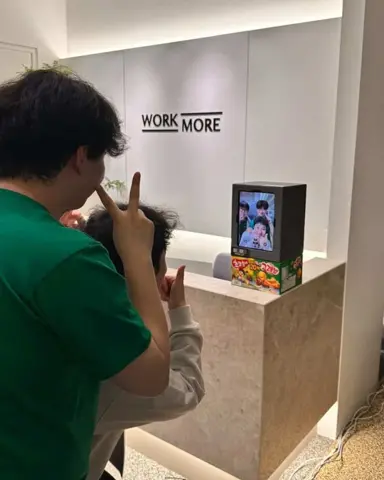
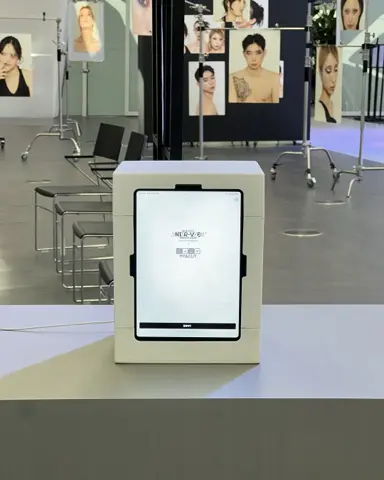
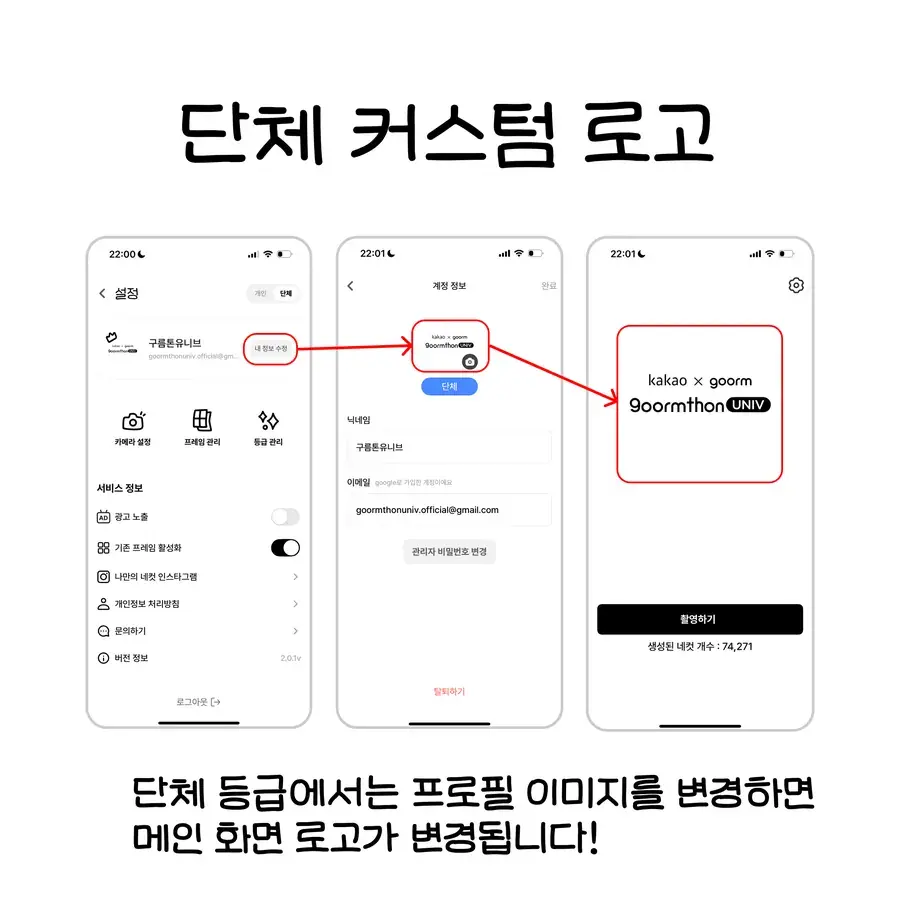
If guests will take their own photos at a booth you set up, Group is the plan built for that. The reason is the booth controls. You can put your logo on the home screen, hide the app's default frames so only your own frames show, and hide the bottom tab bar so guests don't wander to other screens.
To change the home logo, turn on group mode in Settings and then change the profile image. The screens below show that order. You can also hide the home banners and hide the save buttons on the result screen. With save buttons hidden, visitors only see the QR code. Turn it off and they can save photos and videos directly.
These settings only change once group mode is on, so try it before the event and check how the home screen changes. For a real booth example, see the Venture Café Tokyo write-up.
How do I stop settings from changing during an event?
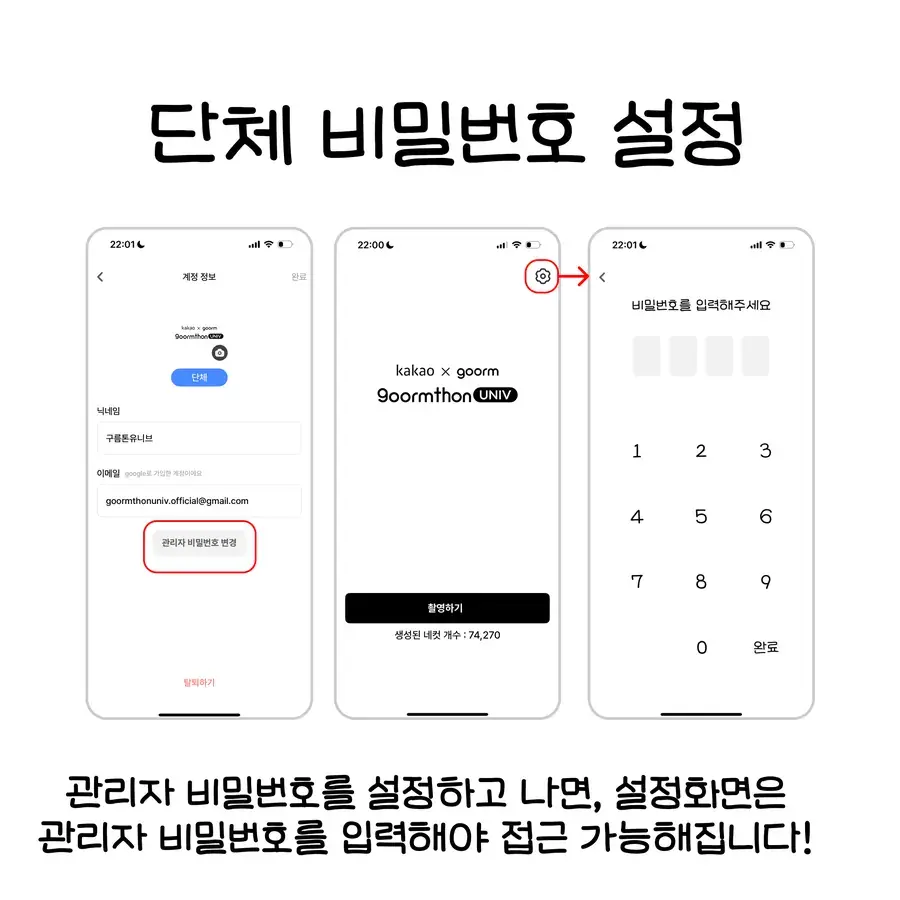
The admin password does that. Set a 4-digit password and the app asks for it when someone opens Settings from the home screen. It exists so a guest can't change the timer or frames mid-event. The app itself says you can lock settings with an admin password at events and shops.
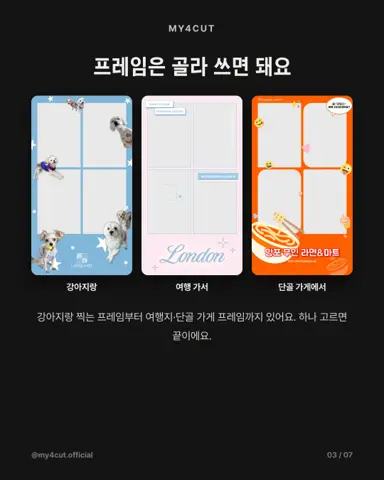
Hiding the default frames works the same way. Once you are on Group, a toggle for the default frames appears under Service info in Settings. Turn it off and only your own frames remain. If you made a frame for the event, switching that toggle off keeps the screen clean.
- Admin password: 4 digits, asked when opening Settings
- Hide default frames: only your frames are shown
- Hide tab bar: guests can't move to other screens
- Hide home banners: promo banners on the home screen go away
What if my event is only one day?
A one-week event pass is being prepared. The app already has a version that gives 20 Bread per payment, but it is still before App Store review and not on sale. That is why this article shows no price for it.
For one event today, start with Group monthly. After the event, cancel in App Store subscription management. If you cancel at least 24 hours before renewal, next month is not charged. Group monthly also gives 80 Bread a month, enough to make event frames. The app links to App Store subscription management for cancelling.
The app does not state how many devices you can run on one subscription. If you plan to use several, ask support before you pay.
Why does Bread come with the subscription?
Bread is the in-app currency in my4cut. Registering one custom frame in the app uses 20 Bread, and you can also spend it on filter and sticker packs. A subscription adds Bread every month, so people who keep making frames keep getting supply.
In numbers, Premium's 10 a month is half a frame and Group's 80 a month is four frames. That is why Group, where you make new frames per event, gets more. The 6-month Group plan has one month free, for 480 Bread in total.
You can also buy Bread separately. A 10-pack is ₩5,900. Pack prices are on the Bread page, and frame specs and Bread costs are in the frame template guide. The server grants Bread, and the app code doesn't show exactly when, so this article only says every month while you are subscribed.
How much does it cost, and how do I start or cancel?
Prices are Korea App Store prices checked on 2026-10-09. They can differ by country and exchange rate, and the app shows whatever price the App Store returns at checkout.
- Premium: ₩6,600 monthly, ₩55,000 yearly (about ₩4,583 a month)
- Group: ₩55,000 monthly, ₩299,000 for 6 months (about ₩49,833 a month, one month free)
- Group 1-week pass: in preparation, not on sale yet
Do I need to subscribe to both?
No. Group includes the Premium benefits, so on Group you already get ad-free shooting, camera settings and external camera support. If you run a booth on Group and also want ad-free shooting on your own phone, buying Premium separately gives you nothing extra.
To start, an account that still sees ads has a subscription icon on the home screen and a Premium shortcut at the top of Settings. Group starts from the settings icon at the top right of the home screen, and you need to sign in before paying. If a purchase doesn't show up, tap Restore Purchases at the bottom of the screen. If the app says the subscription is linked to another account, sign in with the account that paid.
To cancel, the cancel button in the app opens App Store subscription management. If you don't cancel 24 hours before renewal, it renews automatically. Benefits and prices can change, so the checkout screen is the final word.
Frequently Asked Questions
What is the difference between my4cut Premium and Group?
If I have Group, do I also need Premium?
How much do Premium and Group cost?
Can I use Group for one event and then cancel?
How much Bread do I get each month?
Want the full comparison table?
The guide has a benefit-by-benefit table and a four-question finder for the right plan.
Open the Premium vs Group guideStart free, pick a plan when you need one
The MY4CUT app is free to start. Premium covers ad-free shooting and camera settings; Group is for event booths.