Guide4 min read
iPad Photo Booth Software for Rental Businesses: What to Look For
The short answer
For a photo booth rental business, compare software on five things: what it costs per device, what happens when the venue Wi-Fi drops, which printers it supports on the hardware you use, how you manage several booths and staff, and how easily you can put each client's branding on frames and hand over a gallery. Test all five on your own gear before a paid event.
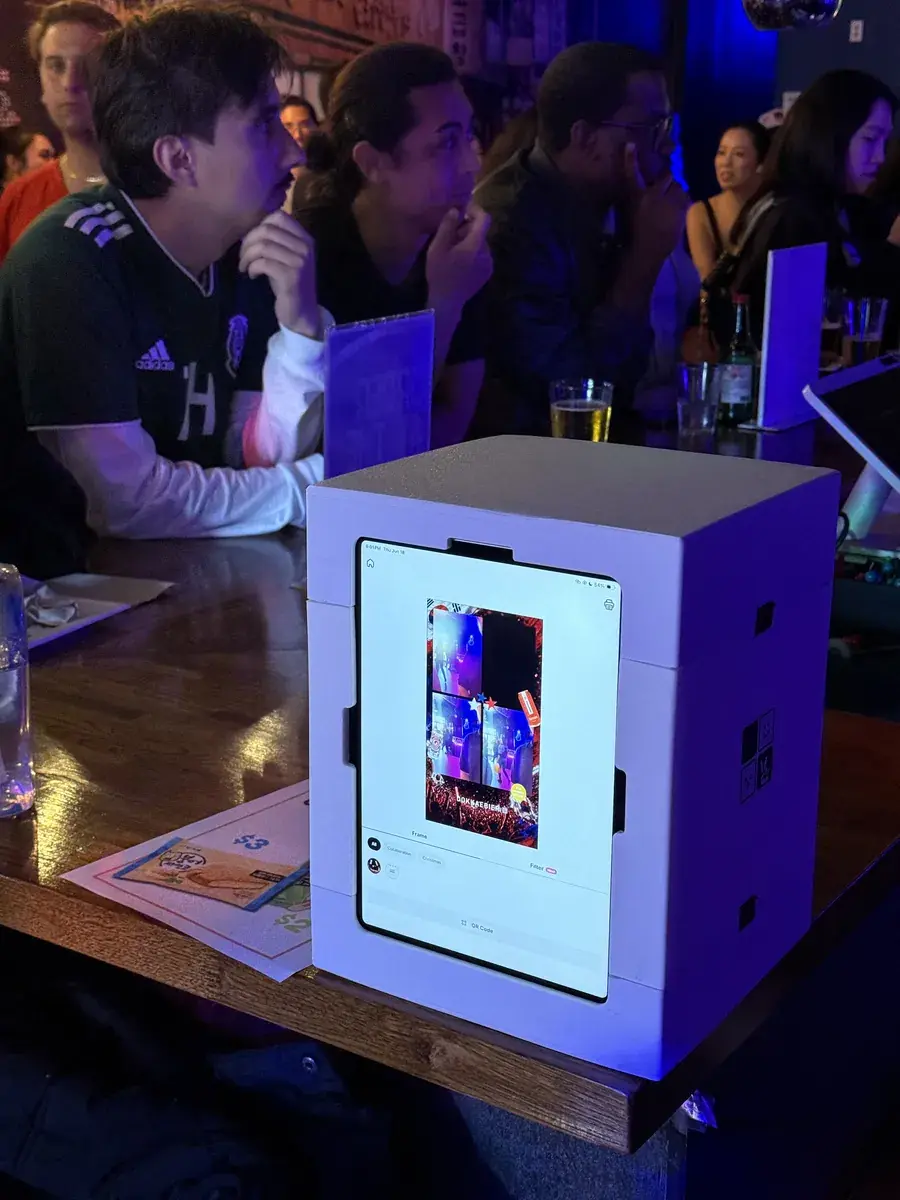
What booth software has to do at a paid event
At a wedding or a brand activation, nobody cares how many filters the app has. They care that the line keeps moving, that every guest walks away with a photo, and that the client gets something to share afterwards.
So the software has a short list of jobs: start a session with one tap, count down and shoot, put the photos in the client's frame, print or hand over a QR code, and keep a record you can send the client after the event.
Count devices, not features
Most booth software for businesses charges per device, or includes a few devices and charges for each one after that. That matters more than the headline price, because your cost grows every time you add a booth.
Work it out for the number of booths you will run in a year, not the number you have today. As an example, here is what MY4CUT for Business will cost at regular prices: $39 a month with 2 devices included, and $15 a month for each extra device.
| Booths | Monthly | Yearly (2 months free) |
|---|---|---|
| 2 | $39 | $390 |
| 3 | $54 | $540 |
| 4 | $69 | $690 |
| 6 | $99 | $990 |
What happens when the venue Wi-Fi drops
Venue Wi-Fi fails more often than anything else at an event. Before you commit to an app, turn Wi-Fi off in the middle of a session and watch what it does.
Ask three questions: does shooting keep working, where do the photos wait until the connection is back, and what does the guest see while the QR code can't load? In MY4CUT for Business the booth shows a notice and carries on when the connection returns; the photo QR needs a connection. Whatever app you use, bring a phone hotspot as a backup.
Printing from an iPad
An iPad prints to printers it can see over the network, and that list is shorter than what a laptop supports. Many operators who print a lot run the booth on an iPad and keep a Windows PC or Mac for printing, or run the whole booth from the computer.
Check your exact printer model with the software before you book an event around it, and print a test sheet with the client's frame. MY4CUT for Business prints to any photo printer a Windows PC or Mac can see, and on Windows it can also shoot with a Canon DSLR over USB.
Running more than one booth
With one booth you can set things up by hand. With three, settings drift: one booth has last week's frame, another has the wrong event name, and nobody knows which tablet is which.
Look for a web console where you create the event once and attach booths to it, see which booths are online, and change settings without touching the tablet. In MY4CUT for Business, a booth pairs with a 6-digit code and picks up event changes within a minute.
Client branding and the handoff
Clients book you partly for their own brand on every photo. You should be able to put a logo and event name on the frame, and add your own stickers, in a few minutes per event.
After the event, send a gallery link with every photo. It is the easiest thing to forward, and it is how the next client finds you. MY4CUT uses a 2 × 2 four-cut layout by default; the four-cut layout explained covers why guests like it.
A checklist to take into a trial
Run this on your own devices, in a dim room, before any paid event.
| Check | Why it matters |
|---|---|
| Price for the number of booths you'll have next year | Per-device pricing adds up |
| Wi-Fi off mid-session | Venue networks fail |
| Your printer, your paper, the client's frame | Print problems show up on the day |
| Two booths on one event from a console | Settings drift between booths |
| Logo and event name on a frame in under 10 minutes | You'll do it for every booking |
| Gallery link a client can open on a phone | It's what gets shared afterwards |
Where MY4CUT for Business fits
MY4CUT for Business is booth software for rental companies, agencies and venues. It runs on Windows, Mac, iPad and iPhone, or in a browser, and every event can carry the client's frames and logo. It is launching soon: join the launch list on the Business page and you'll hear first.
Pricing is one plan with every feature: $39 a month or $390 a year for 2 devices, with the first month at $19. For a single event there's a 7-day Event Pass for $29. Full details are on the pricing page. Guest QR payment and AI photo effects are coming soon.
If you need the hardware too, the MY4CUT mini booth is a tabletop enclosure for a tablet, shipped from Korea. To the US it's $219 plus $39 shipping, with import duty already paid.
Frequently Asked Questions
Can I run a photo booth rental business with just an iPad?
Is per-device pricing or a flat price better?
Does photo booth software work without internet?
Can I use a DSLR instead of the iPad camera?
When can I try MY4CUT for Business?
Hear first when MY4CUT for Business opens
MY4CUT for Business is launching soon. Join the launch list and you'll get the early user price of $259 a year for 2 devices.
Run every booth from one console
MY4CUT for Business is launching soon. Join the launch list to hear first and get the early user yearly price.