Custom 4-Cut Frame Ideas: A Frame from a News Scene
The short answer
A scene from the news becomes a four-cut frame with just one photo. After reading about a shark in Busan's Hydrophil Park, I made a frame and added it to the app. You can start from 'Create My Frame' at the top of the frame store and upload the picture you want.
Why turn a news scene into a four-cut frame?
On September 18 I read that a 3 m shark had appeared for a second day in a waterway beside the walking path at Hydrophil Park in Busan's North Port. The coast guard was telling people not to go near the water.
I could not go and see it, so I thought I would at least meet it in a four-cut. I only quoted the news as it was and kept the frame itself light. I did not add any opinion about the shark.
The card news title also took the scene straight from the news: the shark at Hydrophil Park, now as a four-cut frame. People already knew the scene, so it was easy to start talking about the frame. That is just my own view.
The news gave a date, a place, a size and the coast guard's advice. Anything beyond that would be guesswork, so I kept it out of the frame. When you turn a scene into a frame, it is safer to use only what is confirmed.
How is the frame laid out?
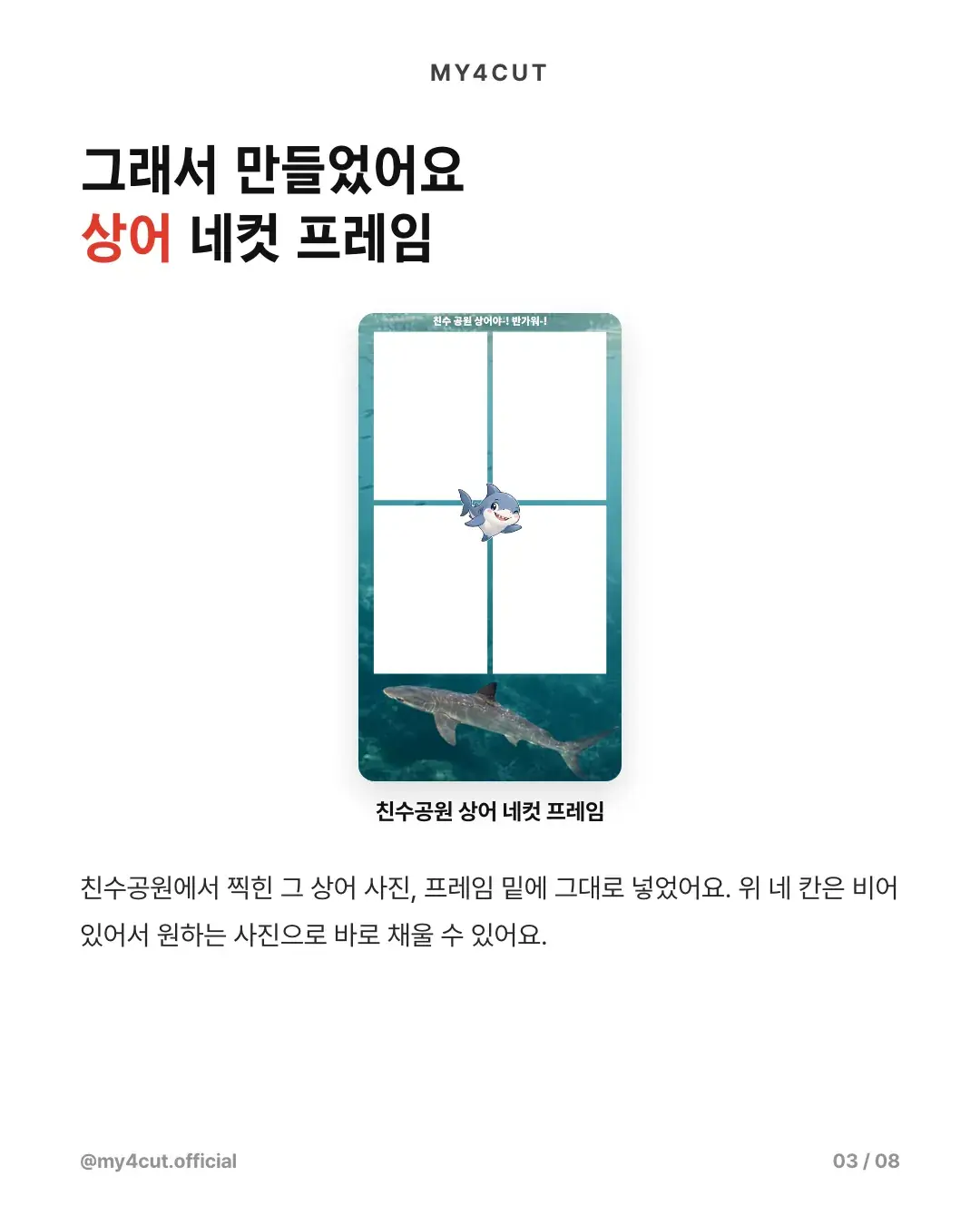
The four slots at the top are empty, so you can fill them with any photos. A shark mascot sits in the middle, and a short greeting about the park runs across the top.
The shark photo taken at the park sits at the bottom, as it was. Putting it low keeps the four slots clear. The top four slots can be filled with any photos right away. That layout works because the app's frame spec fixes the four photo slots in place.
Each slot is fixed at 466 x 690, so the inside of the slots stays transparent and you decorate the space between and around them. The shark mascot sits where the four slots meet, the greeting runs across the top and the photo goes at the bottom.
What does a real shot look like?
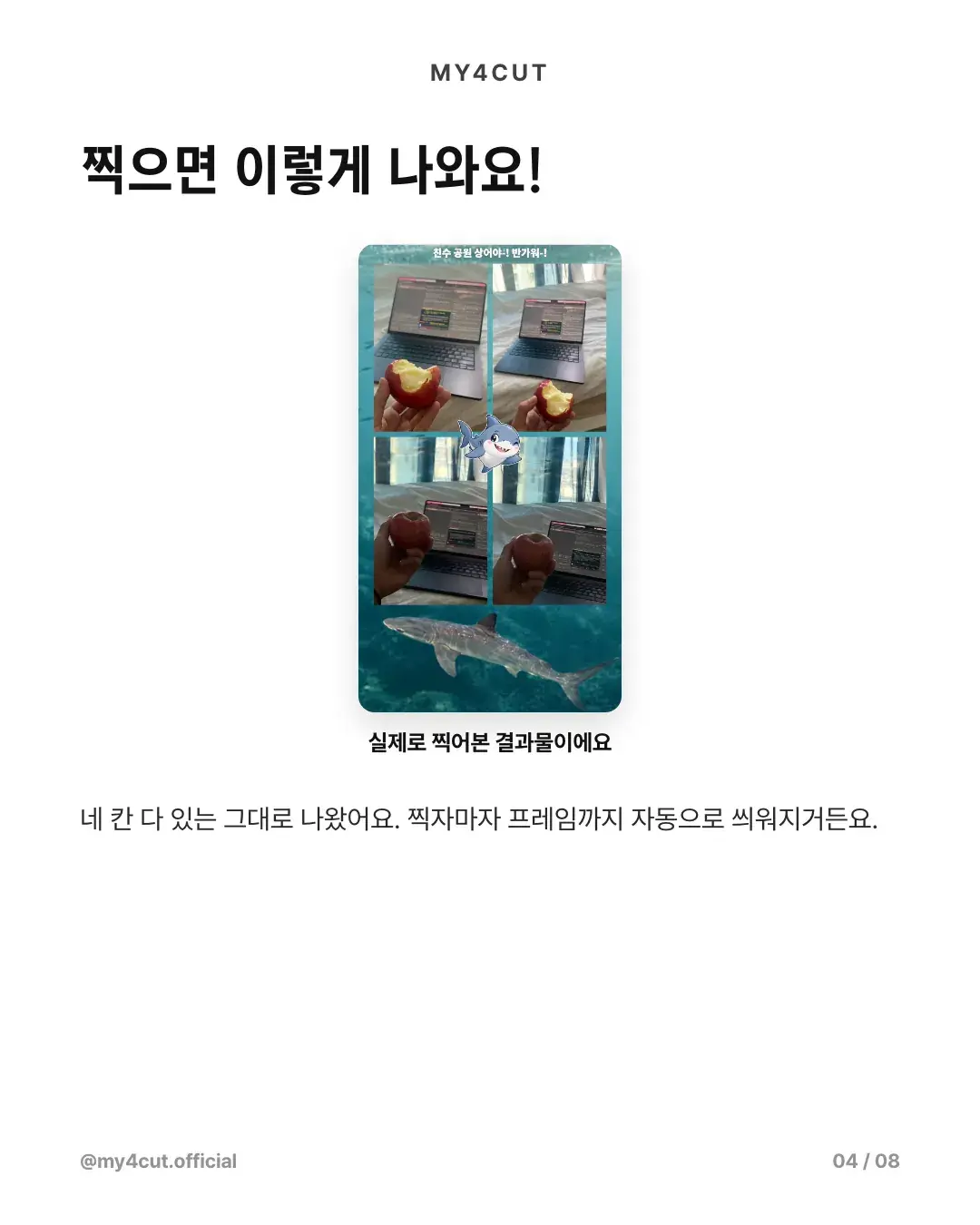
For a test I took four photos of a hand holding an apple in front of a laptop. All four slots came out as shot, and the frame was applied automatically as soon as I took them.
They were ordinary photos taken at a desk, yet the frame turned them into a shark four-cut. Once a frame carries a story, any photo you take sits inside it.
I recommend testing a real shot after you make a frame. Covered slots and cut-off text only show up when you shoot, not while you design. That is just my advice.
How did I add the frame to the app?
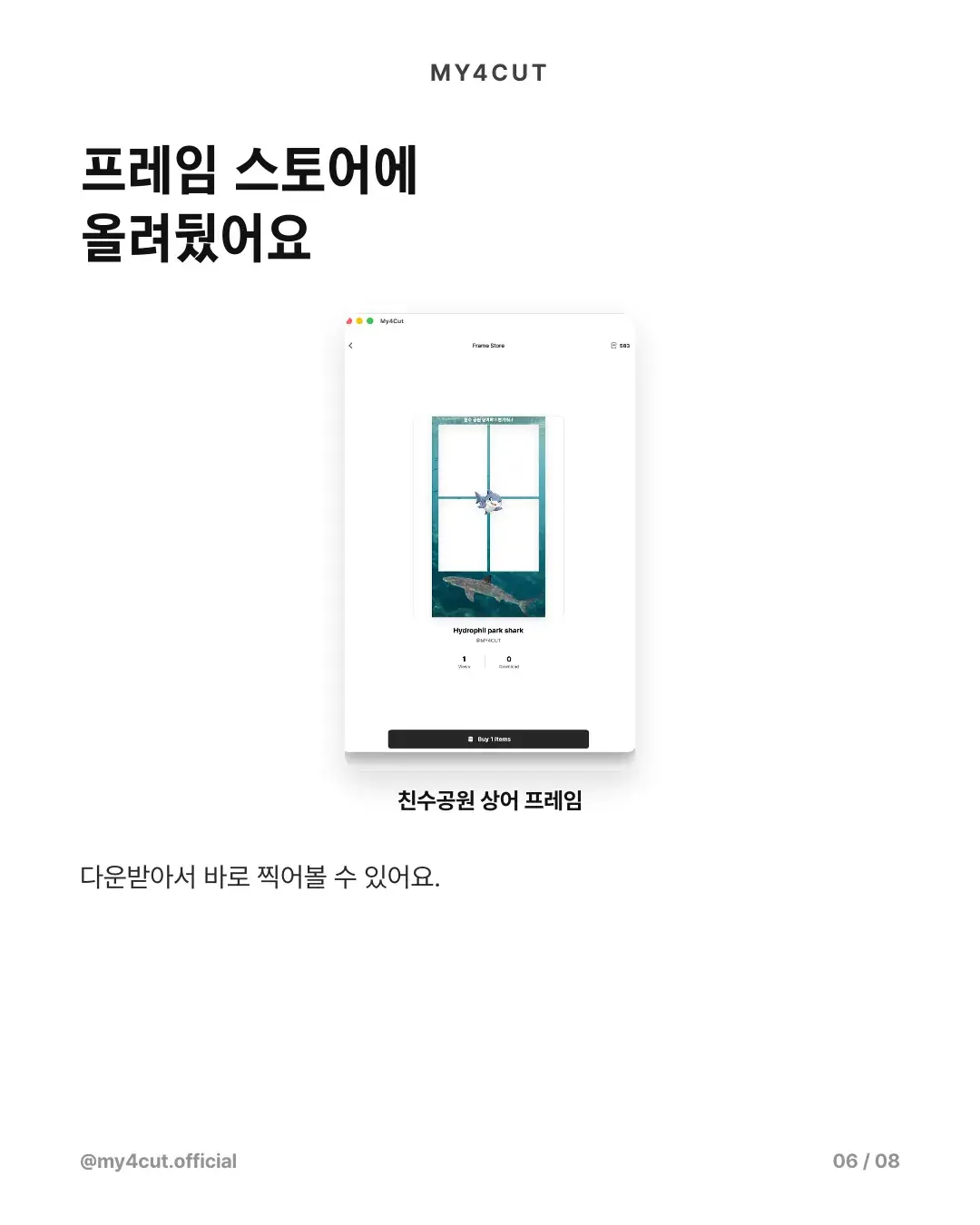
I added the frame I made to the app and put it in the store. Searching for 'shark' in the store finds it. Once it is up, you can download it and shoot right away. In the store it appears under the English name 'Hydrophil park shark'.
The app checks the file when you upload it. If 85% or more of a slot is covered it flags the slot as blocked, and saving as JPG loses transparency and turns the slots white, so save as PNG.
The upload steps and specs are in the frame template guide. An app frame is a 1080 x 1920 PNG with the four photo slots left transparent.
The card news showed the process briefly: the frame template, a real shot, the store detail screen and Create My Frame, in that order. This post follows the same order. After you upload a frame, you get it from the app store and use it like any other frame.
Where do you start when making a frame?
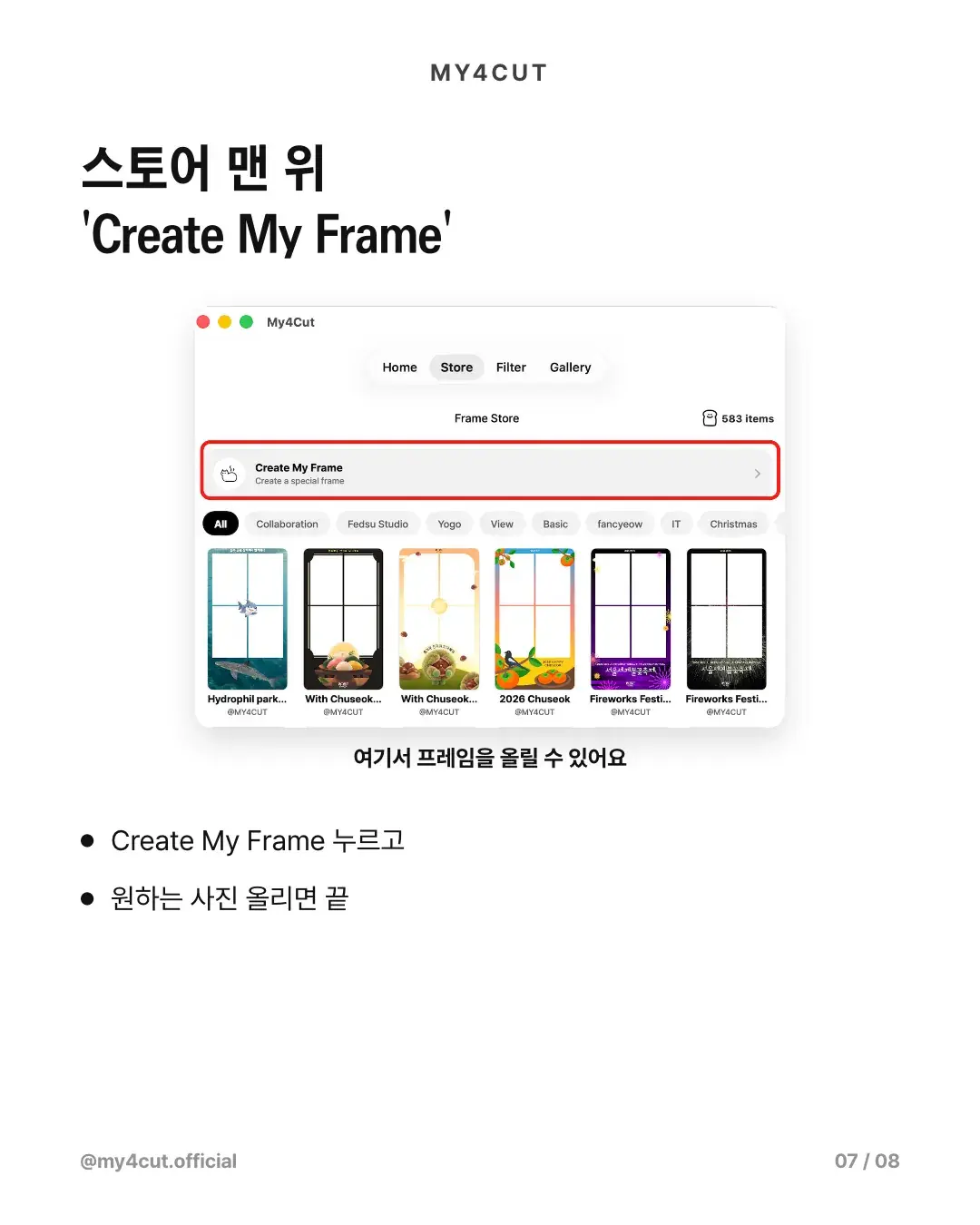
'Create My Frame' sits at the top of the store. Tap it and upload the picture you want to start. The shark frame was added the same way.
In short: tap 'Create My Frame' at the top of the store, upload the picture you want, then download the uploaded frame from the store and shoot. A frame you register can be hidden or have its visibility changed in the app.
If you would rather work on a computer, the web frame maker works too. Both end up in the same My frames.
What other frame ideas can you borrow from this?
The structure from the shark frame is simple. Leave the four slots at the top empty and put a picture with a story in the middle or at the bottom. The ideas below are suggestions. The shark frame is the only case I can point to.
The order is the same for any idea. Decide the scene or text you want, reserve the four slots, then arrange the artwork in the space that is left. Slot positions cannot move, so plan the artwork around them.
- Local news: put your town's festival or event name at the bottom, so the strip alone tells you which event it was
- A trip: lay a landscape photo from the place along the bottom and leave the four slots empty, like a travel postcard
- A pet: place a photo of your dog or cat at the bottom and write its name at the top
- A group name: write a department, club or family name and the year in the top text, one frame per group
- A one-line greeting: add a short greeting at the top, as the shark frame does, so people smile before they shoot
Is there anything to watch for with news or photos?
It is safer not to use photos someone else took without permission. The frame guide also says not to use other people's characters, logos or photos without permission. Use photos you took or ones you have permission to use.
If a news story names a place, follow the advice given there. In this case the coast guard told people not to go near the water. A frame is a way to meet it from home, not a reason to go to the site. News scenes fade, so putting a date on the frame keeps the moment readable later. That is just a suggestion. The FAQ has more on making frames.
Frequently Asked Questions
Can I make a four-cut frame from a news scene?
Where do I upload a frame I made?
Can I shoot with the frame right after making it?
Can I use someone else's photo in a frame?
What size does a frame need to be?
Turn your own scene into a frame
One photo is enough to start. Check the specs in the frame maker and the template guide.
See the frame makerMake a frame with your own name in the app
In the MY4CUT app you can make your own custom frame and share the strip with a QR code. Free on iOS and Android.