
Newspaper photo booth template
A newspaper photo booth that puts guests on the front page
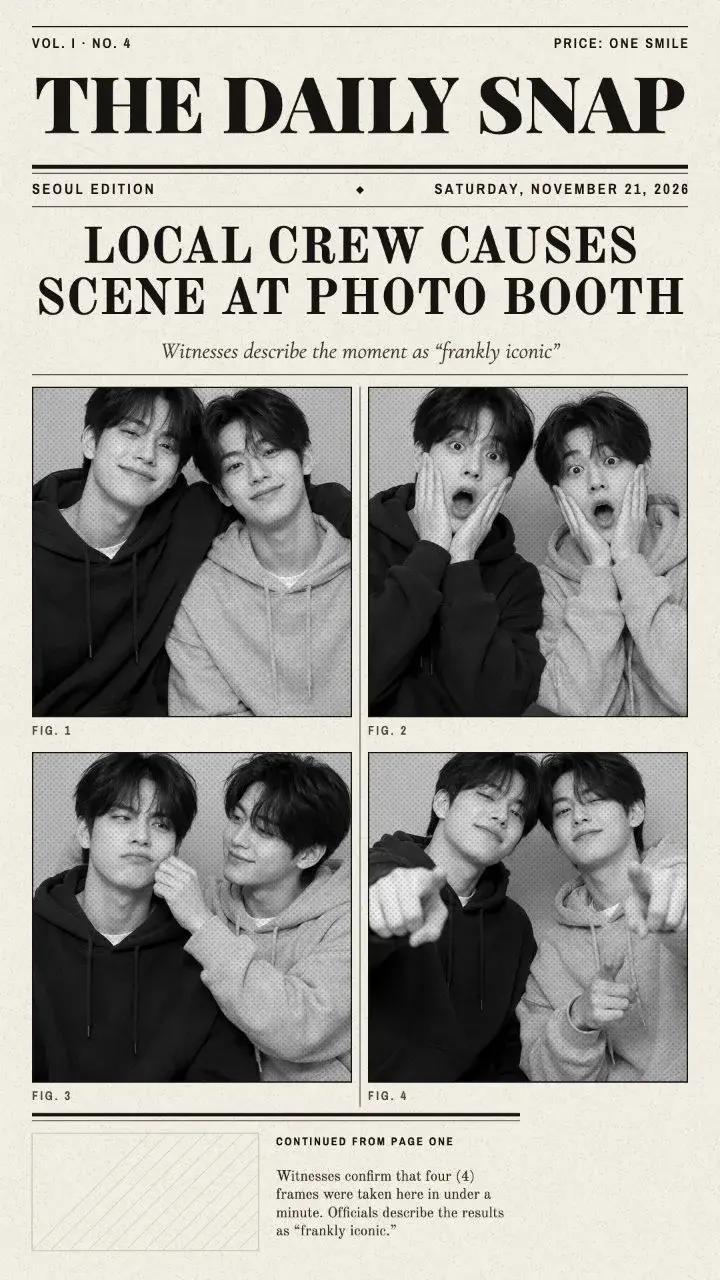
Four halftone black-and-white photos under a bold masthead and headline. Change the paper's name and the headline for your event and every print becomes that day's front page. Popular at weddings, corporate events and brand pop-ups.
What it looks like
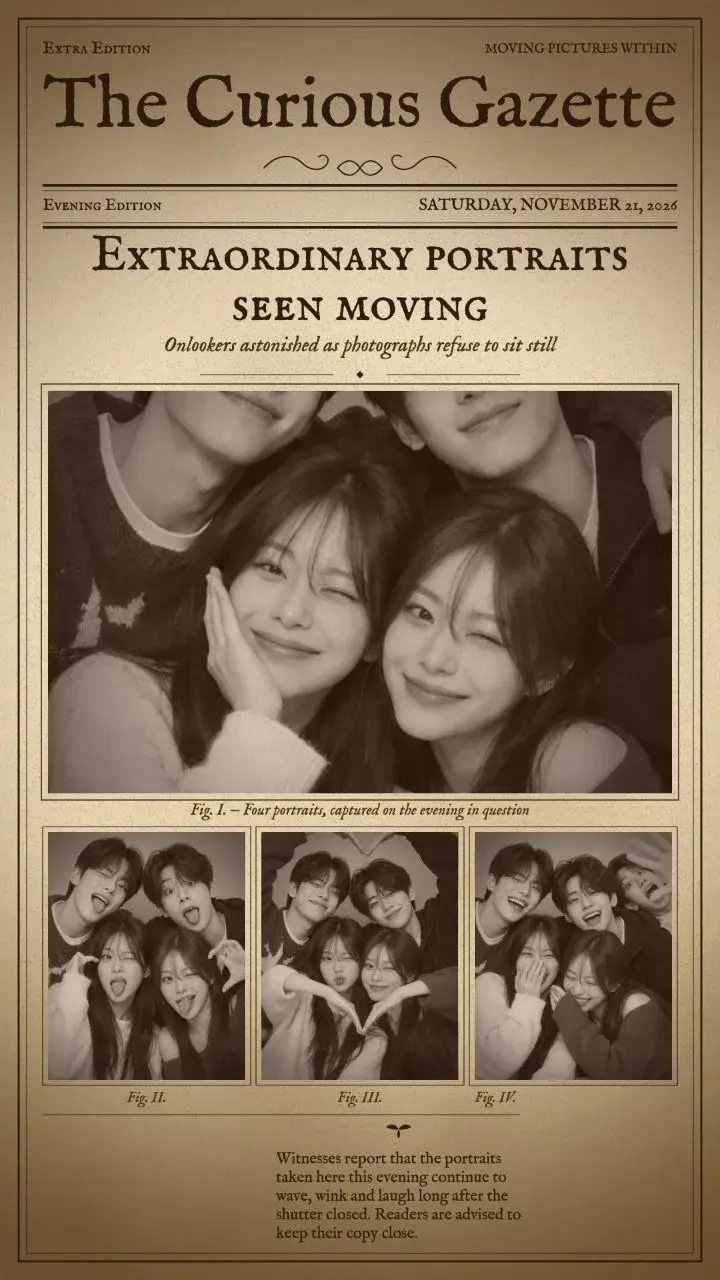
Broadsheet is a full front page on white newsprint: masthead, headline and subheading, an edition line and price box, even a short article. Photos turn into black-and-white halftone. Vintage gazette is an older paper with yellowed stock, sepia portraits and ornate rules. Magazine cover gives you one full-bleed cover shot plus three inside shots.
Templates in this style
Broadsheet
Halftone B&W photos under your own masthead and headline
- Text you can edit
- Masthead, Headline, Subheading, Date, Place or event, Price line, Photo number label, Jump line, Small print
- Good for
- Wedding, Corporate, Brand pop-up, Party & club, 16 stickers
Vintage gazette
Aged paper, sepia portraits and ornate rules. Short clips by QR suit it too
- Text you can edit
- Masthead, Headline, Subheading, Date, Place or event, Edition line, Top-right banner, Main photo caption, Story text
- Good for
- Wedding, Party & club, Holiday & seasonal, 13 stickers
Pairs well with moving photos
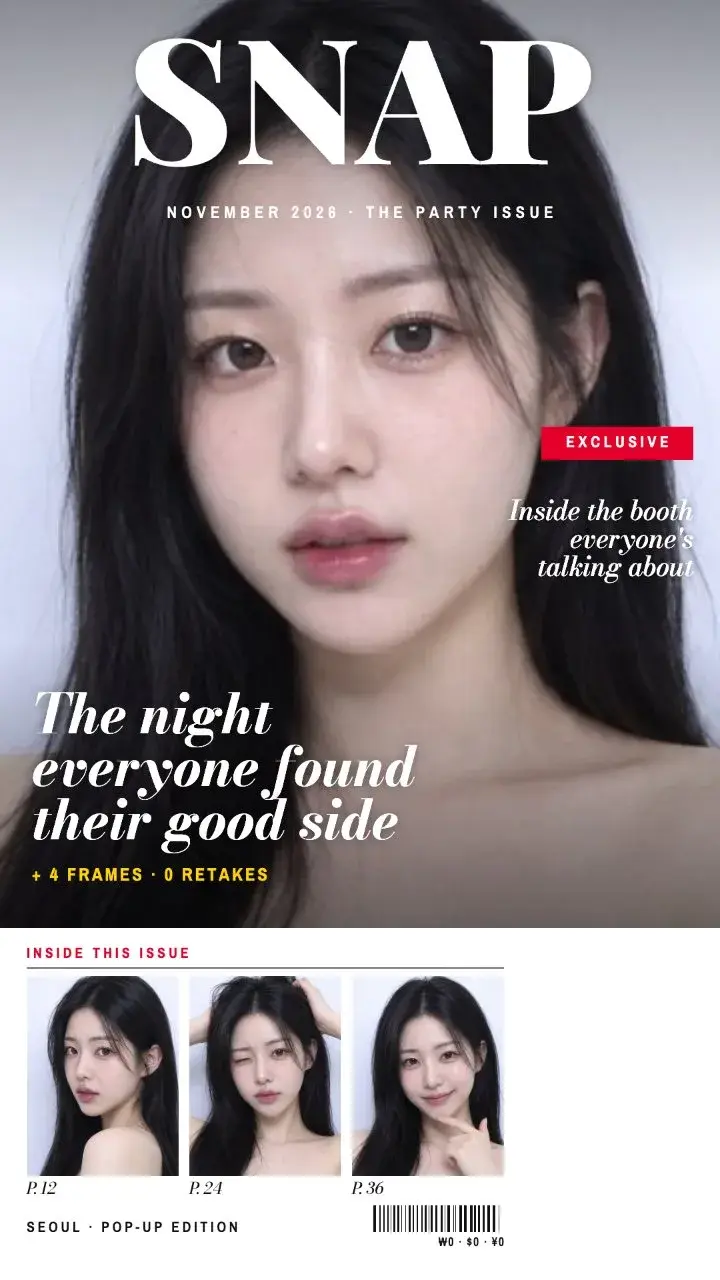
Magazine cover
A full-bleed cover shot with masthead and cover lines, plus three inside shots
- Text you can edit
- Masthead, Issue line, Cover line, Small line, Side teaser, Contents heading, Place or event
- Good for
- Birthday, Corporate, Brand pop-up, Party & club, 14 stickers
Previews are printed with AI-generated sample people and the default text. Real prints show your guests and the text you set.
Where it works
- Weddings
- The couple's names as the masthead and a one-line toast as the headline. Every guest leaves with a copy of the day's paper.
- Corporate events and conferences
- Put the company or event name in the masthead and it reads like an in-house paper. Black and white never clashes with a client's logo colors.
- Brand pop-ups
- Use the headline for a product name or campaign line, so the message travels when guests post their strip.
- Holiday parties
- Headlines like “Employee of the Year” turn every strip into an award photo.
How to set it up in MY4CUT
About five minutes in the console. If the booth app or browser booth is already paired, it switches as soon as you save.
- 1
Open the event
Sign in to the console and open the event (or the single booth) you want to dress.
- 2
Pick the template
Under Template, search “newspaper” and press “Use this template” on Broadsheet.
- 3
Edit the text
Change the masthead, headline, subheading and date to fit your event. Each field shows its character limit.
- 4
Save
Save the event. Booths attached to it switch within a minute: frame, filter, stickers and screen text all at once.
- 5
Test shot
Before guests arrive, take one shot and scan the QR, or run a test print from the operator menu.
On-site tips
- Halftone looks sharpest under even light. Put one soft light in front of guests' faces.
- Short headlines print bigger. Keep it under about 40 characters so it reads well on paper.
- Use print + QR: the paper copy is the keepsake, and the same photo goes straight to their phone for posting.
Every template is included
$39 a month includes all 31 templates and every feature. For a one-off event, the Event Pass covers 2 devices for 7 days for $29.
See pricingFAQ
Is it a real newspaper's design?
No. All three templates are original MY4CUT designs. They don't copy any real paper's masthead, logo or typeface, and you write the masthead and headline yourself.
What text can I change?
On Broadsheet you can edit the masthead, headline, subheading, date, place or event (shown as the edition line), price line, photo number label, jump line and the small print article. The console shows the character limit for each field.
Can I shoot in color instead?
Choosing the template also sets a black-and-white filter, but you can change the filter in the console afterwards. The newspaper look works best in black and white, though.
What size does it print?
It prints on a 4x6 photo printer. No printer? Set the booth to QR only.
 MY4CUTBusiness
Coming soon
Be the first to know when we launch
Just leave your email. Tell us about your events or venue and we'll help you get set up.
- An early user price of $259 a year, kept for as long as you stay subscribed
- You hear from us first, the day we open
- Got an event date already? We'll plan around it with you
The early user price is for the first 300 accounts that pay yearly within 14 days of launch, using the email they signed up with before launch. Covers 2 devices (extra devices at the regular price). Taxes are added at checkout.