Guide3 min read
9 Christmas Photo Booth Ideas You Can Set Up With a Phone or Tablet
The short answer
You can run a Christmas photo booth with a phone or tablet, a stand and the free MY4CUT app. Pick a Christmas 4-cut frame template, change the text to your party's name, and let guests save their strip by QR code. The ideas below cover the frame, the spot, lighting, props, printing and sharing.
What do you need for a Christmas photo booth?
One phone or tablet, a stand and the MY4CUT app, which is free on iOS and Android. Guests tap the screen, the app takes four photos and places them in a 2 × 2 frame, and each guest gets the strip on their own phone by QR code.
The nine ideas below add the Christmas part. For everything on one page, see the Christmas photo booth page.
First, open Christmas Booth in the app
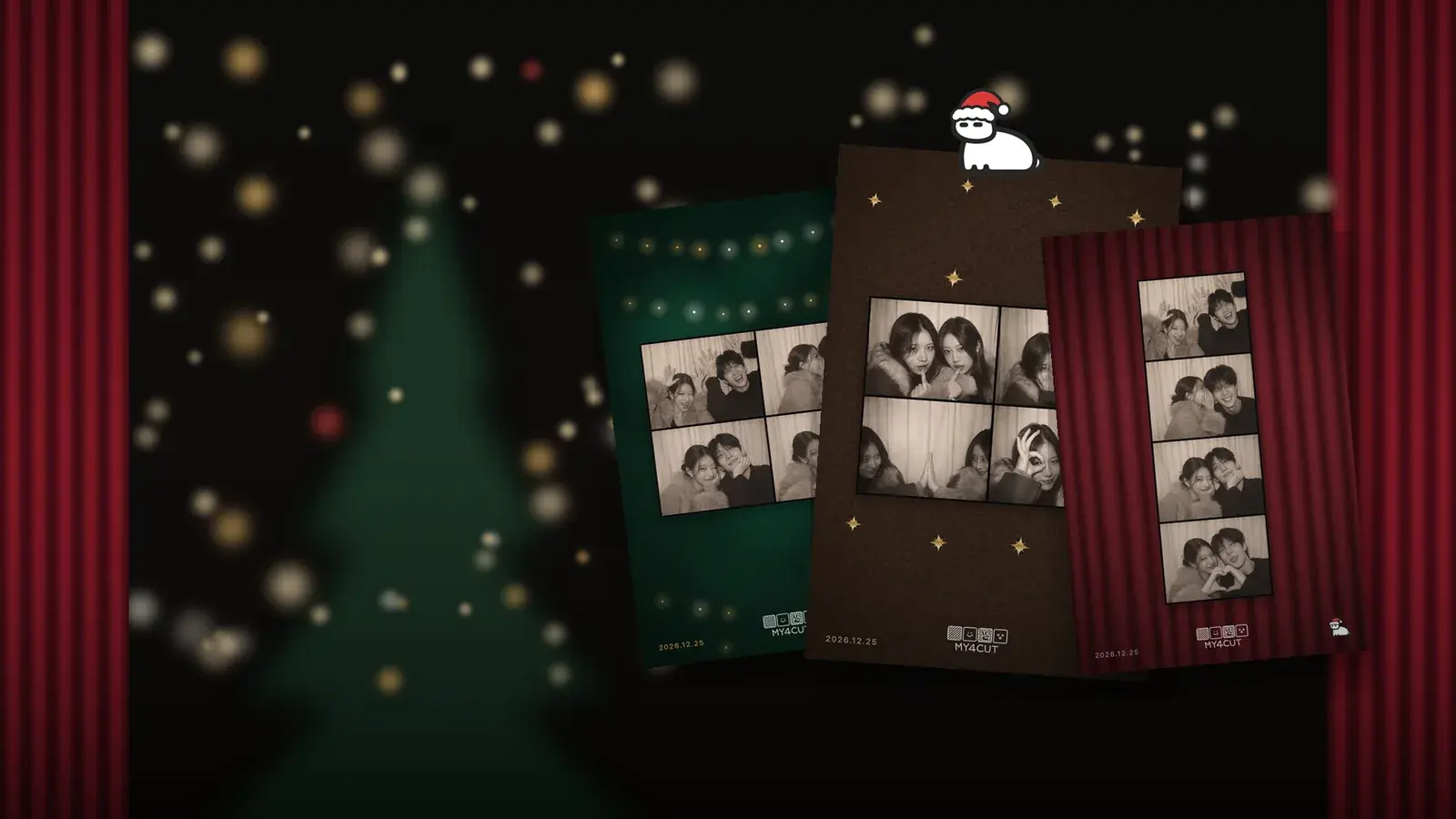
The MY4CUT app has a Christmas Booth on its home screen. It shoots black-and-white photo booth shots in one of three layouts: a 4-cut strip, a 3-cut strip or a 2×2 grid. It works solo, with a friend or as a couple.
There are seven backgrounds (Brown felt, Bokeh, Pinstripe, Ivory, Wine curtain, Tree lights, Snowy night), or you can keep just the strip. Choose the Warm, Noir or Sepia filter. The result is a 4×6 postcard, so a print doubles as a Christmas card. See every background on the Christmas photo booth page.

1. Start with a Christmas frame template
The Christmas and holiday frame templates include Merry Christmas, Christmas is coming, First snow, Year-end party, Snow day and New year. Tap one to open the editor and double-click any text to change it.
Editing and downloading the PNG are free with no login. Registering it as a frame in the app uses 20 Bread, the in-app credit.
2. Put your party's name and the year on it
Replace the title with something like "The Parkers' Christmas" or "Design team holiday party". The New year template fills in next year's number automatically.
3. Stand it by the tree or a window
A tree, a wall with string lights or a curtain is enough of a backdrop. Leave about a step and a half between the stand and the group so two or three people fit in the shot.
4. Light faces from the front
Overhead light alone puts shadows under the eyes. Put a lamp behind the device so the light comes from the front, and keep the tree lights in the background.
5. One basket of props
Santa hats, reindeer headbands and a scarf or two in a single basket next to the stand. Too many choices slow the line.
6. Share by QR code
Each strip comes with a QR code, so guests save it to their own phone. Nobody has to collect photos and send them around afterwards.
7. Print on the spot if you like
Connect a supported photo printer and guests can take a paper strip home. The printer guide covers the setup. Printing is optional.
8. Give the tablet a booth
For an office party or a shop counter, a small booth makes the photo corner obvious. The MY4CUT mini booth is a tabletop booth made to fit your tablet, from US$119 plus shipping. It is made to order and usually ships in 2 to 4 weeks, so check the dates before ordering for this Christmas.
9. Try it in a browser first
Before installing anything, open the web camera and shoot a 4-cut with the default frames. If your guests like it, set up the app for the party.
Frequently Asked Questions
Is there a Christmas photo booth inside the app?
Are the Christmas photo booth frames free?
Can I use a phone instead of a tablet?
Do I need a printer for a Christmas photo booth?
Does MY4CUT rent booths for Christmas parties?
Pick a Christmas frame
Tap a template and change the text to your party's name.
Set up an event booth with your logo and frame
The MY4CUT app has logo customization, dedicated event frames and an admin password lock. Guests get their strip on their own phone by QR code.