업데이트업데이트 읽는 데 약 2분
나만의 네컷 2.0: 앨범에서 선택·나만의 카메라
한눈에 보기
나만의 네컷 2.0부터는 촬영 없이 앨범 사진으로 네컷을 만들 수 있어요. 홈에서 '앨범에서 선택'을 눌러 4~8장을 고른 뒤 그중 4장으로 완성합니다. 촬영할 때는 4~8장을 찍고 마음에 드는 4장을 고르고, 타이머·거울모드·기본 보정은 나만의 카메라에 저장해 두면 돼요.
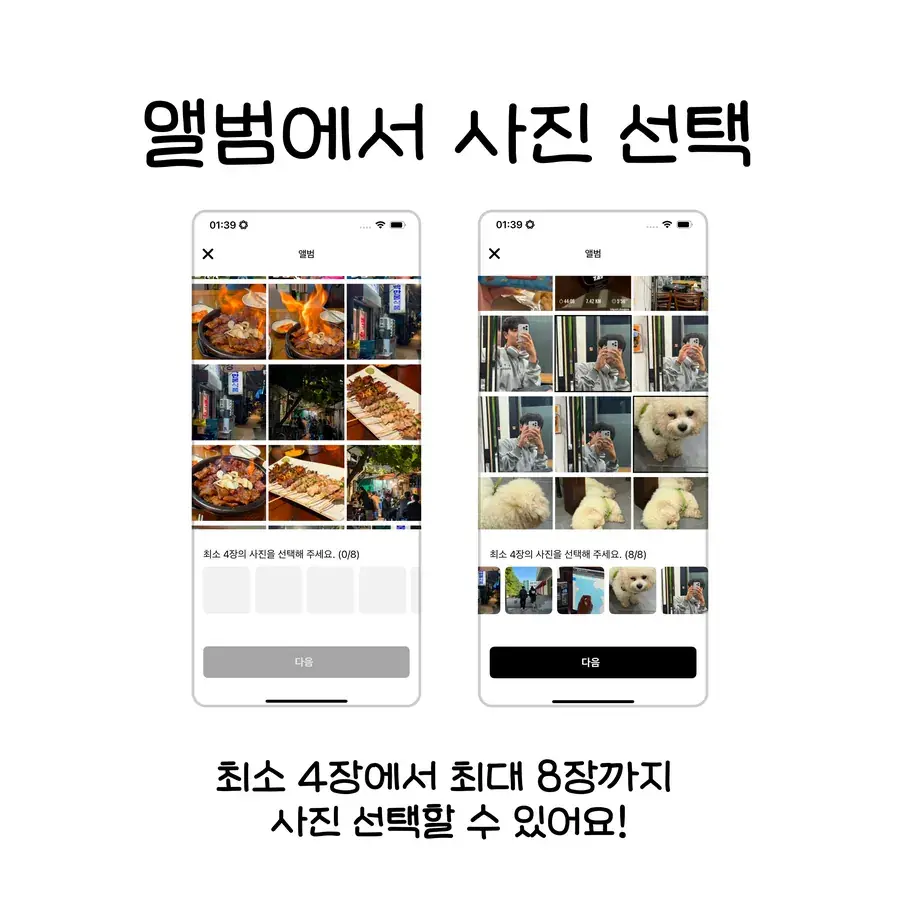
앨범에서 선택해서 만들기
촬영 없이 앨범에 있는 사진으로 바로 나만의 네컷을 만들 수 있게 됐어요. 홈에서 ‘앨범에서 선택’을 누르면 시작됩니다.
최소 4장에서 최대 8장까지 고를 수 있고, 그중 4장을 골라 네컷을 완성해요.
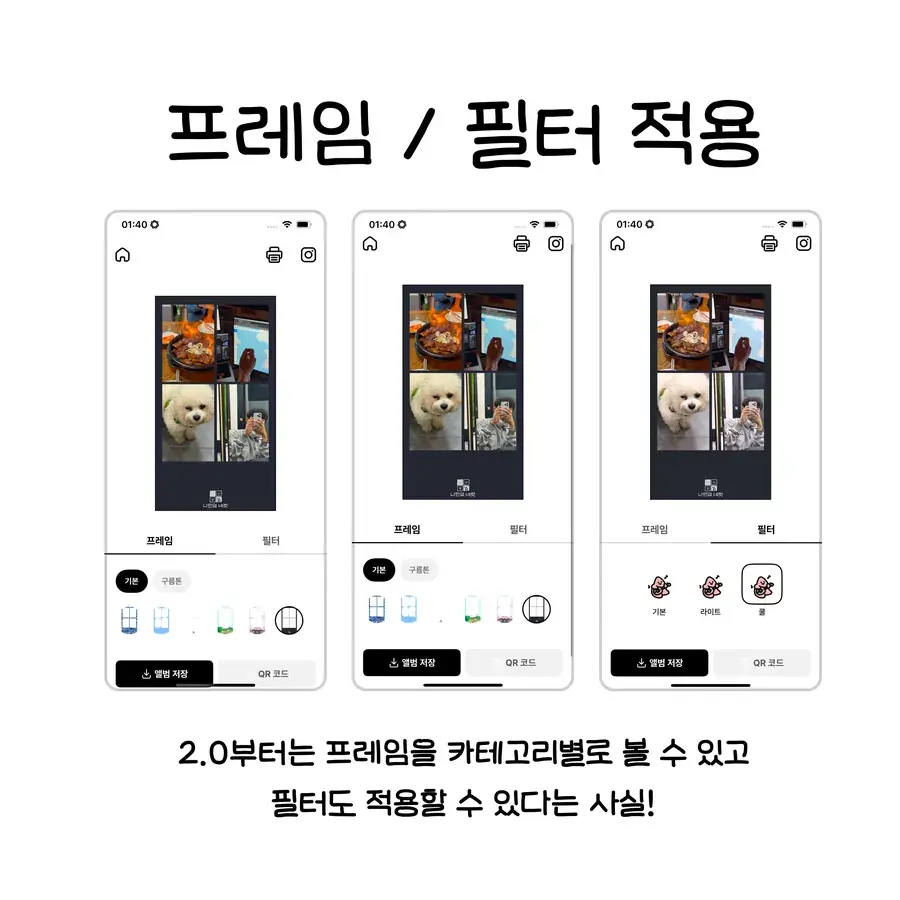
프레임과 필터를 카테고리로
2.0부터 프레임을 카테고리별로 볼 수 있고, 필터도 함께 적용할 수 있어요.
고른 사진 4장에 프레임과 필터를 자유롭게 바꿔 보고, 결과를 바로 확인합니다.
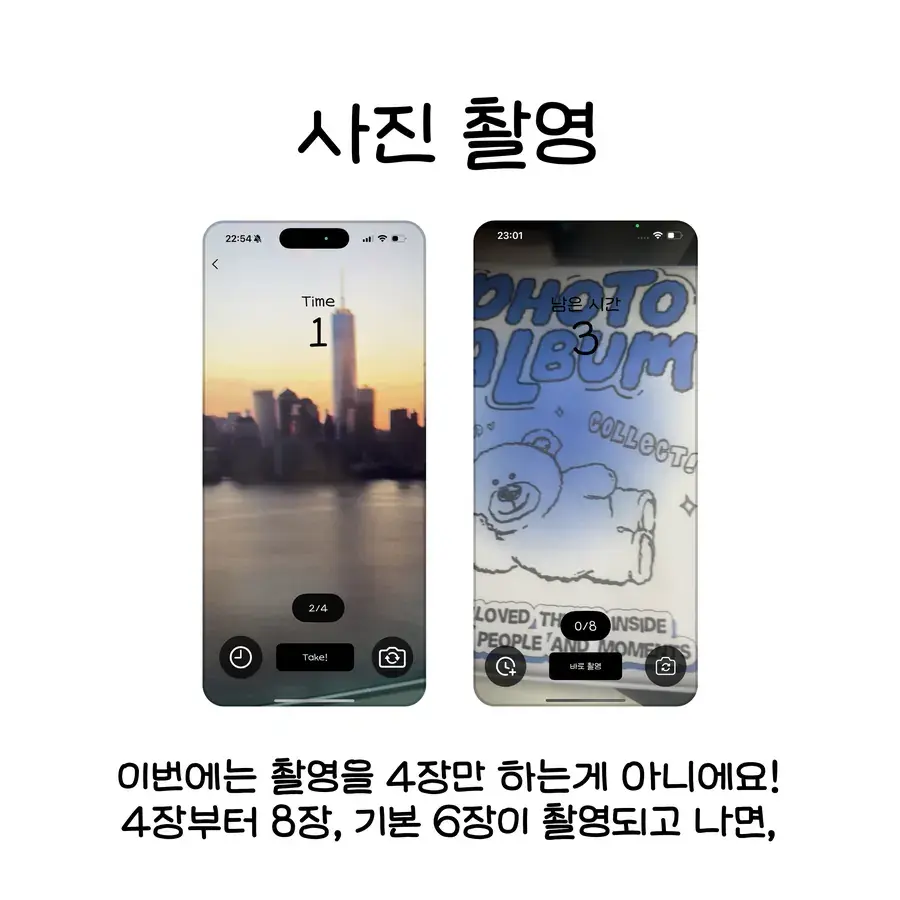
촬영은 4장부터 8장까지
촬영하기를 누르면 온보딩 안내가 먼저 나오고, 기본 6장을 찍은 뒤 마음에 드는 4장을 고릅니다. 촬영 장수는 4장부터 8장까지 바꿀 수 있어요.
촬영한 사진은 영상으로도 확인할 수 있어서, 찍던 순간을 그대로 다시 볼 수 있습니다.
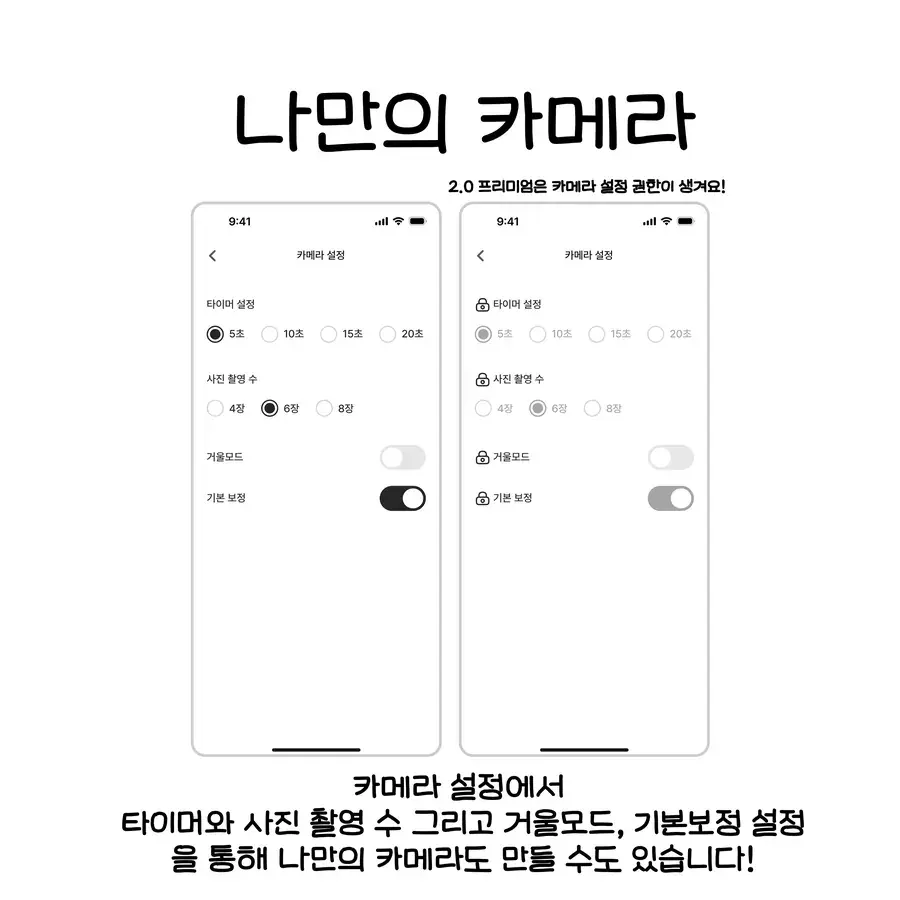
나만의 카메라
카메라 설정에서 타이머, 촬영 장수, 거울모드, 기본 보정을 저장해 두면 다음부터는 내 설정 그대로 촬영돼요.
단체 모드와 개인 모드도 여기서 갈라집니다. 행사에서는 단체 설정, 평소에는 개인 설정으로 쓰면 돼요.
앨범 사진으로 네컷을 만들려면 어떤 순서로 하나요?
촬영을 하지 않고 이미 찍어 둔 사진으로 만드는 순서예요.
- 홈에서 '앨범에서 선택'을 누릅니다.
- 사진을 최소 4장, 최대 8장까지 고릅니다.
- 고른 사진 중에서 네컷에 넣을 4장을 정합니다.
- 프레임과 필터를 바꿔 가며 결과를 바로 확인합니다.
촬영 장수와 카메라 설정은 어떻게 정하면 좋나요?
촬영하기를 누르면 온보딩 안내가 먼저 나오고, 기본 6장을 찍은 뒤 마음에 드는 4장을 골라요. 촬영 장수는 4장부터 8장까지 바꿀 수 있습니다. 많이 찍을수록 고를 선택지가 늘어요.
타이머, 촬영 장수, 거울모드, 기본 보정은 카메라 설정의 나만의 카메라에 저장해 두면 다음 촬영부터 그대로 적용돼요. 매번 다시 맞출 필요가 없습니다.
단체 모드와 개인 모드도 여기서 나뉘어요. 행사에서는 단체 설정, 평소에는 개인 설정으로 쓰면 됩니다. 행사에서 쓰는 방법은 기능 안내에서 볼 수 있어요.
자주 묻는 질문
촬영하지 않고 갤러리 사진으로 네컷을 만들 수 있나요?
촬영 장수를 바꿀 수 있나요?
거울모드나 타이머 설정은 매번 다시 해야 하나요?
앨범에서 고른 사진에도 프레임과 필터를 쓸 수 있나요?
촬영한 장면을 영상으로 다시 볼 수 있나요?
지금 앱에서 써보기
앨범에서 고르기와 나만의 카메라는 최신 버전에서 바로 쓸 수 있어요.
내 폰이 포토부스가 돼요
나만의 네컷 앱은 카운트다운 타이머, 프레임, 필터, QR 코드 공유를 갖춘 4컷 포토부스 앱이에요. iOS와 Android에서 무료예요.