Guide

Organization & Premium Guide

Features for events, schools, and organizations

1

Organization mode

Useful features for running a photo booth at schools, clubs, or events.

Hide default frames

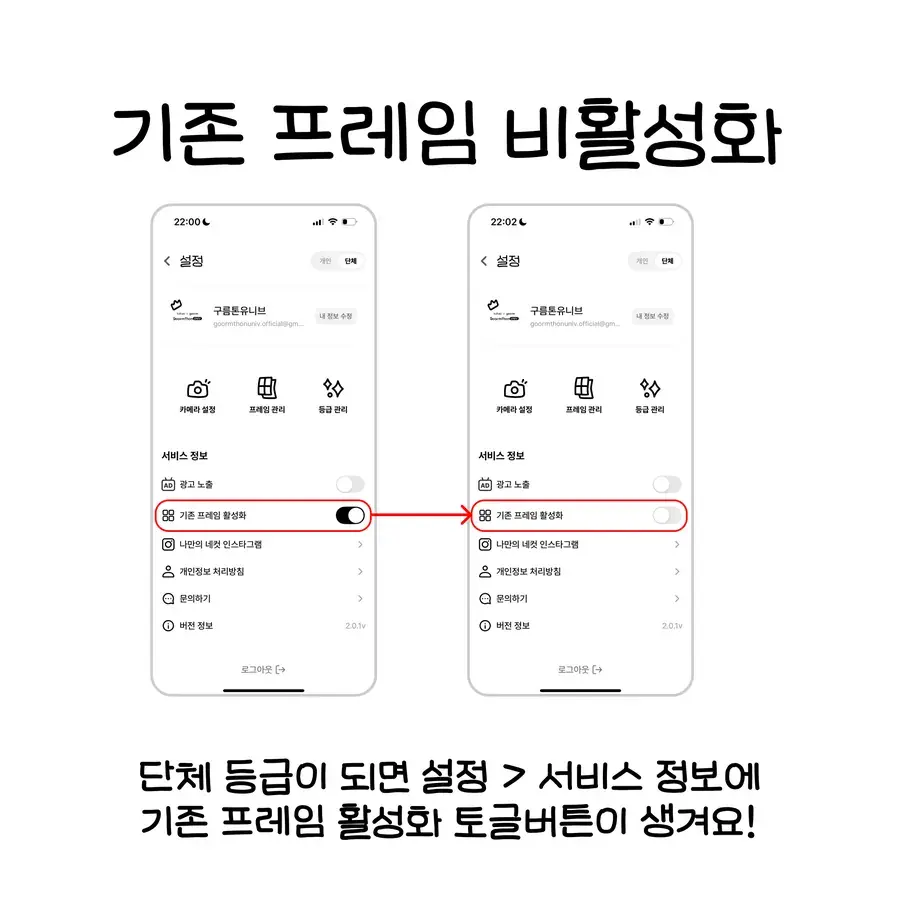
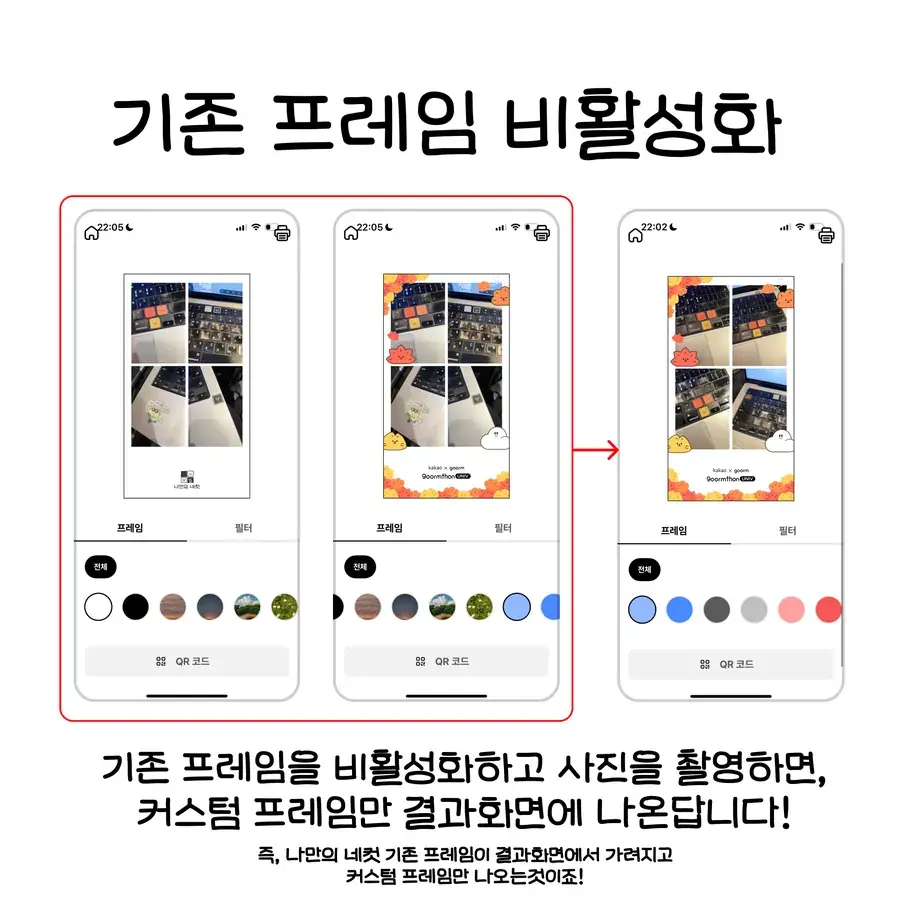
Hide the default frames so only your organization frames are visible.

Change logo

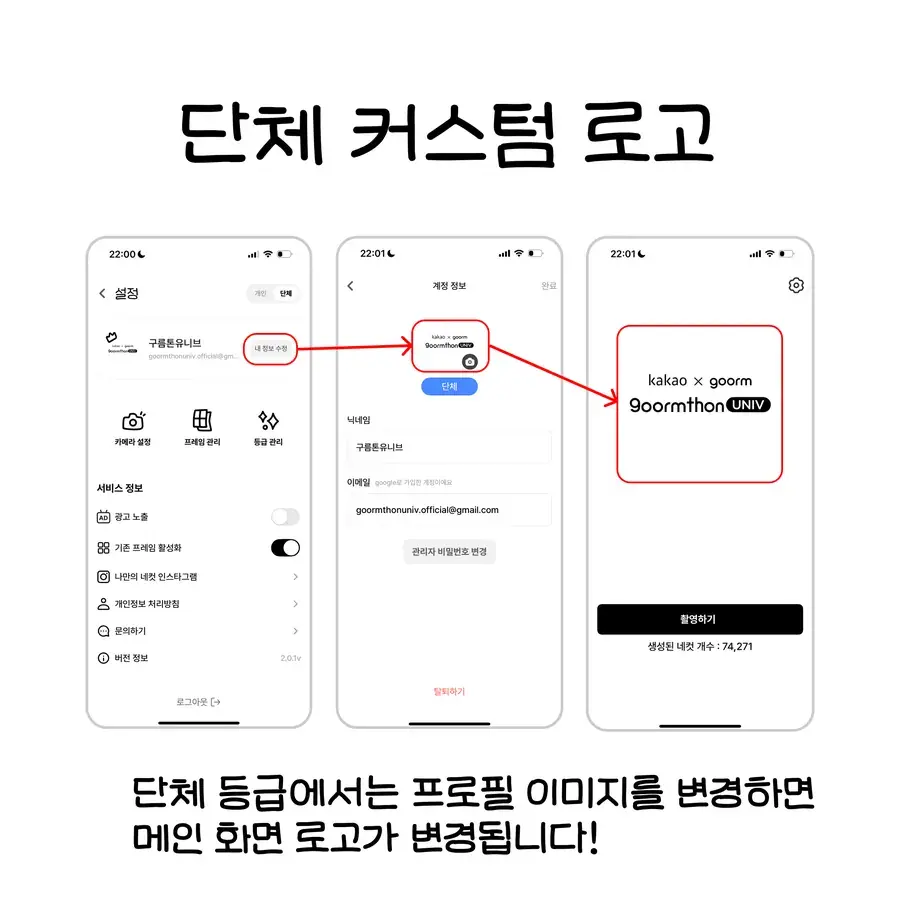
Replace the in-app logo with your organization logo.

100 credits every month

Receive 100 monthly credits for frame downloads.

Premium benefits included

Includes Premium features like ad removal and camera presets.

Organization tier, screen by screen

App screens showing the main logo changing after updating the organization profile image
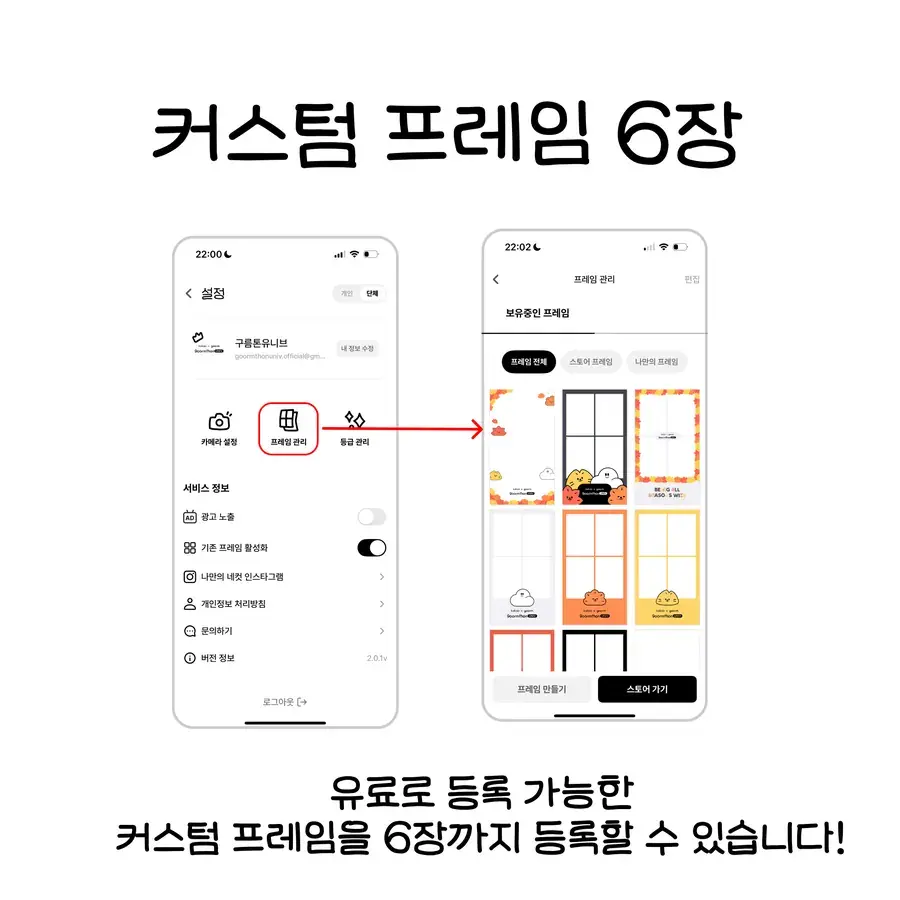
App screens for registering up to six custom frames on the organization tier
App screen with the toggle that hides the default frames under Settings > Service info
App screens showing only custom frames in the result view after hiding the defaults
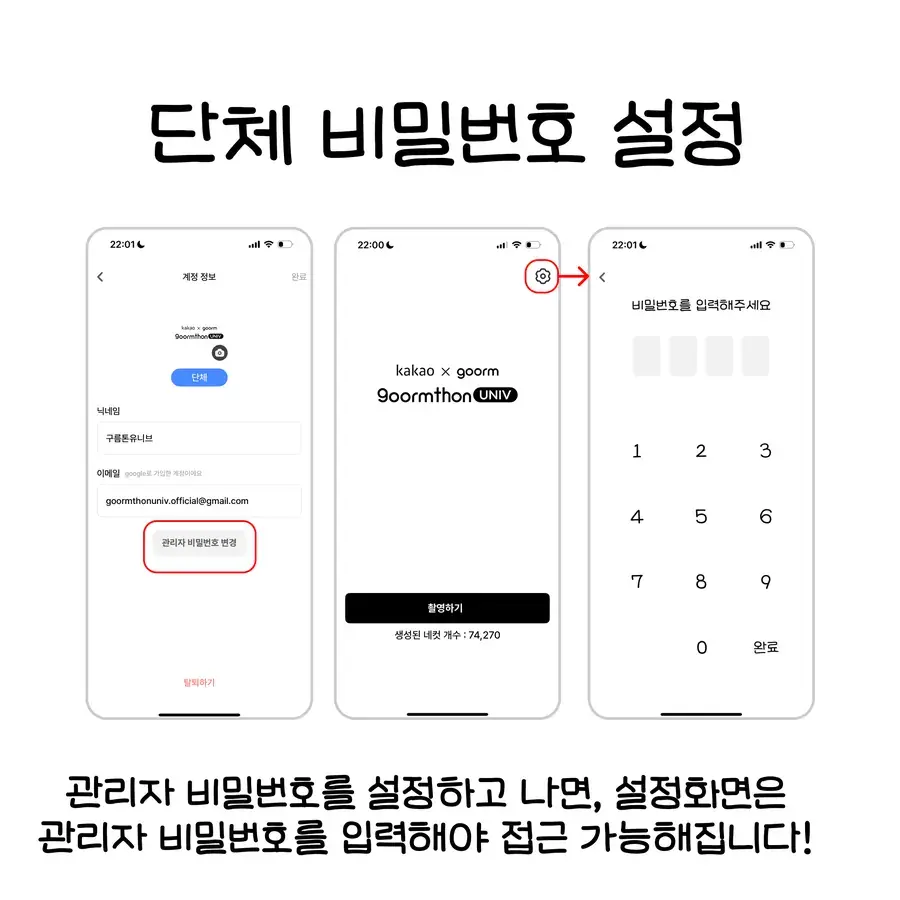
App screens for setting the admin password that protects the organization settings
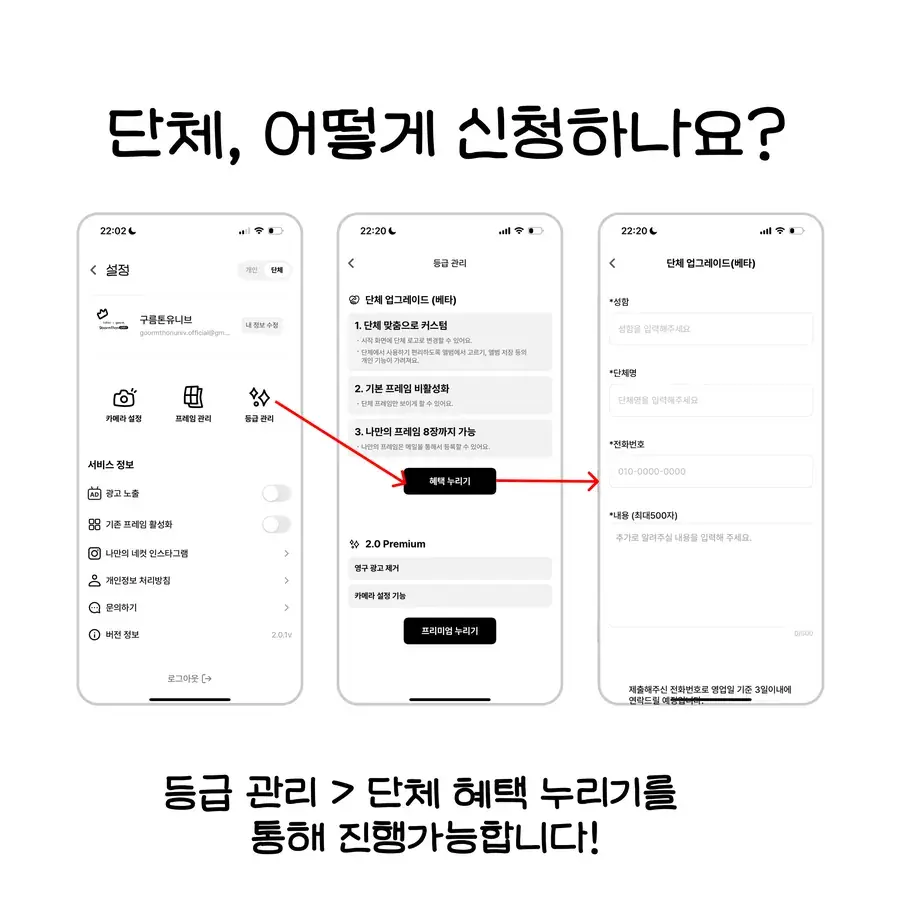
App screens for applying via Tier management > Organization benefits

Apply for Organization mode

Apply via Settings → Organization request.

2

Premium subscription

Use the photo booth more conveniently with a monthly subscription.

Remove ads

All ads during shooting are removed.

Camera presets

Save and reuse your own camera settings like timers and filters.

Premium is a monthly subscription. Subscribe in Settings.

3

Setup

Hide default frames

Settings → Frame management → toggle off default frames

Change organization logo

Settings → Organization settings → Change logo

Save camera presets

Shooting screen → Settings icon → Save (Premium required)

Related links