
EVENT SPONSORSHIP
Event sponsorship
We sponsor MY4CUT booths for graduation shows, festivals, societies, and corporate events. What we provide, what to prepare, and common questions — all on this page.
01 — WHAT WE PROVIDE
What we provide
Three things, together.
01
Mini booth rental
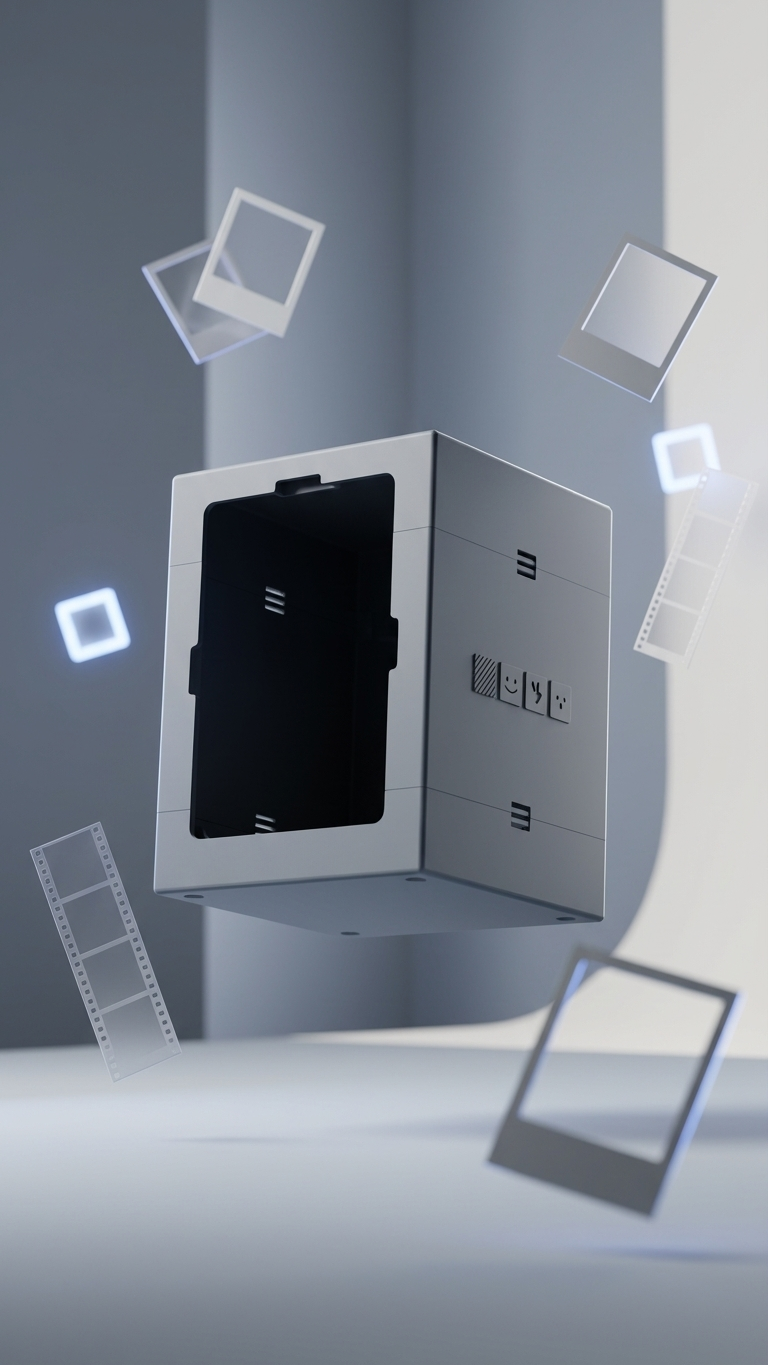
We ship a MY4CUT mini booth for your event day.
Please bring your own iPad.
02
Group pass
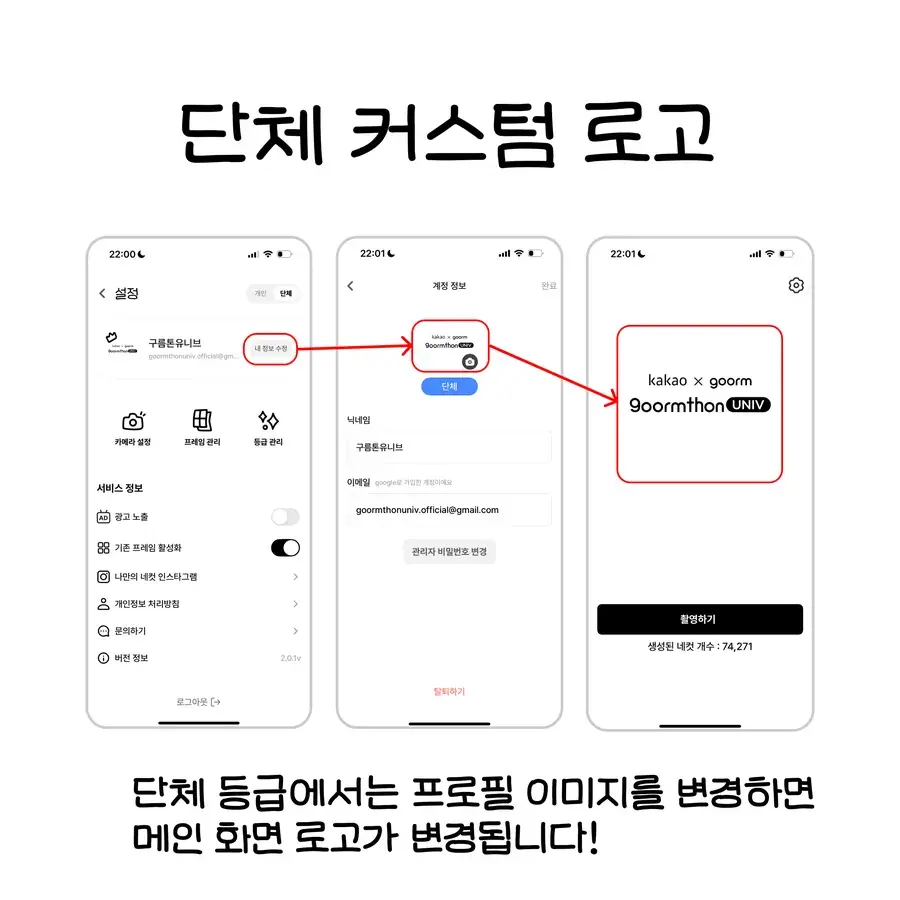
We upgrade your event account to the group tier.
- Event home screen — a clean screen with just ‘Take Photo’ plus your logo
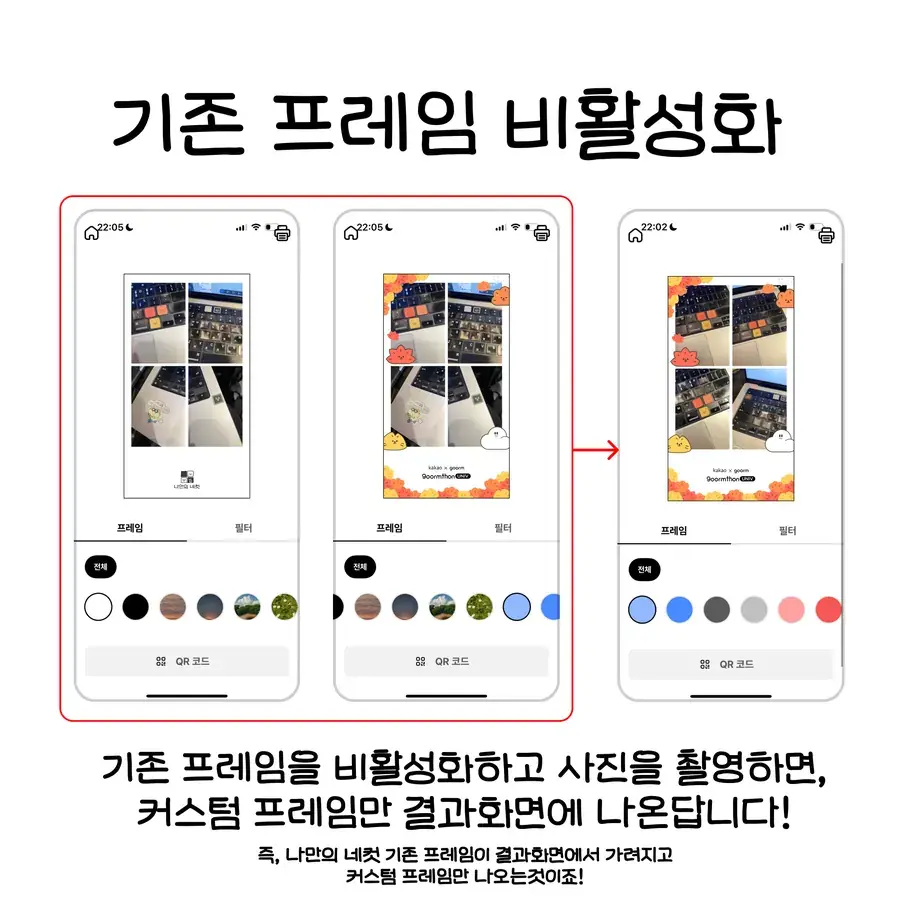
- Custom frames first — hide the default frames and show only yours
03
80 bread
20 bread create one custom frame.
That's 4 frames in total.
02 — WHAT WE ASK
What we ask
In return, we ask for three things.
Sponsor logo
Place the MY4CUT logo in the sponsor area of posters and banners, and in social posts.
Photos & video
Share on-site photos and video of the booth in use.
Reels
Post a reel from the event, tag @my4cut.official, and send us the original.
Moments we love
There's no required number of photos or video length — real people having fun is all we need.
- 01People shooting at the booth
- 02People picking a frame
- 03People enjoying their prints
03 — PAID OPTIONS
Paid options
Want instant prints on site? Rent a printer too.
Printer rental
₩30,000
Canon SELPHY CP1500 (AirPrint)
Photo paper
₩40,000
108 sheets · ink included · 108 prints
Buying paper yourself may be cheaper. Any CP1500-compatible pack (e.g. KP-108IN) works.
How to connect the printer →04 — TIMELINE
Timeline
- 1
On confirmation
Event details
Send the event name, date, venue, expected attendance, and your official Instagram.
- 2
On confirmation
Account → group upgrade
Create a MY4CUT account and send us the ID — we'll apply the group pass and bread.
- 3
Before delivery
Make frames
Design frames in the app; they apply as soon as you upload.
- 4
1–2 days before
Booth delivery
We ship to your address, recipient, phone, and preferred date.
- 5
Event day
On site
Mount the iPad in the booth and open the app — you're ready to shoot.
- 6
After the event
Share & return
Share photos, video, and the reel link, then return the booth as instructed.
05 — FAQ
FAQ
Questions we often get while preparing a sponsorship.
Can you sponsor the Pro booth instead of the mini booth?
Sorry — sponsorship covers the mini booth only. The Pro booth is made to order, so shipping costs and stock make sponsorship impossible. You can check purchase options on our shop page.
See the shop →Do you send an iPad?
No. We send the booth only; the organizer provides the iPad.
What is the group pass ‘event home screen’?
Out of the box, the app's home screen has many buttons — too busy for events. With the group pass, only ‘Take Photo’ remains and your event logo appears on the home screen, so first-timers can shoot right away.
What does ‘custom frames first’ mean?
Normally, after shooting, MY4CUT's default frames appear first and your own frames after them. With the group pass you can hide the default frames so only your event frames show up.
How many frames do 80 bread make?
20 bread per frame, so 4 frames in total.
Who designs the frames? Any size or file format?
You design them. Frames are made right inside the MY4CUT app, so there's no size spec to match or file to send us. Logos and images look cleanest as PNGs with transparent backgrounds.
When should frames be ready?
They apply the moment you upload, but we recommend finishing before the booth arrives.
How much photo and video do you need?
No set amount or length. Just capture people shooting, picking frames, and genuinely having fun.
See @my4cut.official ↗Where should the logo go?
In the sponsor area at the bottom of posters and banners, and in social posts. Logo files and usage rules are in our brand kit.
Get logos from the brand kit →Can we rent a printer? How much?
We rent an AirPrint-ready Canon SELPHY CP1500 for ₩30,000. Paper is separate — ₩40,000 for 108 sheets (ink included, 108 prints) through us, though buying it yourself may be cheaper.
How to connect the printer →When does the booth arrive, and how do we return it?
We ship it to arrive 1–2 days before the event. Afterwards, return it following our instructions.
06 — REPLY
Reply template
Copy, fill in, and send this to get started fastest.
[MY4CUT sponsorship details]
- Event name / date / venue:
- Expected attendance:
- Official Instagram:
- MY4CUT account ID:
- Delivery address:
- Recipient name / phone:
- Preferred delivery date:
- Printer rental (optional):
Sponsorship inquiries
Tell us about your event via Instagram DM or email.
@my4cut.official · hello@myfourcut.com