행사 아이디어업데이트 읽는 데 약 3분
생일파티 포토부스 아이디어 10가지 (2026)
한눈에 보기
생일파티 포토부스는 앱, 거치대, 풍선 같은 배경이면 차릴 수 있어요. 생일 주인공 이름을 넣은 프레임을 미리 만들어 가고, 찍은 사진은 QR로 각자 폰에 받게 하면 프린터 없이도 파티에서 돌아가요.
왜 생일파티에 포토부스인가?
케이크 자르는 순간, 선물 여는 순간... 생일의 하이라이트는 사진으로 남겨야 합니다.
포토부스가 있으면 손님들도 자연스럽게 사진을 찍고, 주인공도 특별한 추억을 만들 수 있어요.
포토부스 대여 비용 50만원 vs 나만의 네컷 앱 무료. 선택은 명확합니다.
아이디어 1-3: 테마별 프레임
1. 생년 프레임: 태어난 연도와 현재 나이를 프레임에 넣기 (예: 1995 → 31)
2. 띠 프레임: 올해 띠 동물을 프레임에 귀엽게 추가
3. 컬러 테마: 파티 컬러에 맞춘 통일된 프레임 (핑크파티, 골드파티 등)
아이디어 4-6: 소품 활용
4. 말풍선 소품: 'Happy Birthday!' '나이 들었다!' 등 재미있는 문구
5. 파티 모자 & 안경: 다이소에서 구매 가능한 저렴한 소품
6. 숫자 풍선: 나이 숫자 풍선을 배경에 배치
아이디어 7-10: 셋업 팁
7. 배경 선택: 풍선 월, 반짝이 커튼, 또는 단색 벽
8. 조명: 따뜻한 조명 (2700K~3000K)이 피부톤에 좋음
9. 거치대 위치: 허리~가슴 높이가 가장 편하게 찍힘
10. QR 공유: 촬영 후 바로 QR로 공유하면 손님들이 바로 저장 가능
추천 셋업 (비용 5만원 이하)
아이패드 거치대: 다이소 or 쿠팡 (1~2만원)
풍선 세트: 다이소 (5천원~1만원)
반짝이 커튼: 다이소 (3천원)
소품: 파티 모자, 안경 등 (5천원)
나만의 네컷 앱: 무료
총합: 약 3~5만원으로 프로급 포토존 완성!
커스텀 프레임 만들기
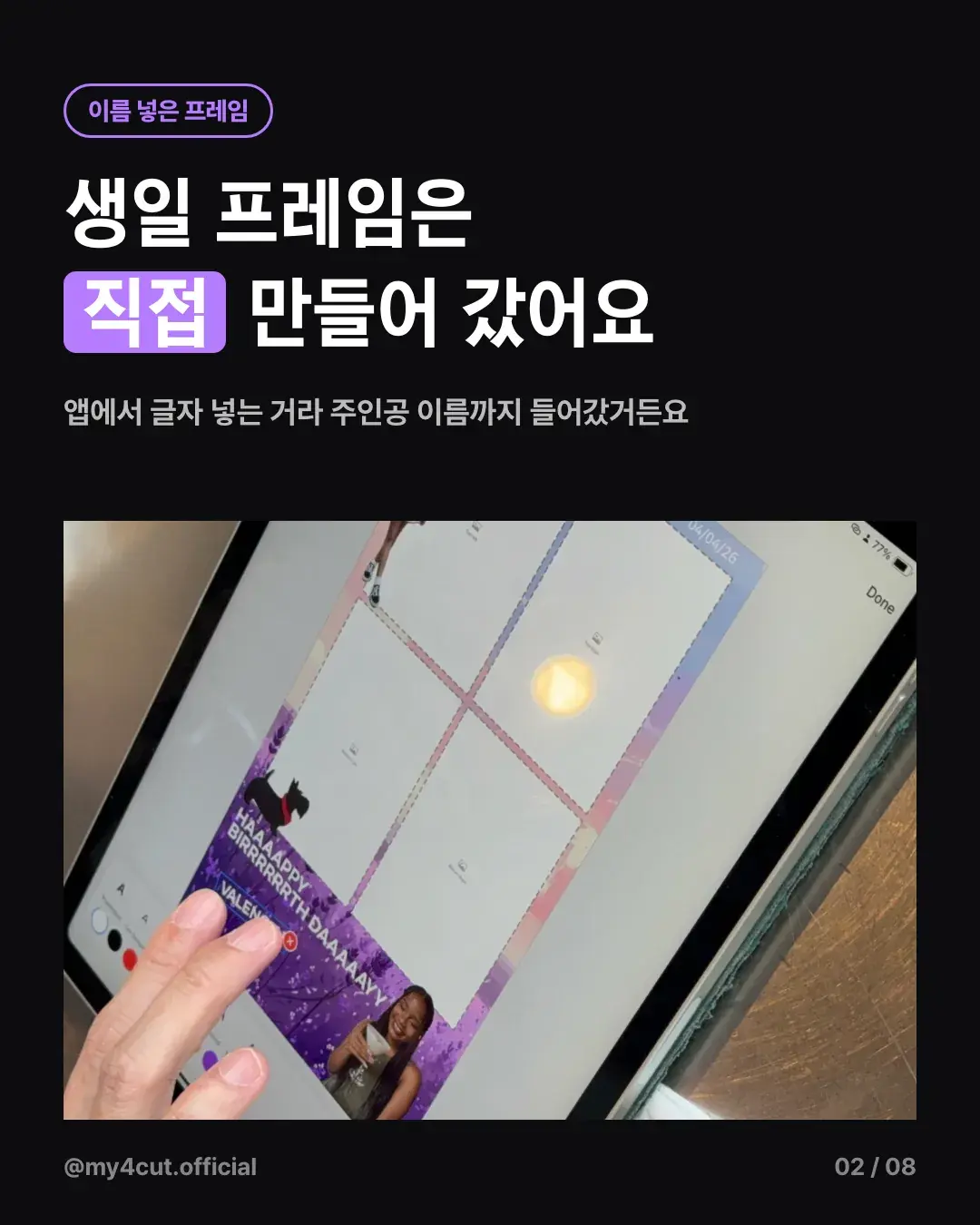
나만의 네컷 앱에서 생일 주인공 이름과 날짜를 넣은 프레임을 직접 만들 수 있어요.
캔바(Canva)로 디자인한 PNG 파일을 업로드하면 끝!
파티 컬러와 테마에 맞게 통일감 있게 꾸며보세요.
생일 주인공 이름은 프레임에 어떻게 넣나요?
미국에 사는 친구 생일파티에 갈 때, 파티 시작 전에 앱에서 보라색 글리터 생일 프레임을 만들어 갔어요. 앱에서 글자를 넣는 방식이라 생일 주인공 이름까지 프레임에 들어갔어요.
그 파티에만 있는 프레임이어서 손님들이 이 네컷을 제일 좋아했어요. 위 아이디어 1~3번의 테마 프레임에 이름을 얹는 방식이라고 보면 돼요.
부스는 어디에 어떻게 놓았나요?
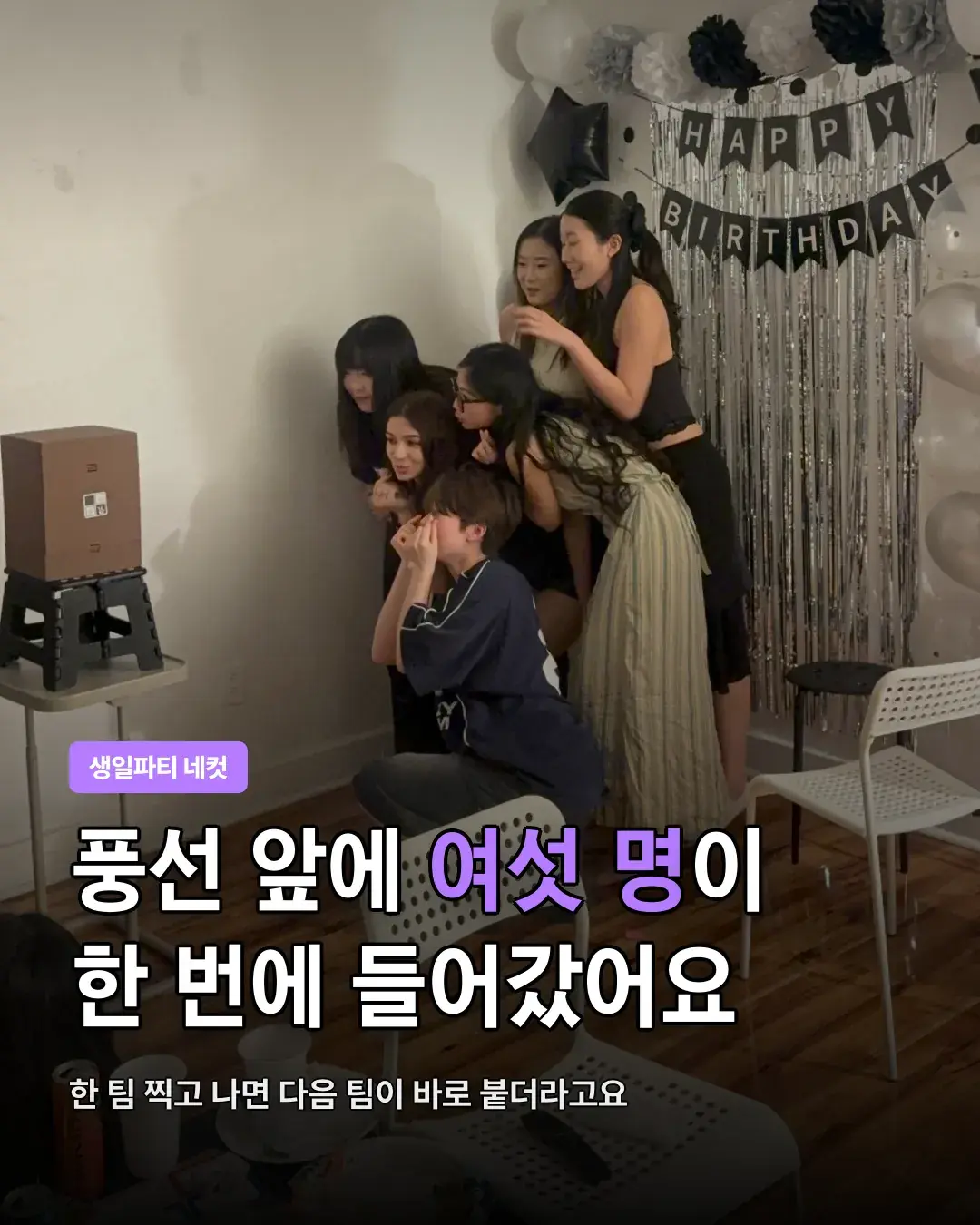
바닥에 따로 자리를 잡지 않고, 풍선 앞에 놓은 검정 접이식 스툴 위에 갈색 미니 부스 상자를 올렸어요. 뒤에는 흑백·은색 풍선, HAPPY BIRTHDAY 가랜드, 은색 커튼이 있었어요.
풍선 앞에 여섯 명이 한 번에 들어가 포즈를 잡았어요. 한 팀이 찍고 나면 다음 팀이 바로 붙어서 돌아가며 찍었어요.
사진은 어떻게 나눠 받았나요?
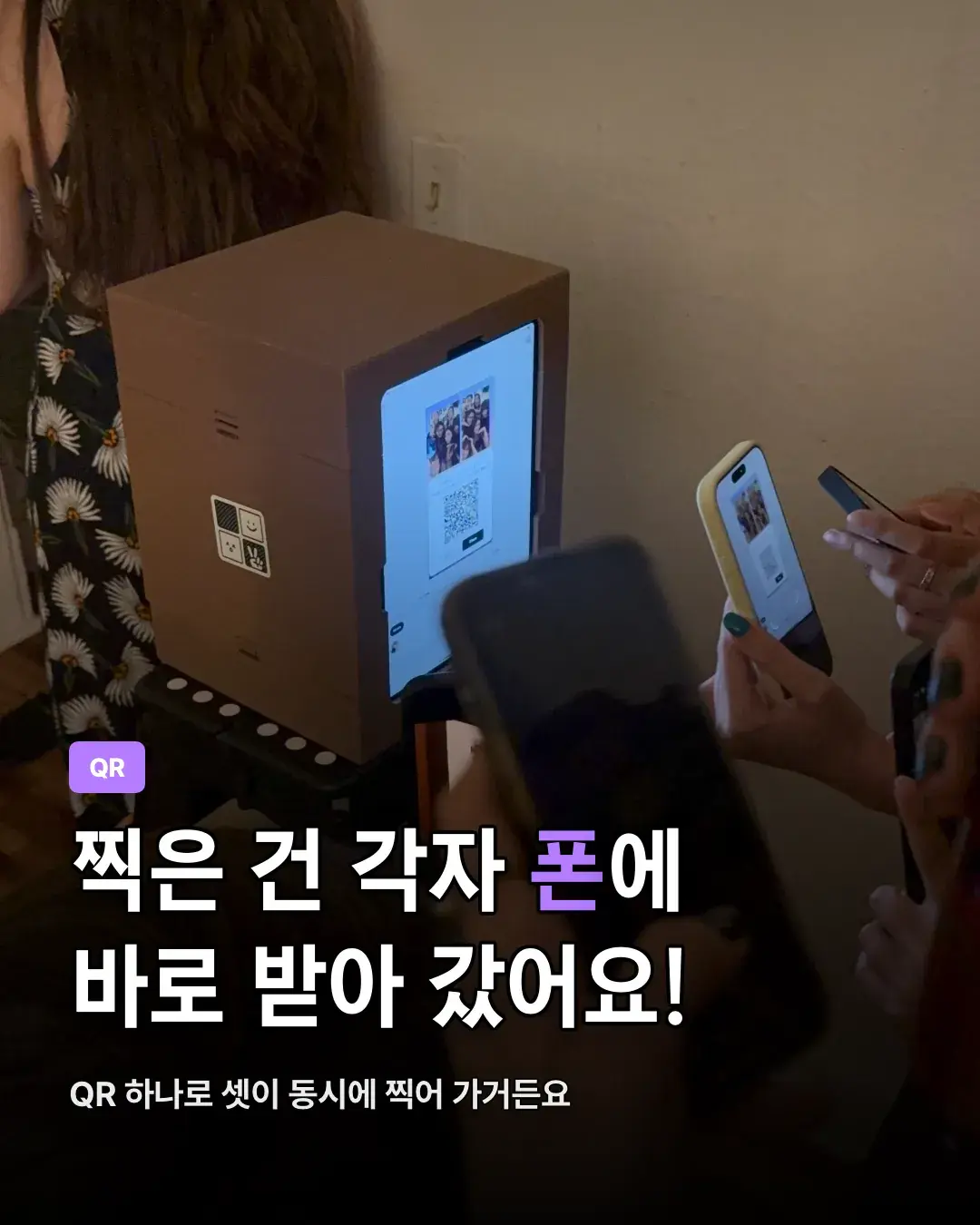
찍은 사진은 QR로 각자 폰에 바로 받아 갔어요. QR 하나로 세 명이 동시에 폰을 대고 받아 갈 수도 있었어요.
받자마자 다 같이 폰을 보면서 또 웃었어요. 종이로 뽑지 않아도 그 자리에서 바로 돌려 볼 수 있어서 프린터가 없어도 부족하지 않았어요.
자주 묻는 질문
생일파티 포토부스 비용이 얼마나 드나요?
아이 생일파티에도 사용할 수 있나요?
커스텀 프레임은 어떻게 만드나요?
프린터 없이도 포토부스 운영이 가능한가요?
몇 명까지 같이 찍을 수 있나요?
생일 주인공 이름을 프레임에 넣을 수 있나요?
손님이 여럿이면 사진은 어떻게 나눠 받나요?
생일파티 포토부스, 지금 준비해볼까요?
나만의 네컷으로 특별한 생일 추억을 만들어보세요.
행사 로고와 전용 프레임을 넣어 부스를 열어 보세요
나만의 네컷 앱에는 로고 커스터마이징, 행사 전용 프레임, 관리자 비밀번호 잠금이 있어요. 찍은 사진은 QR 코드로 게스트 폰에 바로 들어가요.