Holiday Family 4-Cut Photos at Home with Grandparents
The short answer
You can take a family four-cut at home with one phone or tablet standing on the dining table. Set it slightly below eye level. The app is free on the App Store and Google Play, and the finished strip goes to grandma's phone by QR code, so no printer is needed.
Why do holiday family photos rarely turn out?
Everyone gathers for the holiday, yet only a few photos survive. One person ends up behind the camera, the rest line up stiffly, and the picture sitting next to grandma is often just one or two shots.
A four-cut strip fits that gap. You take four photos, so people relax by the second one, and the whole family ends up in one frame. The catch is that photo booths sit in busy shopping streets. A small booth is a tight, awkward fit for a grandmother, so I made a Chuseok frame you can use in the living room.
The first thought I had while making the card news was that there was not a single four-cut with grandma. People take plenty with friends, yet rarely one with their grandparents. This time I decided to put grandma in the middle. The living room or the dining table becomes the booth, so nobody has to travel anywhere.
This post comes from the card news I made for Chuseok 2026 (the Korean autumn harvest holiday). The same steps work after Chuseok and for Seollal, the Lunar New Year. There is also a home photo booth guide with related tips.
How do you take a four-cut with just a phone?
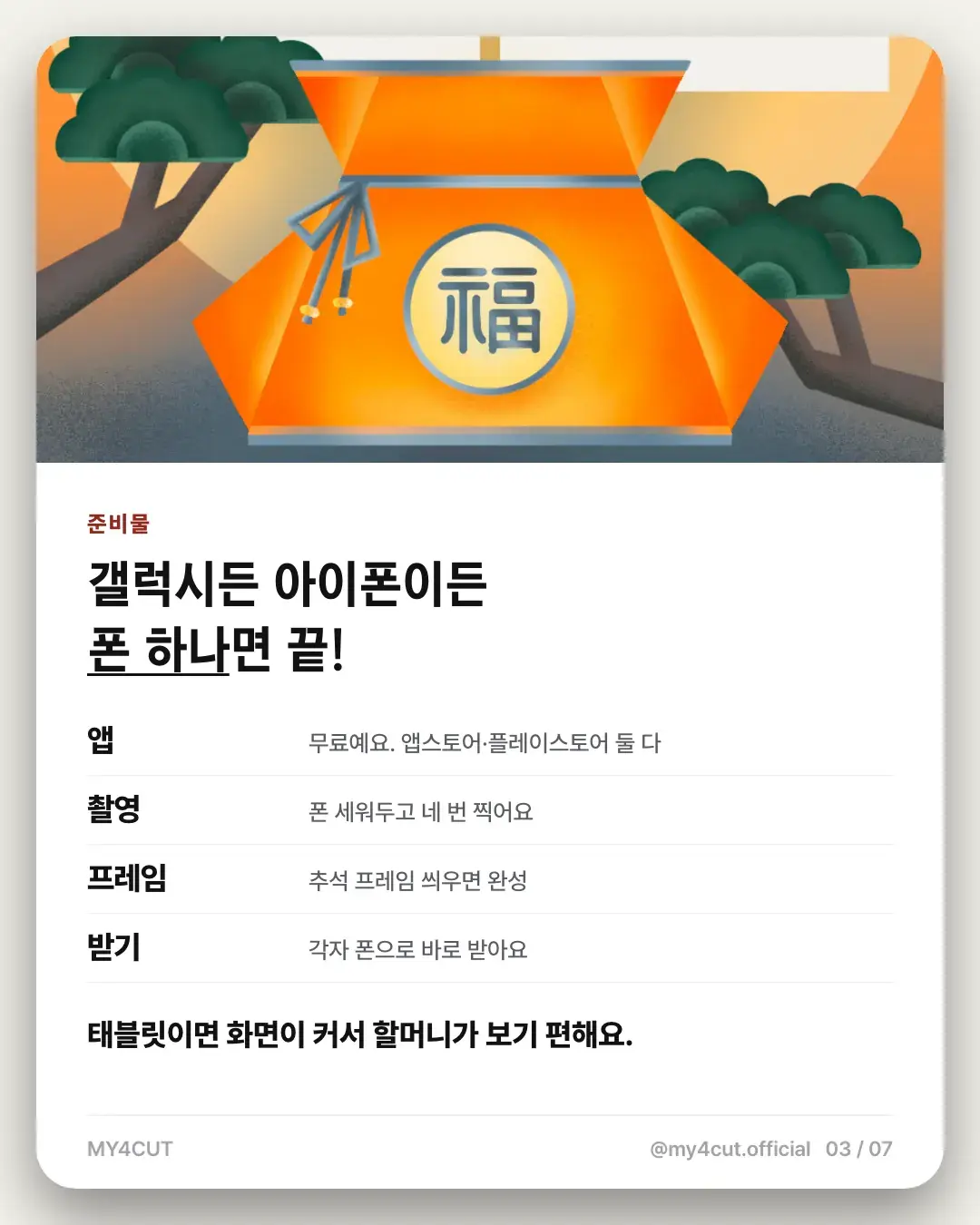
All you need is one phone. Galaxy or iPhone both work, and the app is free on the App Store and Google Play. No booth structure or extra gear is needed. It runs on any phone or tablet, and a tablet is easier on the eyes because the screen is bigger.
The steps match a real booth. Stand the phone up, take four photos, then add the frame. Everyone receives the finished strip on their own phone. Even if the family mixes Galaxy and iPhone users, everyone receives it the same way.
- App: free on the App Store and Google Play
- Shooting: stand the phone up and take four photos
- Frame: add the Chuseok frame and you are done
- Receiving: each person gets it on their own phone
Where and at what height should the phone stand?
The dining table worked best. Put the phone slightly below eye level. That way grandma does not have to lift her chin and the photo comes out natural.
If you use a tablet, the larger screen makes the preview easier for her to see. Treat the first shot as practice, check that everyone fits on screen, then shuffle closer together. That part is just my suggestion.
If one person always holds the camera, that person is missing from the photo. Stand the phone up and let everyone step into the frame.
You watch the preview on screen while shooting, so grandma can see how she looks and pick a pose. A tablet makes that easier. With four slots, you can also change the pose a little for each shot.
- Use a flat, stable spot like the dining table
- Set the height slightly below eye level
- A tablet has a bigger screen, which is easier for grandma
Which holiday frame should you pick?
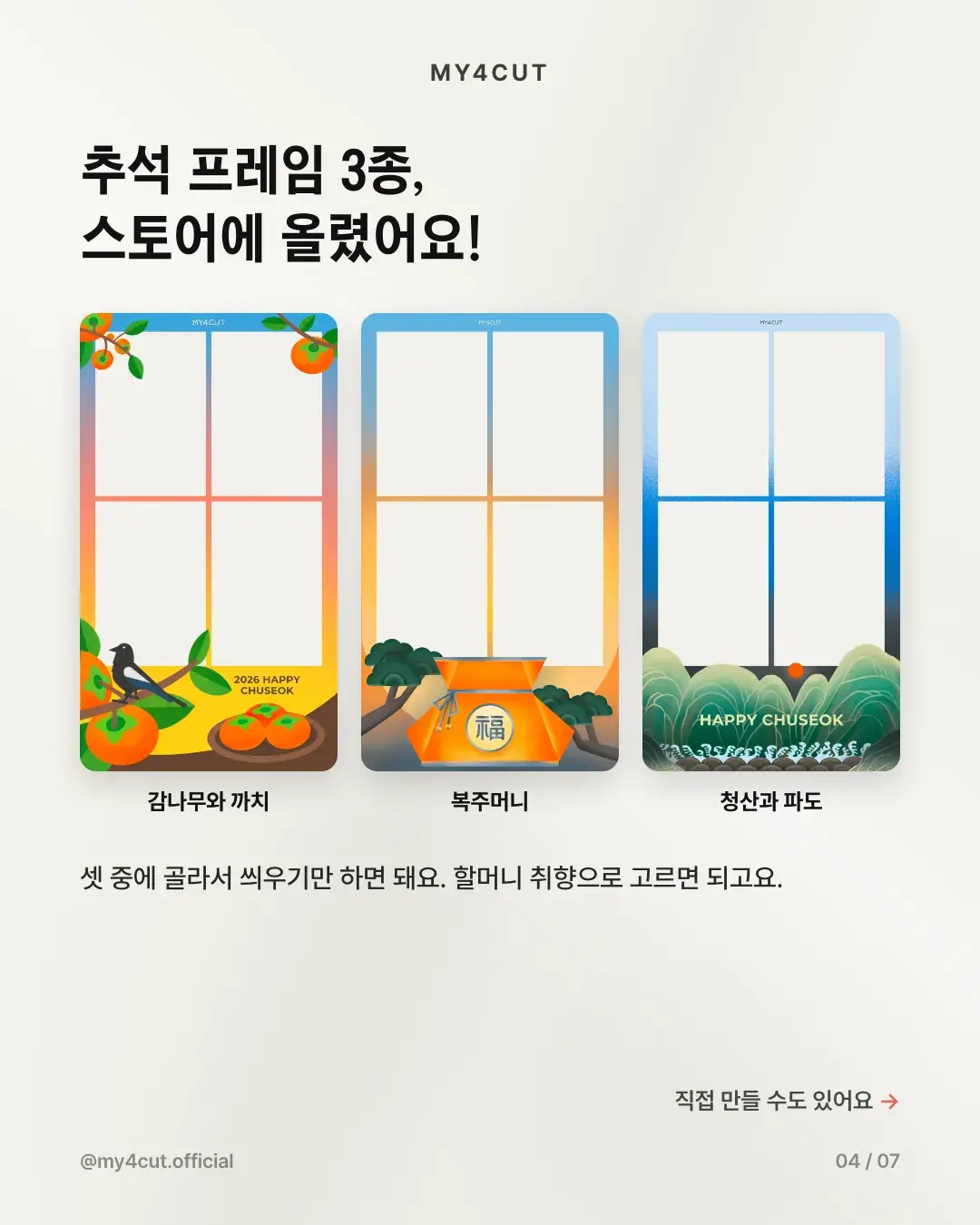
For Chuseok 2026 I uploaded three frames to the store: persimmon tree and magpie, lucky pouch, and green mountains with waves. Pick one and apply it. Choosing by grandma's taste worked well.
I also made two more. One has a chestnut mascot with a greeting for a happy Chuseok. The other shows a plate of songpyeon, the rice cakes eaten at Chuseok, in front of a moon and a hanok window. Both can be picked from the store.
In the card news I wrote that the frame does the holiday mood for you. You do not need to match outfits or the table, because the frame carries the feeling. Each frame has different artwork, so choosing together as a family is part of the fun.
How do you make a frame with your family name on it?
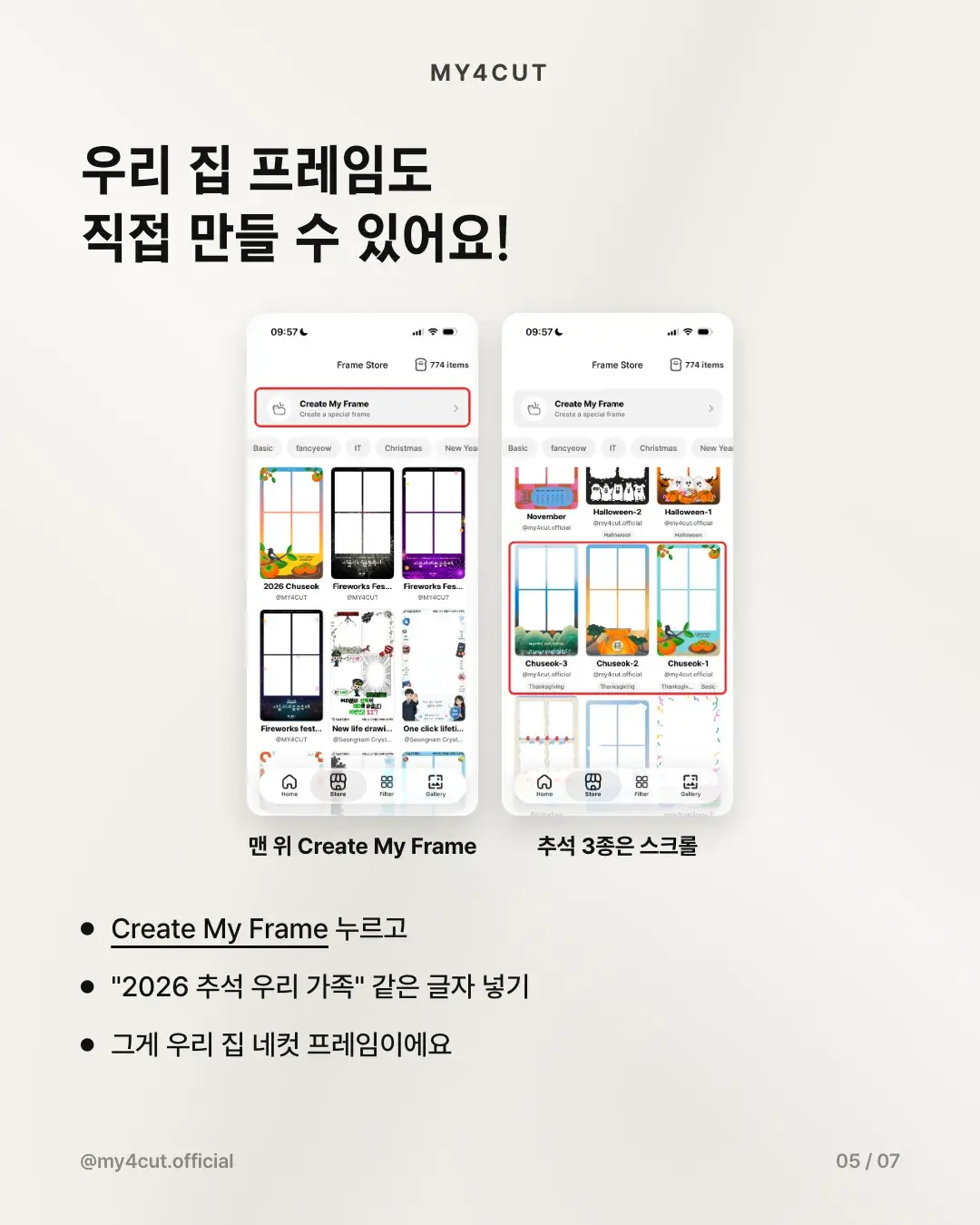
Besides store frames, you can make your own in the app. Tap 'Create My Frame' at the top of the store and type a line like '2026 Chuseok, our family'. That becomes your own family four-cut frame.
For Seollal, just change the text, for example to your family name plus the new year. That is a suggestion; write whatever fits your family. If you would rather design on a computer, there is the web frame maker and the frame template guide.
How do you get the photo onto grandma's phone?
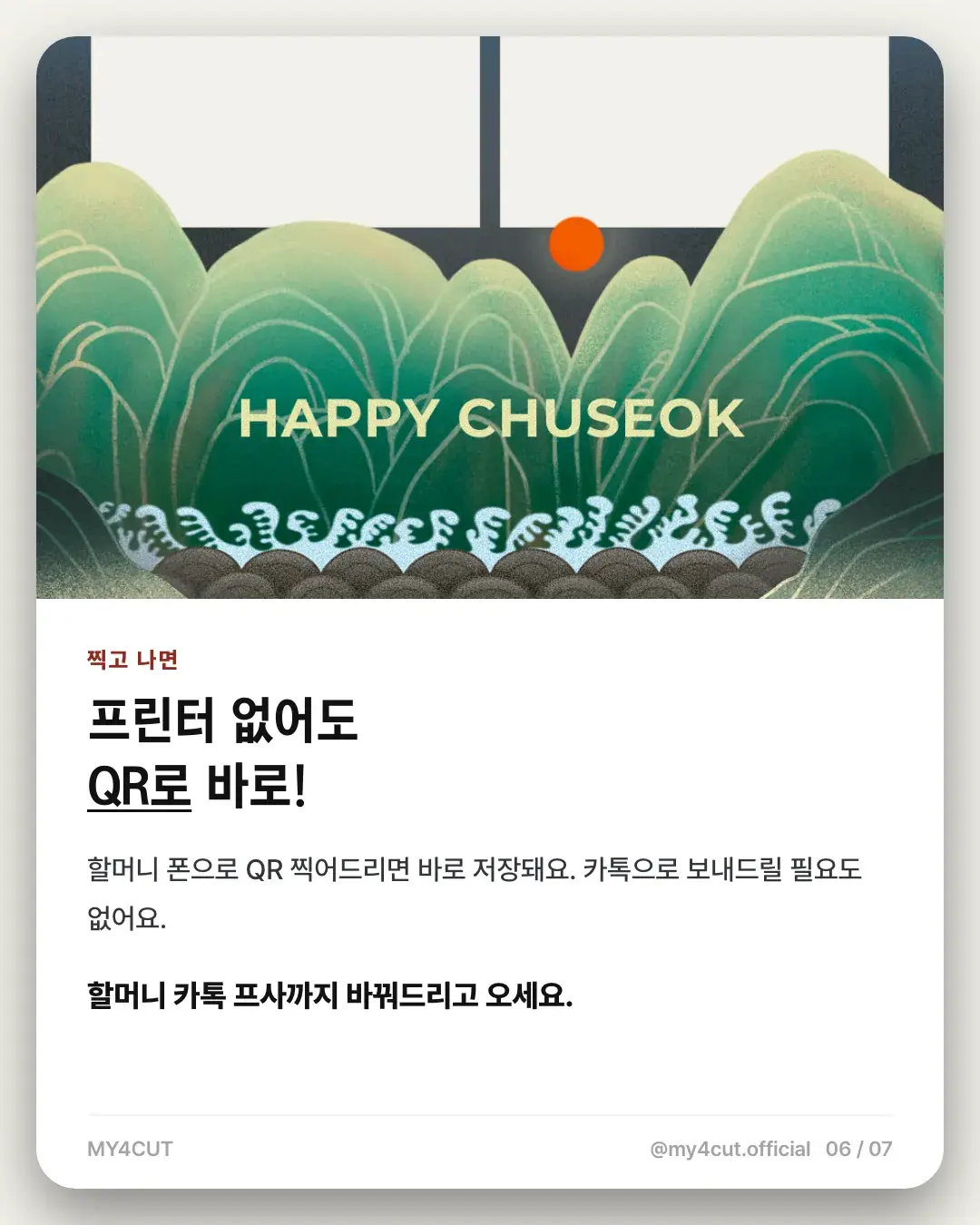
You do not need a printer. Scan the QR code with her phone and the photo saves right away. There is no need to send it through a chat app, which helps when she is not used to smartphones.
You can even set the photo as her profile picture while you are there. If you want a paper copy, you can print with an AirPrint printer, but that is optional.
When you scan the QR for her, watch the photo save together so she knows where it went. That is just my suggestion.
Can you do the same for Lunar New Year?
Shooting and saving work the same way. The Chuseok frames carry Chuseok wording, though, so for Seollal it is better to make your own frame.
Here is a short checklist for the day before. Install the app, pick or make a frame, and on the day just stand the phone up. If you want to compare it with other photo apps, see the iPhone and Galaxy four-cut guide.
It is not only for holidays. A birthday or any family gathering works too. Once you make a frame with your family name it stays in My frames, so you can reuse it every time you meet.
- Day before: install the app, pick or make a frame
- On the day: stand the phone on the table, slightly below eye level
- After shooting: save to each phone by QR code
Frequently Asked Questions
Does a family four-cut work on Android as well as iPhone?
Can I get the photo strip without a printer?
What height should the phone be for family photos?
How do I make a frame with our family name?
Can I use a Chuseok frame for Lunar New Year?
Pick the frame before the holiday
You can make a four-cut frame with your family name in the app or on the web frame maker.
See the frame makerMake a frame with your own name in the app
In the MY4CUT app you can make your own custom frame and share the strip with a QR code. Free on iOS and Android.