Korean Photo Booth App Abroad: Frames per Country
The short answer
I took an iPad mini booth abroad and made a custom frame for each place in the app. It ran at a San Francisco seminar, on a Google rooftop, at an Osaka izakaya and at a friend's birthday in the US. Guests got their photos by QR code on their own phones.
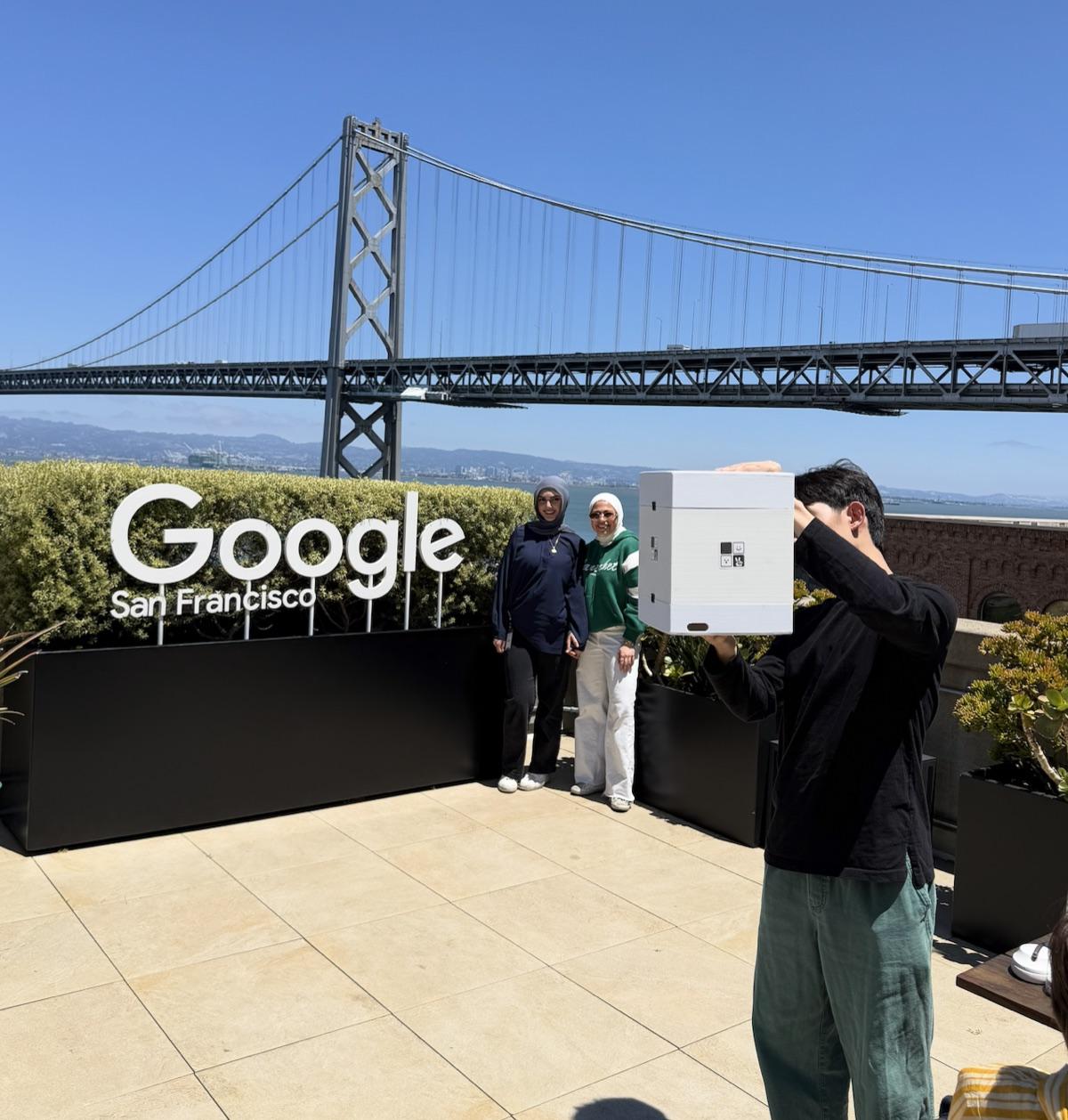
What happens when you take a photo booth to an event abroad?
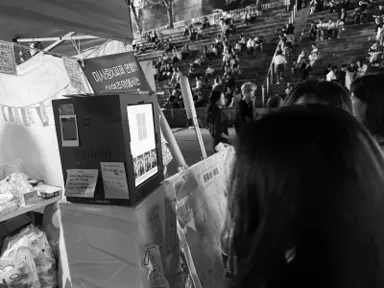
The booth is one box with an iPad inside. You can carry it by hand, so I took it on a plane to San Francisco. On the evening of June 23 it sat at the PRE-ICML MEETUP, an AI seminar networking night. Two days later, on June 25, I took it to EO House, the house EO set up in Silicon Valley where founders live together and host meetups and seminars.
It was the same booth both days. Only the frame changed, because I made a new one for each event. The place also decided where the booth went: on a table at the seminar, on the kitchen island at the house.
At EO House people sat in the living room listening to a talk. I put the booth on one side of the kitchen island. I did not set up a booth area, and nobody stood next to it to run it. If someone noticed it while walking by, that was the start.
I also carried it up to the Google San Francisco rooftop, where people who were there took turns in front of the sign and the Bay Bridge. The Tokyo demo table is its own story: Venture Café Tokyo. The pub night in San Francisco is in this post.
What does a frame for each country mean?
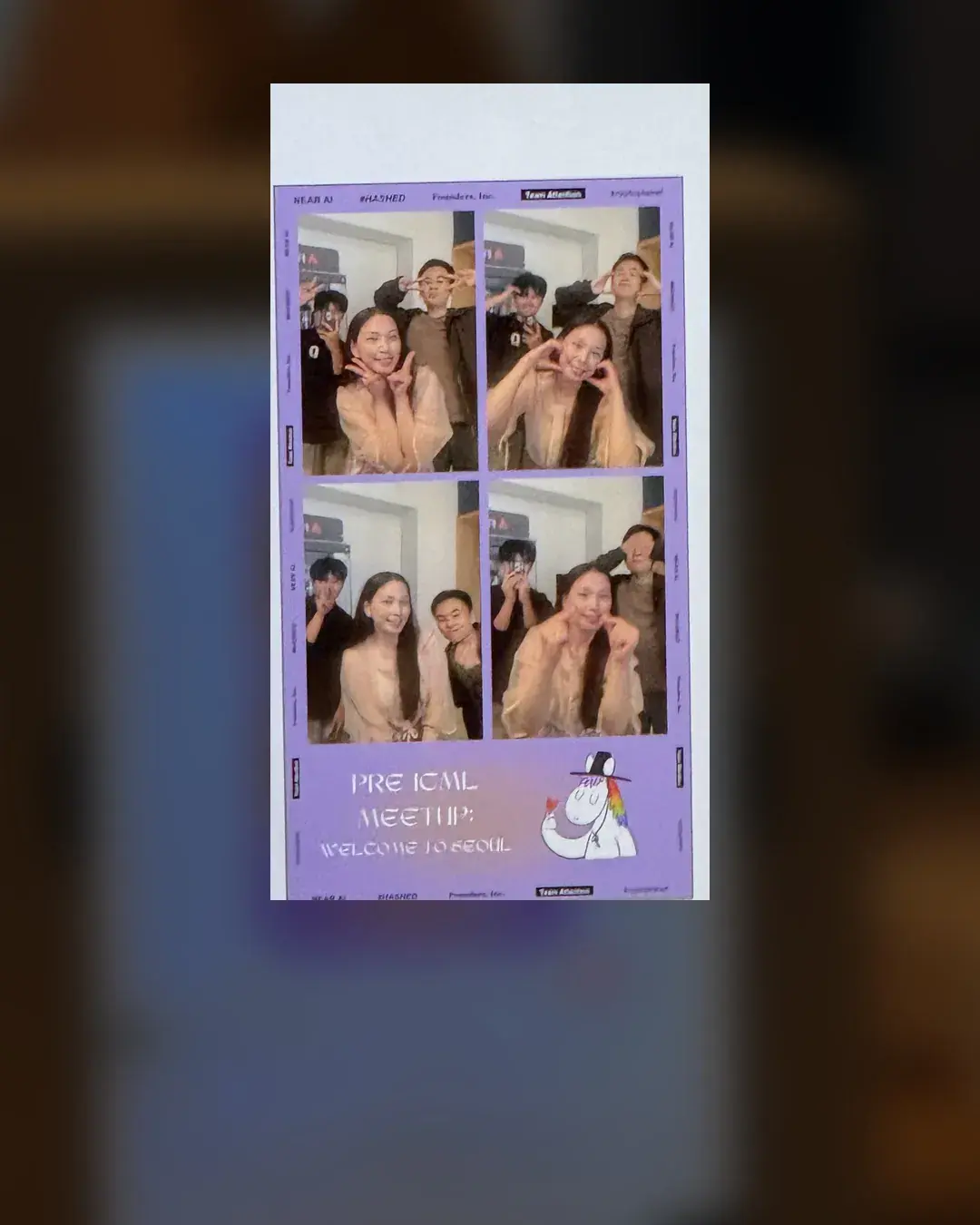
You make the frame yourself in the app. My goal is to shoot every trip with a frame that fits the place. For the PRE-ICML MEETUP I made a seminar frame in the app that day, with the event name and sponsor logos. I did not hire anyone. The event name sits at the bottom of the strip in the photo.
At EO House the strip came out with the EO logo under the four shots. In Osaka I typed OSAKA into a frame on the spot. You can tell where the photo was taken just by looking at it, which makes it nicer to look back on.
The steps for making a frame are in custom frame and the frame template guide. If you only need an event name or logo, start with the template guide.
Do people pose without any English instructions?
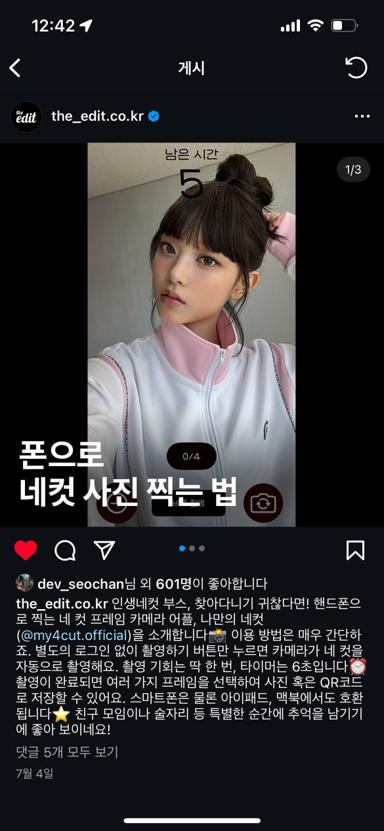
You tap the screen once and it counts 3, 2, 1. At the San Francisco seminar I did not explain how to use it in English, and people still found their poses.
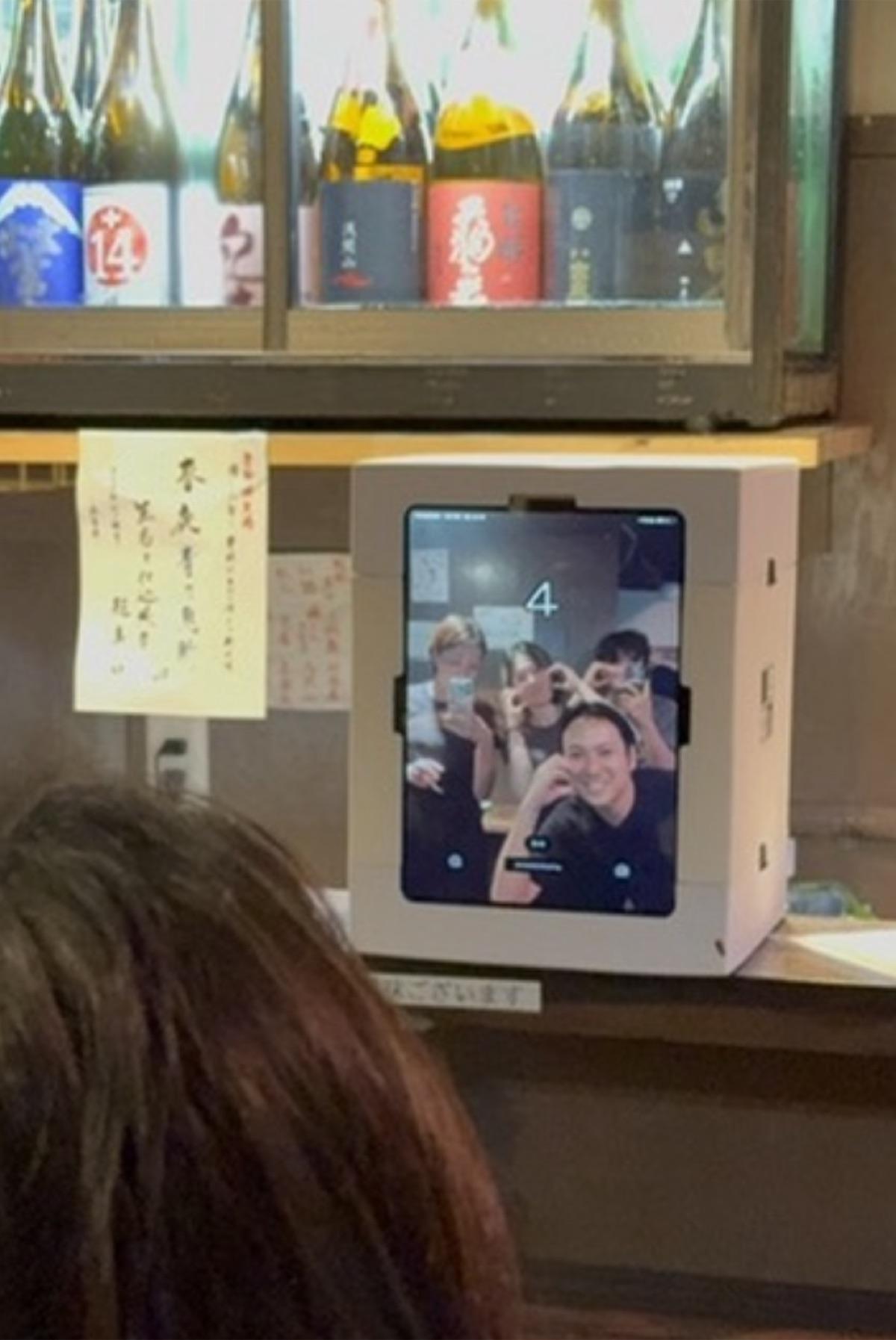
Same at the Osaka izakaya. I set the booth on one spot of the counter under the sake bottle shelf. The owner tried it first as soon as I turned it on, then four customers looked at the screen and matched a heart pose. Once the countdown showed up, everyone got serious.
Everyone poses differently, so the four shots in a strip all look different. In the PRE-ICML strip you can see hearts, peace signs and a cheek poke mixed together.
In places where we did not share a language, having nothing to explain was the easiest part. A number appears on screen and you can see yourself, so you know where to look.
How do guests get their photos?
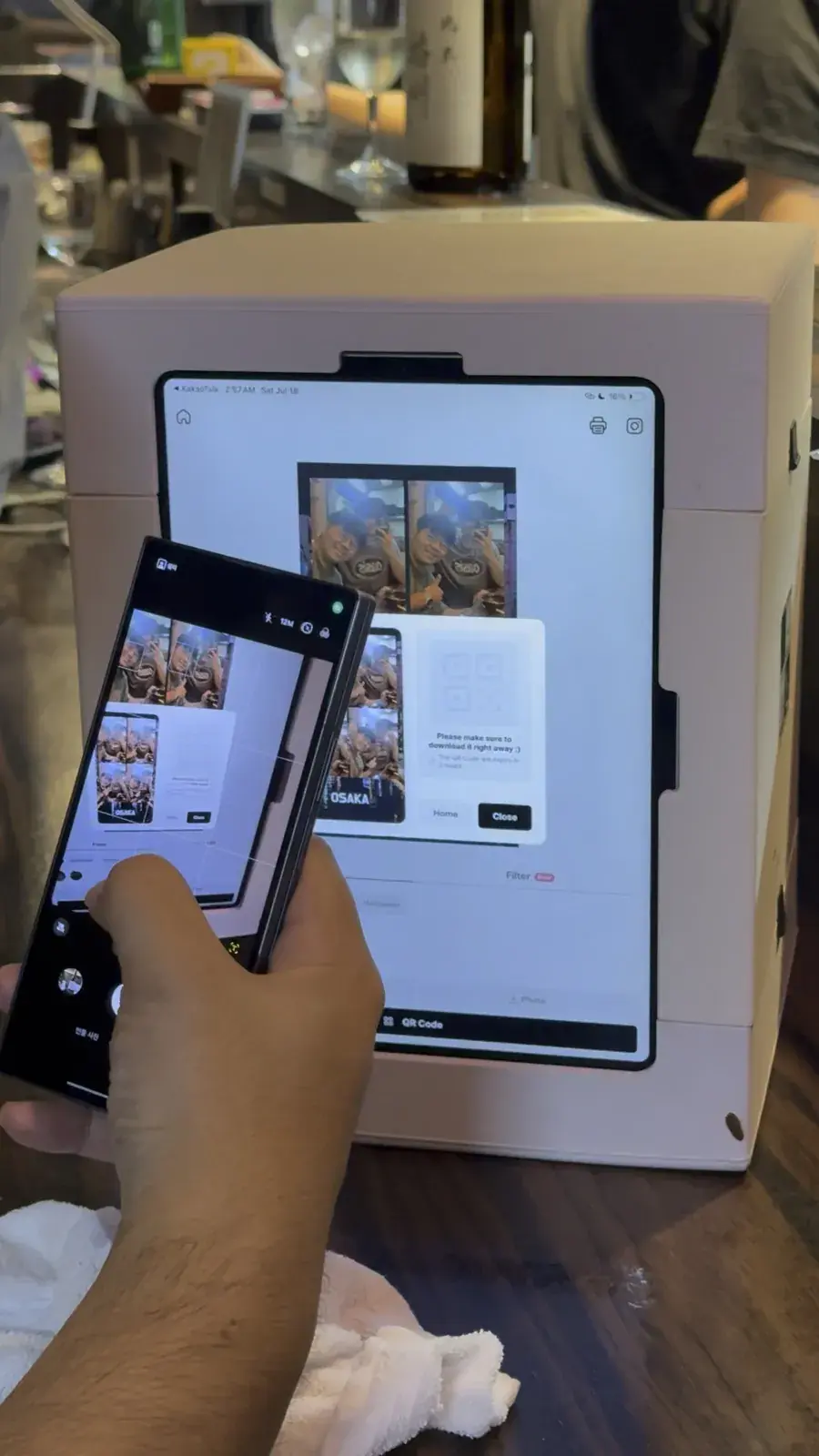
After the shot a QR code appears on the screen. Scan it with the phone camera and the photos open on that phone. Nobody has to install an app, it opens in the browser. In the app this is the QR code sharing feature.
In Osaka, people only had to open their phone camera, so they picked up their photos quickly. On the Google rooftop the results also went straight to each phone by QR.
At EO House I never had to collect contact details to send photos later. Showing the QR was enough.
What frame did I use for a friend's birthday in the US?
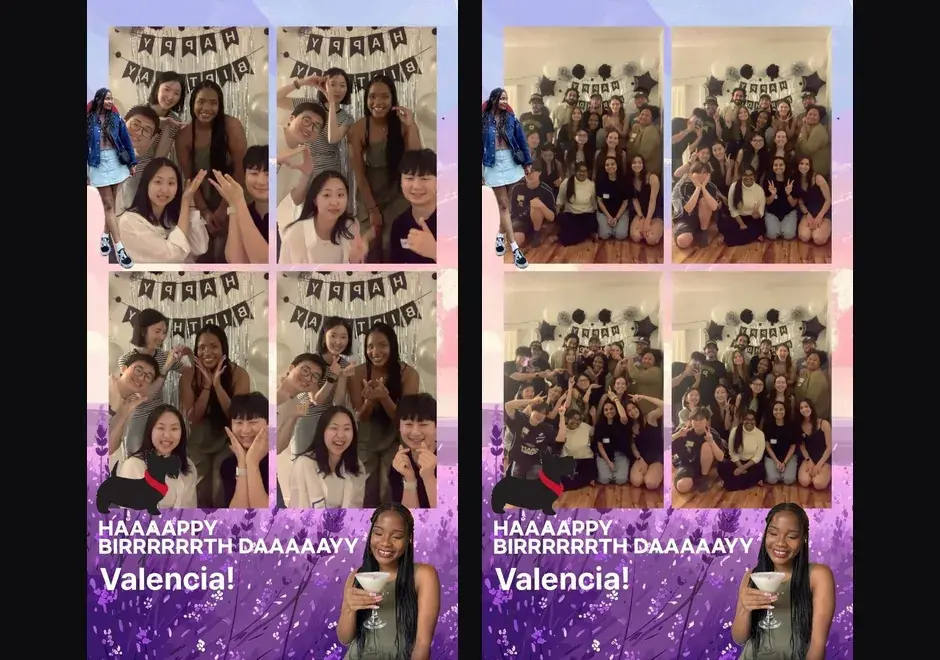
For my friend's birthday I made a birthday frame with her name in the app before the party. I put a stool in front of balloons, set the booth on it, and everyone took turns. Guests took the photos home by QR.
The frame in the photo has the birthday text and the birthday person's name. A strip with her name exists only for that party, and that got the best reaction.
It works the same outside events. For a home party you can change the name or the text, so making a frame for a friend who lives far away was easy.
How do I get ready for the next country?
The order is simple. Make a frame for where you are going, carry the booth, put it on whatever spot you have, and share by QR. A printer is optional. I took a printer to Venture Café Tokyo, and at the PRE-ICML MEETUP I brought no printer and shared by QR only. If you want prints, connect an AirPrint printer.
Before leaving I settle only a few things. Make a frame with the place or event name in the app, pack the booth box and the iPad, and picture where it could sit. One spot on a table, a counter or a stool was enough.
The things to pack before an event are in the event checklist. When the next country is set, I will shoot it with that country's frame and post it.
Frequently Asked Questions
What do I need to run a photo booth app abroad?
Do guests need to install the app to get their photos?
Can I make a different frame for each country or event?
Can people who do not speak Korean use it without instructions?
Does this work for a private party like a birthday?
Start with a frame for your next gathering
Make a frame with your event name or a person's name in the app.
Make a custom frameTake your first strip with the app
Four shots, frames, filters and QR sharing, all on one phone. Remote 4-cut lets you shoot with someone far away.