현장 사례업데이트 읽는 데 약 2분
도쿄 벤처카페 포토부스, 명함 대신 네컷
한눈에 보기
해외 창업 행사에서는 아이패드, 미니 부스, 포토 프린터, 인화지를 캐리어 하나에 담아 데모 테이블 한 칸에 올리면 돼요. Venture Café Tokyo에서는 찍으면 그 자리에서 인화해 연락처를 받을 일 없이 손에 쥐여줬고, 프레임엔 행사 이름과 날짜를 넣었습니다.
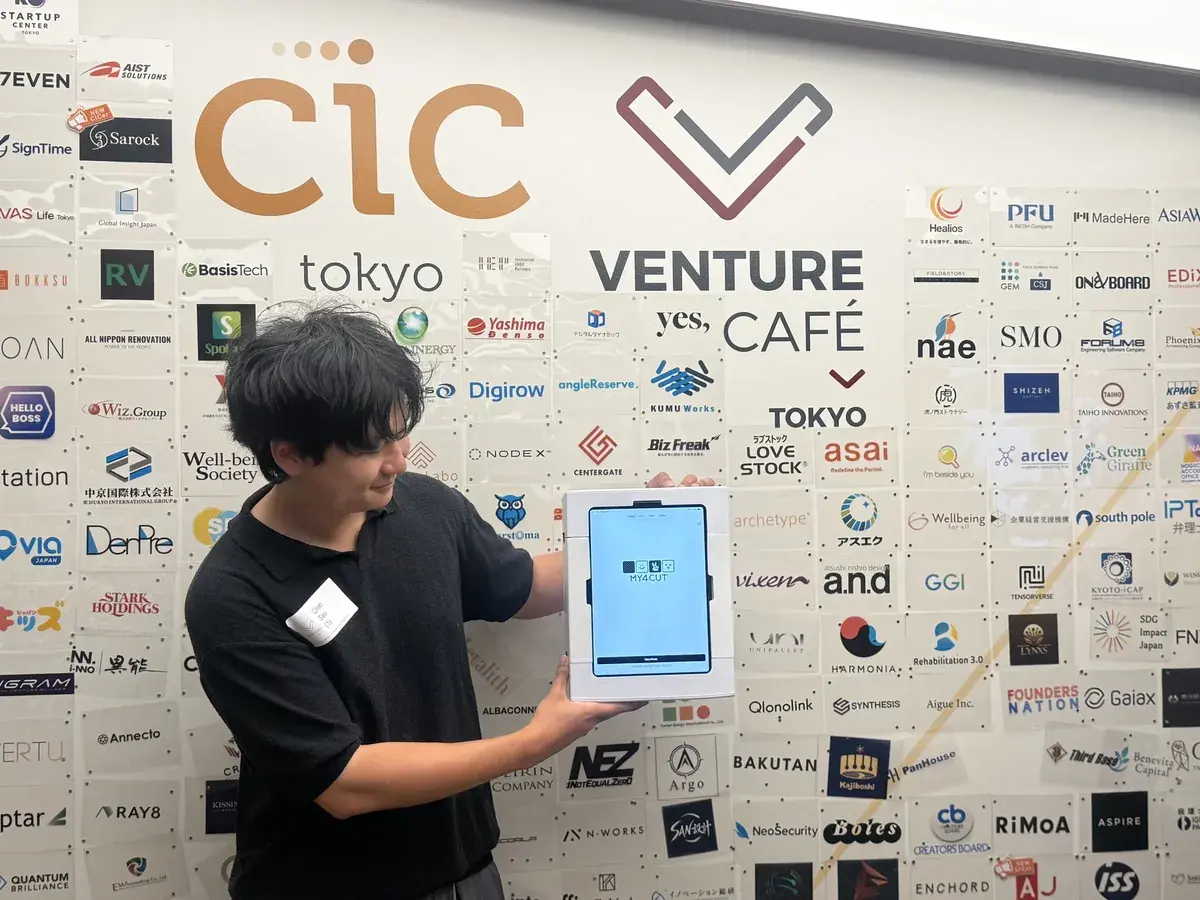
부스를 세운 게 아니라 데모 테이블 한 칸을 빌렸다
2026년 7월 9일, Venture Café Tokyo(CIC Tokyo). 매주 목요일 밤에 창업자들이 모이는 자리다.
아이패드를 끼운 미니 부스 하나, 옆에 포토 프린터 하나. 찍으면 그 자리에서 인화돼서 나온다.
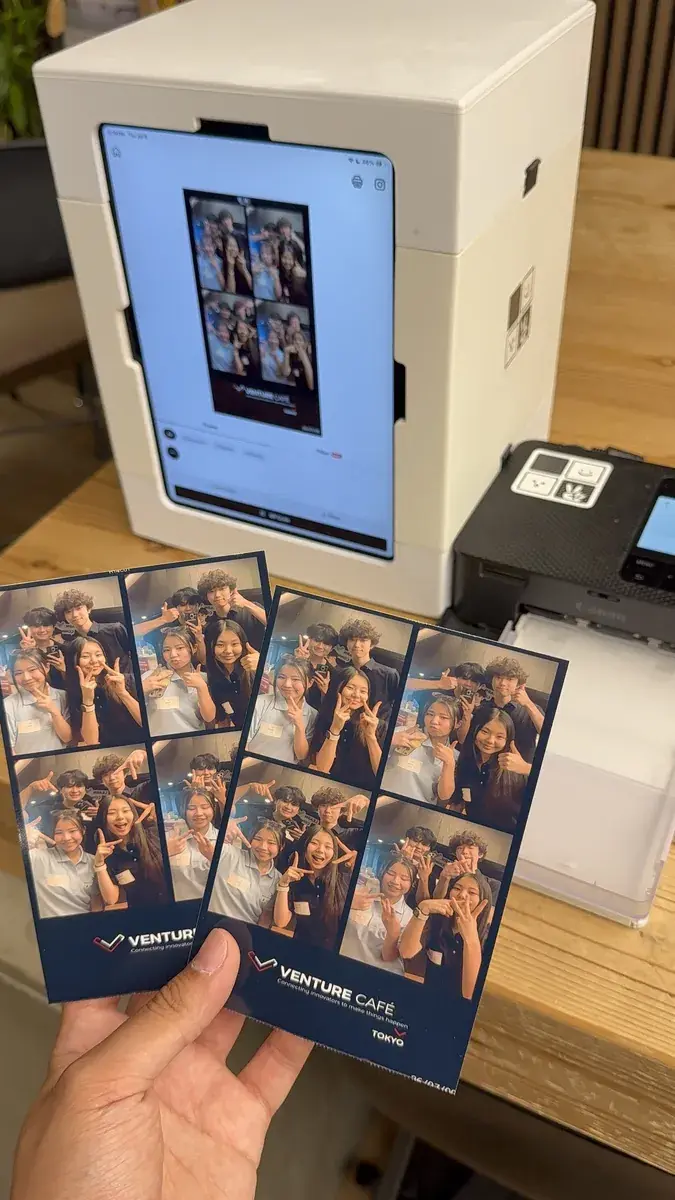
명함 대신 네컷
프레임은 앱에서 그날 만들었다. 아래쪽에 VENTURE CAFÉ TOKYO와 날짜를 넣어서, 받은 사람 손에 그날 있었다는 표시가 그대로 남게.
명함은 주머니에 들어가면 끝인데 네컷은 손에 들고 다니면서 계속 보여준다. 같이 찍은 사람 몫까지 여러 장씩 뽑아줬다.
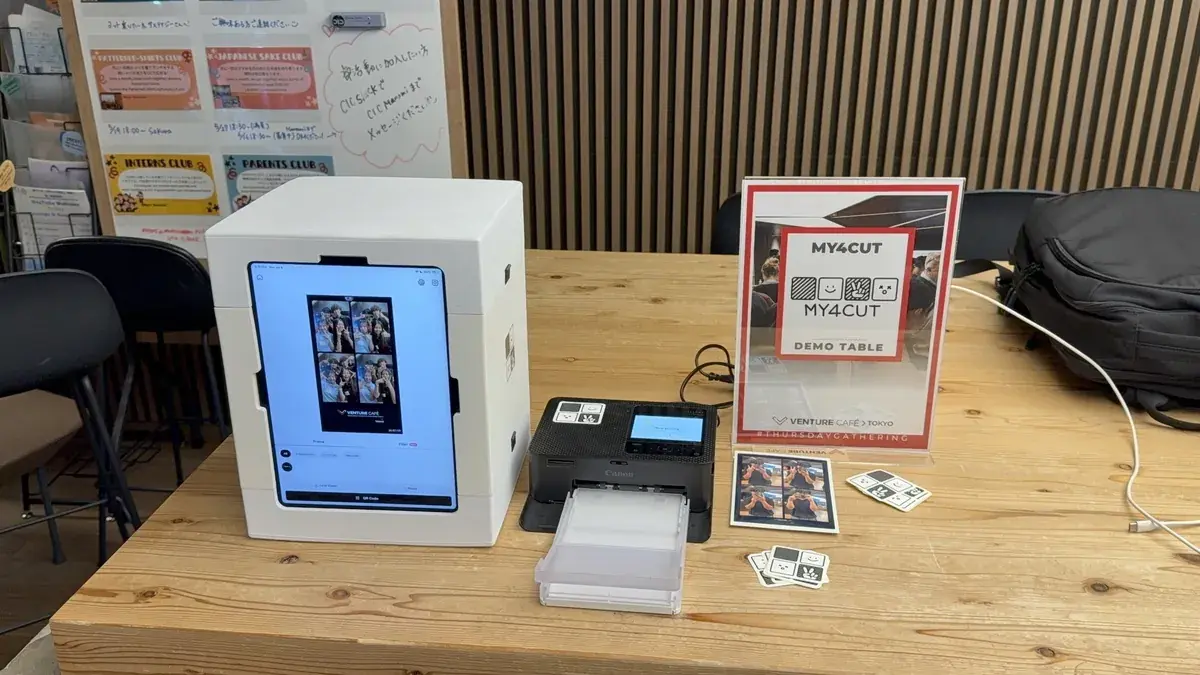
캐리어 하나
도쿄까지 들고 간 짐은 캐리어 하나였다. 아이패드, 미니 부스, 프린터, 인화지. 카메라도 조명도 부스 구조물도 안 가져갔다.
행사 하나 잡혀 있으면 아이패드부터 챙기면 된다.
해외 행사에 갈 때 짐은 어떻게 꾸렸나요?
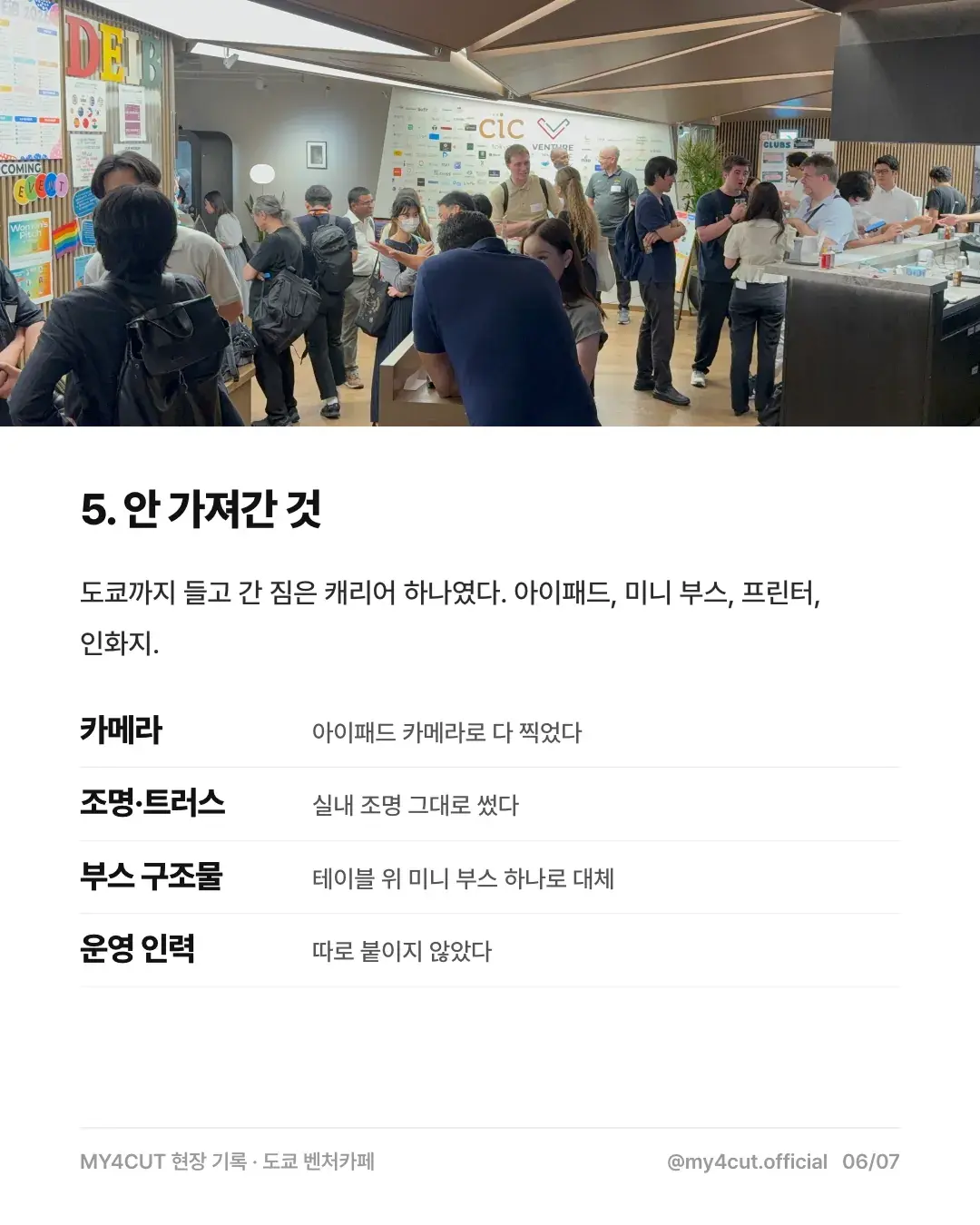
도쿄까지 들고 간 건 캐리어 하나였어요. 가져간 것과 안 가져간 것을 카드뉴스에서 이렇게 나눴습니다.
가져간 것은 아이패드, 미니 부스, 프린터, 인화지예요. 안 가져간 것은 아래와 같습니다.
- 카메라: 아이패드 카메라로 다 찍었어요.
- 조명·트러스: 실내 조명을 그대로 썼어요.
- 부스 구조물: 테이블 위 미니 부스 하나로 대신했어요.
- 운영 인력: 따로 붙이지 않았어요.
현장에서는 어떤 순서로 사진을 나눠 줬나요?
데모 테이블에서 이어진 흐름은 이랬어요.
- 테이블에는 미니 부스와 팻말 하나가 전부였어요. 지나가던 사람이 팻말을 보고 멈추면 그게 시작이었습니다.
- 화면에서 찍고 프레임을 고르면 옆에 물려 둔 포토 프린터에서 바로 인화돼 나왔어요.
- 사진을 보내 주겠다며 연락처를 받을 일이 없었어요. 손에 쥐여주면 끝이었습니다.
- 한 장은 본인이, 한 장은 같이 찍은 사람이 가져가도록 항상 여러 장씩 뽑았어요.
우리 행사에도 하려면 무엇부터 하나요?
행사가 잡혀 있으면 아이패드부터 챙기면 돼요. 앱을 깔고, 행사 이름과 날짜를 넣은 프레임을 만들고, 프린터를 하나 물리면 그날 바로 돌아갑니다.
프린터 연결은 프린터 가이드에, 프레임 만드는 방법은 나만의 프레임 직접 제작에 정리해 뒀어요. 해외 행사 사례가 궁금하면 현장 사례 모음도 볼 수 있습니다.
자주 묻는 질문
해외 행사에 포토부스를 가져갈 수 있나요?
현장에서 바로 인화하려면 뭐가 필요한가요?
행사 이름과 날짜가 들어간 프레임은 어떻게 만드나요?
해외 행사에서는 사진을 어떻게 전달하나요?
해외 행사에 운영 인력을 따로 데려가야 하나요?
다음 행사에는 네컷을 돌려보세요
프린터 연결 방법과 부스 구성은 가이드와 스토어에서 확인할 수 있어요.
행사 로고와 전용 프레임을 넣어 부스를 열어 보세요
나만의 네컷 앱에는 로고 커스터마이징, 행사 전용 프레임, 관리자 비밀번호 잠금이 있어요. 찍은 사진은 QR 코드로 게스트 폰에 바로 들어가요.