현장 사례업데이트 읽는 데 약 2분
팝업스토어 포토부스, 테이블 위 3단계로 설치
한눈에 보기
팝업스토어 포토부스는 부스를 테이블 위에 올리고, 아이패드를 끼우고, 전원을 연결하면 준비가 끝나요. 공사나 큰 공간, 복잡한 장비가 필요 없습니다. 손님은 직접 찍고 QR로 앨범에 저장하고, 직원은 팝업 운영에 집중할 수 있어요.
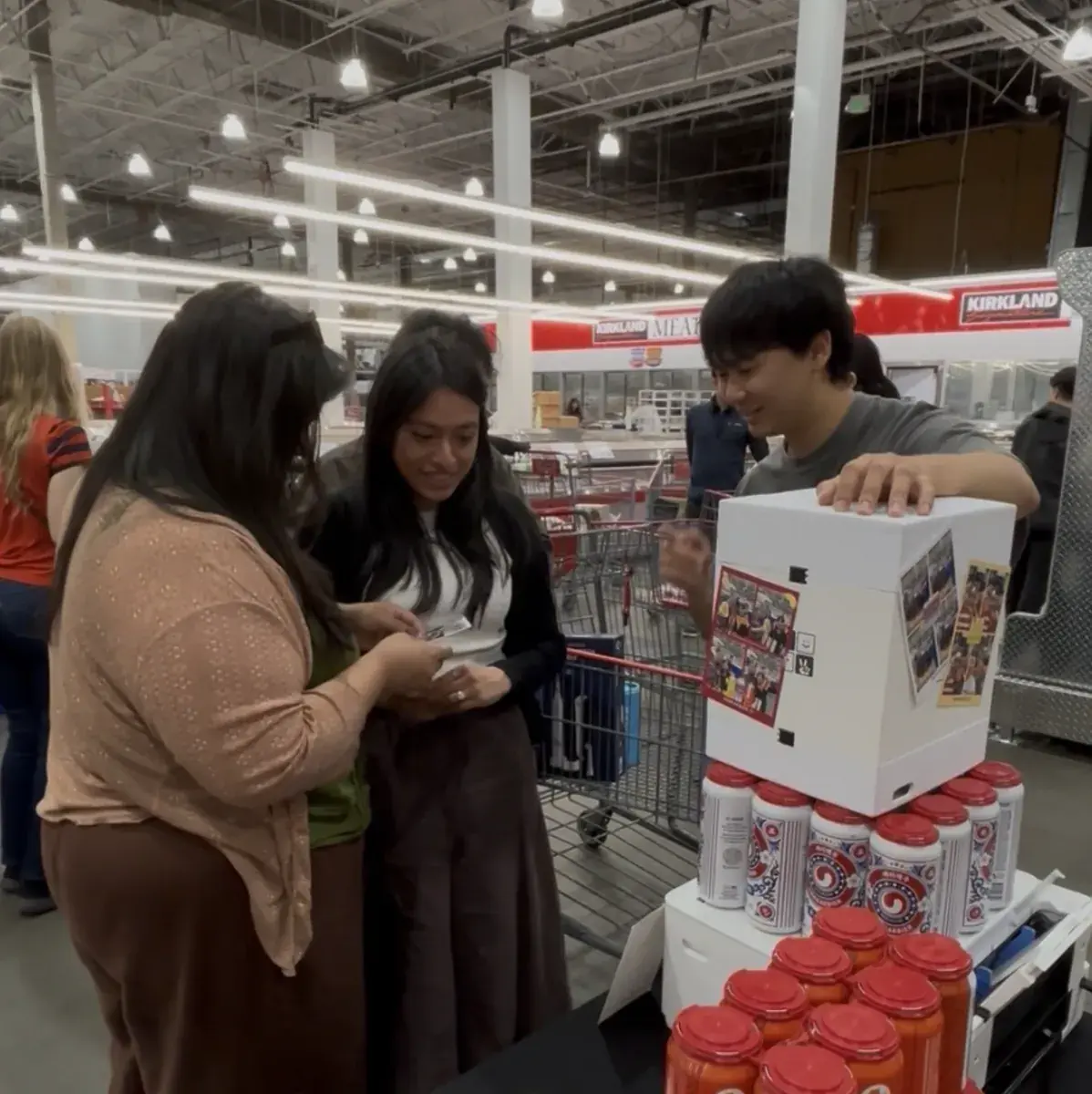
작은 테이블 위에 올리고 아이패드만 끼우면 시작
나만의 네컷 부스는 매대 한 칸에 올리고 아이패드만 끼우면 바로 시작할 수 있어요.
방문객이 직접 찍고, 완성된 네컷은 QR로 바로 가져갑니다. 줄을 세울 스태프가 따로 필요 없어요.
브랜드 로고가 들어간 프레임
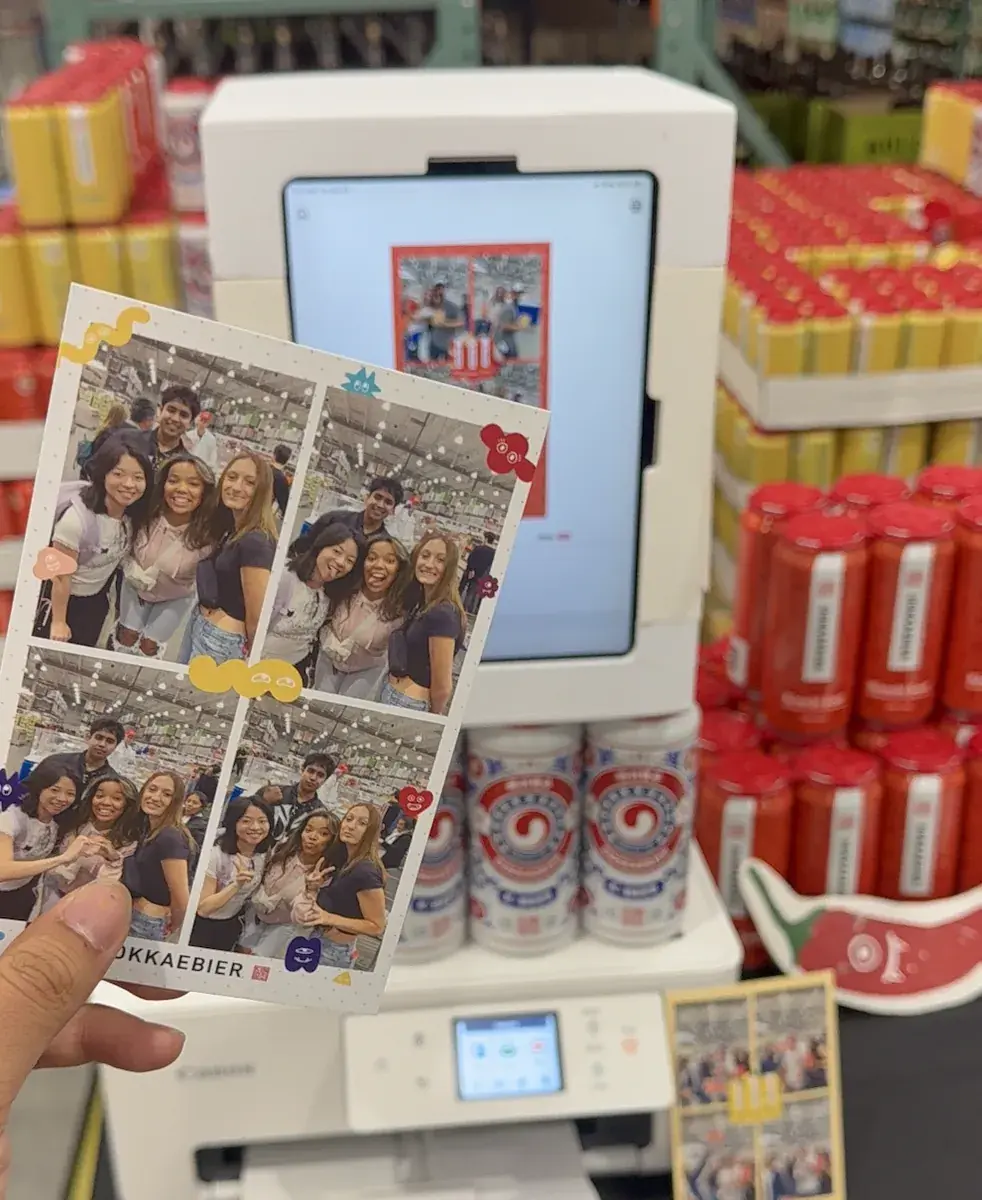
팝업 이름이나 브랜드 로고를 넣은 프레임을 앱에서 만들 수 있어요. 손님이 가져가는 네컷 한 장 한 장이 브랜드 콘텐츠가 됩니다.
제품 옆에 부스를 두면 제품과 함께 찍힌 사진이 그대로 SNS로 퍼져요.
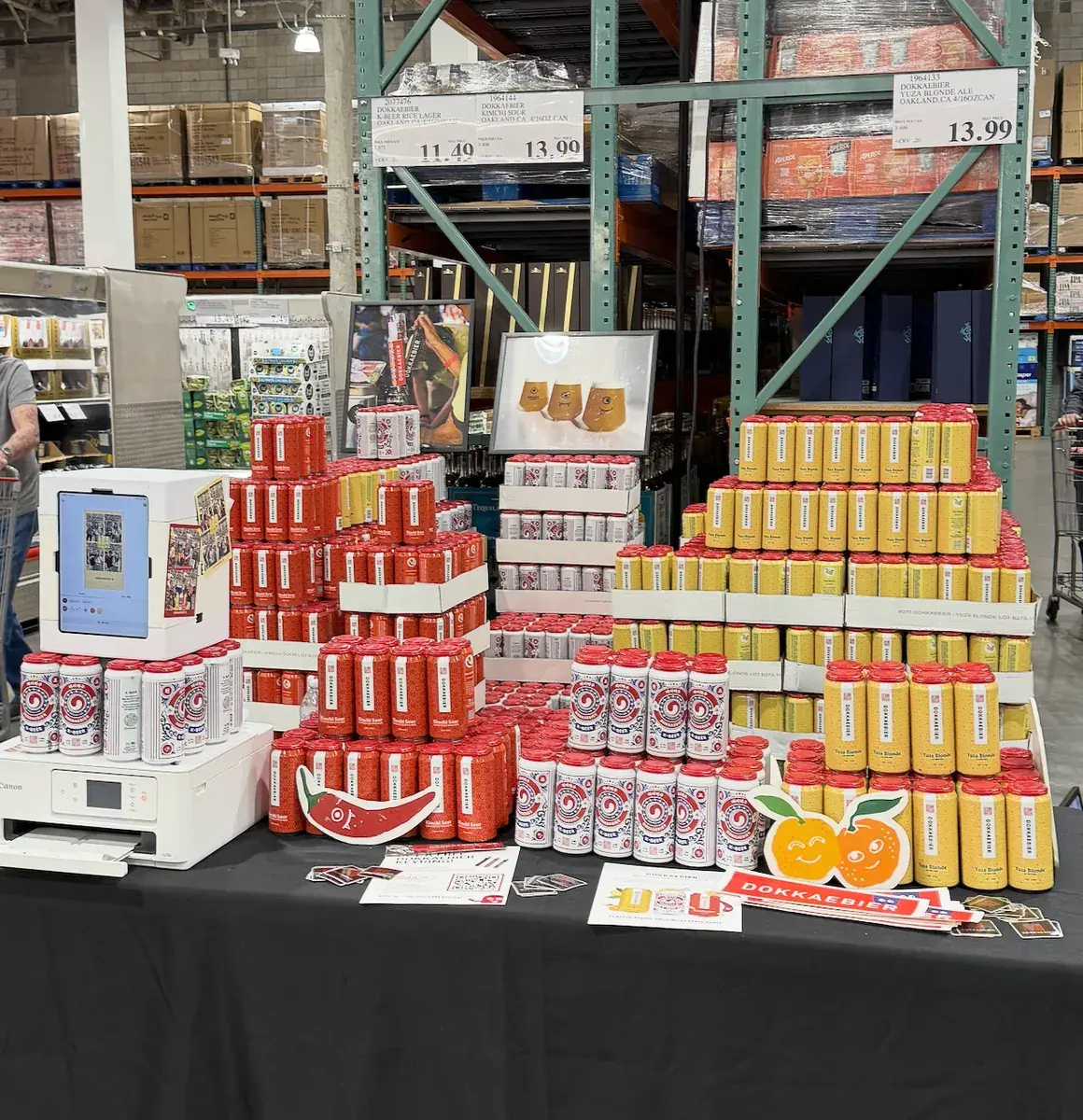
단기 팝업은 렌탈, 상시 운영은 구매
며칠만 여는 팝업이면 렌탈로, 매장에 계속 두려면 구매로 준비할 수 있습니다.
포토 프린터를 붙이면 현장에서 바로 인화해 나눠 줄 수도 있어요.
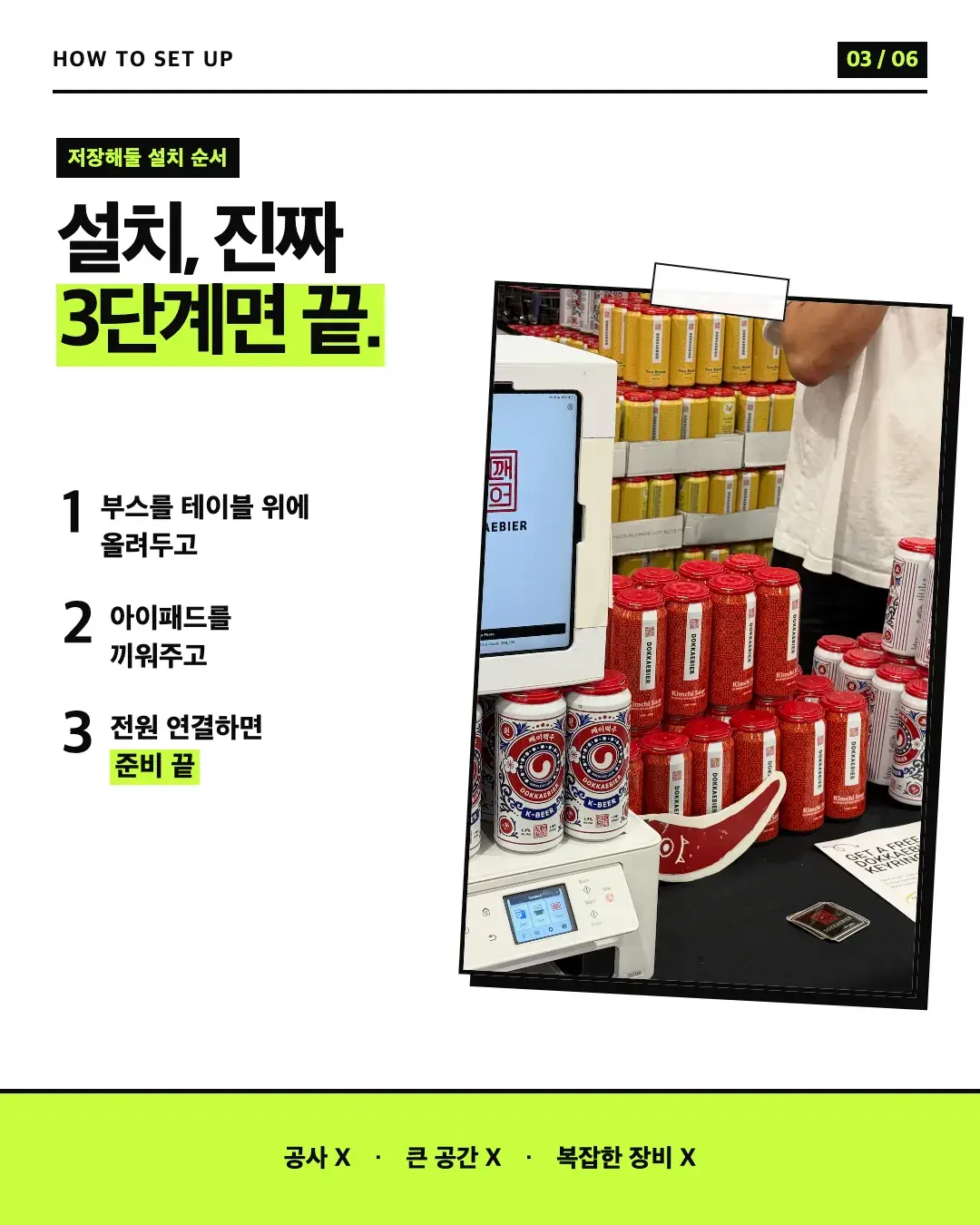
팝업스토어에 설치하려면 어떤 순서로 하나요?
카드뉴스에서는 설치를 세 단계로 정리했어요. 공사도, 큰 공간도, 복잡한 장비도 필요 없다는 게 포인트였습니다.
- 부스를 테이블 위에 올려 둡니다.
- 아이패드를 끼웁니다.
- 전원을 연결하면 준비 끝입니다.
손님은 사진을 어떻게 가져가고, 직원은 뭘 하나요?
손님이 직접 찍고, QR을 열어서, 내 앨범에 저장합니다. 손님 입장에서는 추억이 하나 더 생기는 거고요.
직원은 부스 앞에서 사진을 찍어 주거나 줄을 세울 필요가 없어서 팝업 운영에 집중할 수 있어요.
공간은 잊어도 사진은 남더라는 게 카드뉴스에서 한 얘기예요. 브랜드가 담긴 네컷 한 장이 팝업을 더 오래 떠올리게 해 줍니다.
렌탈과 구매는 어떻게 고르나요?
기준은 기간이에요. 짧게 여는 팝업이면 필요한 기간만 렌탈하고, 계속 쓸 공간이면 구매해서 상시 운영하는 쪽이 맞습니다.
렌탈은 하루 50,000원에 배송비 5,000원, 구매는 150,000원이에요. 아이패드는 별도라 따로 준비해야 합니다. 렌탈 절차는 렌탈 안내에서 볼 수 있어요.
자주 묻는 질문
팝업스토어 포토부스 설치에 얼마나 걸리나요?
브랜드 로고를 넣은 프레임을 쓸 수 있나요?
렌탈과 구매 중 뭐가 맞나요?
팝업스토어 포토부스에 직원이 따로 필요한가요?
팝업에 필요한 장비와 공간은 어느 정도인가요?
우리 팝업에 부스 두기
부스 구성과 렌탈·구매 정보는 스토어에서 확인하세요.
행사 로고와 전용 프레임을 넣어 부스를 열어 보세요
나만의 네컷 앱에는 로고 커스터마이징, 행사 전용 프레임, 관리자 비밀번호 잠금이 있어요. 찍은 사진은 QR 코드로 게스트 폰에 바로 들어가요.